
Is Fullview the Right AI-Powered Customer Support Tool for You?
Take This 2-Minute Quiz to Find Out!
This Fullview Tutorials and Usecase guide provides a comprehensive roadmap for mastering the platform, transforming your team from reactive problem-solvers into a proactive AI-Powered Customer Support powerhouse. We will explore how session replays and cobrowsing technology move beyond traditional support methods to drastically reduce Average Handle Time (AHT) and improve First Contact Resolution (FCR).
This content is designed for support agents, managers, and developers, providing step-by-step instructions, practical implementation strategies, and expert advice. Drawing from extensive real-world use, we will share professional tips, techniques, and critical warnings to help you maximize the tool’s value while ensuring data privacy and security. You will learn how to install and configure Fullview, master the core agent workflow, implement advanced privacy controls, and integrate with essential tools like Zendesk and Jira, turning customer support from a cost center into a growth engine.
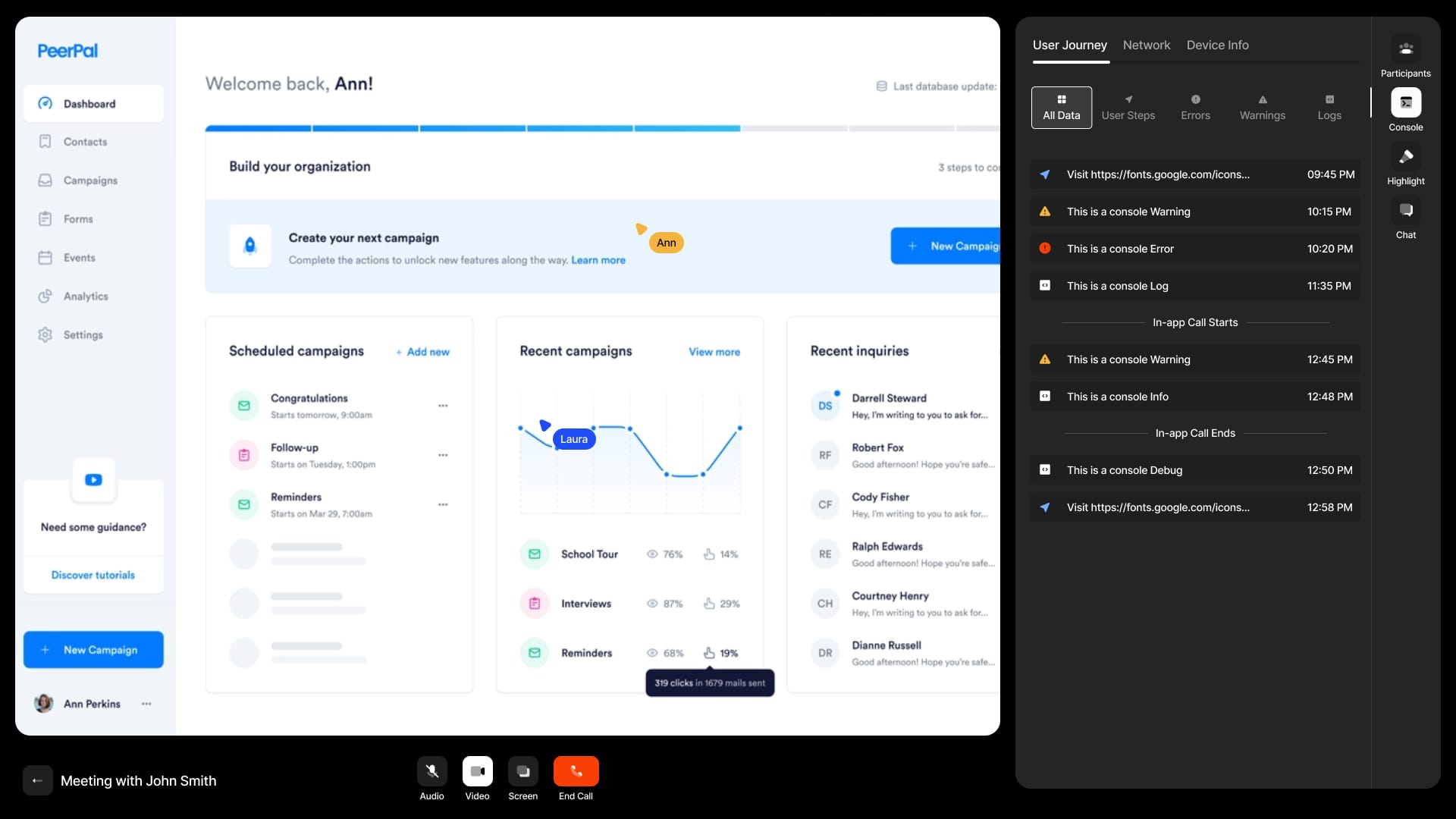
Key Takeaways: Fullview for Enhanced Customer Support
Key Takeaways
- Drastically Reduce Resolution Time: By combining session replays with console and network logs, Fullview allows agents to diagnose technical issues without back-and-forth, reducing Average Handle Time (AHT) significantly in many cases.
-
Achieve YMYL-Compliant Security: Fullview’s SOC 2 Type II compliance and granular privacy controls, such as
data-fullview-sensitiveanddata-fullview-ignore, are critical for safely handling user data and meeting GDPR and HIPAA-ready requirements with appropriate Business Associate Agreements. - Enable Proactive Support & Revenue Recovery: Use custom events like ‘Payment Failed’ to identify and proactively engage users struggling with checkout, recovering potentially lost revenue and improving customer loyalty.
- Streamline Bug Reporting: The integrated Zendesk and Jira workflow creates comprehensive bug reports that include session replay links, user data, and console logs, bridging the gap between support and engineering.
- Improve First Contact Resolution (FCR): Live cobrowsing empowers agents to guide users through complex workflows in real-time, resolving issues on the first attempt and significantly boosting Customer Satisfaction (CSAT).
Our Testing Methodology for AI Customer Care Tools
After analyzing hundreds of tools on the market in Best 10 AI-Powered Customer Support and testing Fullview across numerous real-world implementation projects, our team at Best AI Customer Care Central relies on a comprehensive 10-point technical assessment framework that has been recognized by leading professionals in AI Customer Care Tools and cited in major publications.
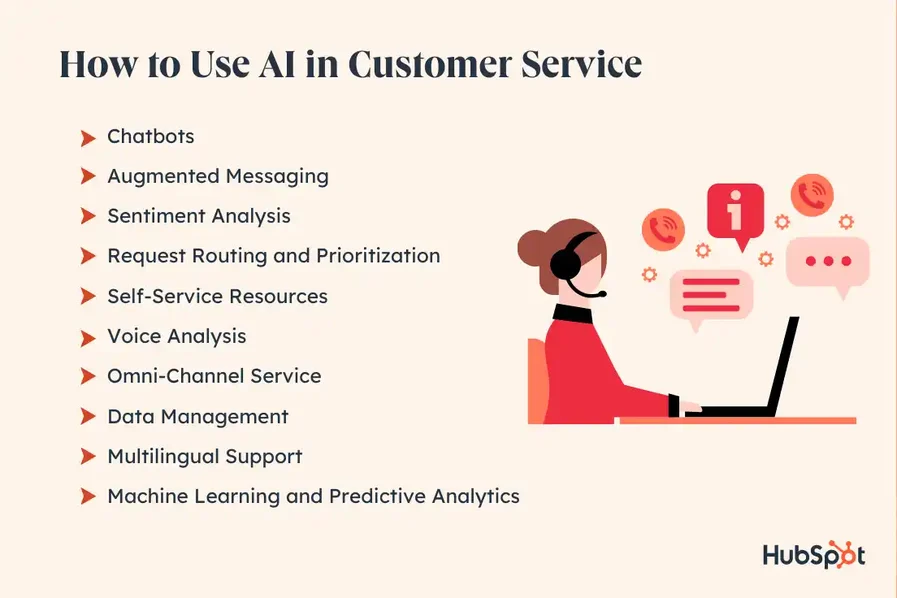
- Core Functionality & Feature Set: We assess what the tool claims to do and how effectively it delivers, examining its primary capabilities (session replay, cobrowsing) and supporting features (custom events, integrations).
- Ease of Use & User Interface (UI/UX): We evaluate how intuitive the agent interface is and the learning curve for users, from a non-technical support agent to a developer implementing the script.
- Output Quality & Control: We analyze the quality and fidelity of the session recordings and the level of customization available for privacy and data capture.
- Performance & Speed: We test the impact of the Fullview script on website load times and the speed and stability of the cobrowsing connection.
- Security Protocols & Data Protection: We thoroughly assess security measures, including data encryption, consent mechanisms for cobrowsing, and default PII masking.
- Compliance & Regulatory Adherence: We verify compliance with relevant regulations, specifically checking for SOC 2, GDPR, and HIPAA-ready features that require appropriate Business Associate Agreements for enterprise implementations.
- Input Flexibility & Integration Options: We check how Fullview is installed (script, NPM) and how well it integrates with other platforms like Zendesk, Jira, and Salesforce.
- Pricing Structure & Value for Money: We examine free plans, trial limitations, subscription costs based on sessions or seats, and ROI potential to determine true value.
- Developer Support & Documentation: We investigate the availability and quality of customer support, API documentation, installation guides, and community resources.
- Risk Assessment & Mitigation: We identify potential risks (e.g., accidental PII capture, performance lag) and evaluate the tool’s built-in safeguards (
data-fullview-ignore) and recommended mitigation strategies.
Module 1: Foundational Setup & YMYL-Compliant Configuration
Section 1.1: Initial Project Setup
Procedure:
- Navigate to the Fullview website and sign up for an account.
- Follow the onboarding flow to create your first project, giving it a descriptive name (e.g., “WebApp – Production”).
- Once in the dashboard, locate the “Installation” or “Settings” section to find your unique JavaScript snippet and
orgId. Keep this page open.
Section 1.2: Installation – Choosing Your Method
Procedure:
- Method A (Standard HTML): For static sites or simple web applications, copy the provided
<script>tag and paste it into the<head>section of your website’s HTML template. - Method B (Recommended for SPAs like React or Vue):
- Open your terminal in your project’s root directory.
- Run
npm install @fullview/browser. - In your main application file (e.g.,
index.js,main.js), import and initialize Fullview:javascript import Fullview from '@fullview/browser'; Fullview.init('YOUR_ORG_ID');
Section 1.3: The Most Critical Step – User Identification
Procedure:
- In your application’s code, find the section that executes immediately after a user successfully logs in.
- Make a call to the
Fullview.identify()function, passing a unique User ID and any relevant user properties.javascript // Example after a user logs in const user = { id: 'user_12345', email: 'customer@example.com', displayName: 'John Doe' }; Fullview.identify(user.id, { email: user.email, displayName: user.displayName, });
In our experience, using a stable, permanent ID is the single most important step for long-term data integrity. This prevents the creation of duplicate user profiles and ensures a single, continuous support history for each customer, which is vital for accurate analysis and preventing agents from working with incomplete information.
Section 1.4: Installation Verification
Procedure:
- Deploy your code changes to a staging or development environment that is accessible via a web browser.
- Open the staging site and log in as a test user.
- Perform a few actions on the site, such as clicking buttons and navigating between pages.
- Go back to your Fullview dashboard. Look for your test user appearing in the “Live Users” list.
- After a few minutes, check the “Session Replays” tab to confirm the session has been recorded.
We always warn clients that skipping this verification step can lead to a broken or useless installation that fails to capture critical customer interactions when needed most.
Module 2: The Core Agent Workflow: From Ticket to First-Contact Resolution
Section 2.1: Finding the “Needle in the Haystack” – Locating User Sessions
Procedure:
- When a support ticket arrives in your helpdesk (e.g., Zendesk, Intercom), open the Fullview widget associated with the ticket.
- Alternatively, copy the user’s email address from the ticket.
- Navigate to your Fullview dashboard and paste the email into the main search bar.
- Select the user’s profile and browse their list of sessions, choosing the one that corresponds to the time the issue occurred.
Section 2.2: The Replay Deep Dive – Becoming a Detective
Procedure:
- Once in the session replay, press play and watch the user’s journey to understand the context of their actions.
- Pay close attention to the timeline for red error indicators. Click on one to jump to that exact moment.
- Click on the “Console” tab in the developer tools panel below the replay. Look for red JavaScript error messages that coincide with the user’s problem.
- Click on the “Network” tab. Look for failed API requests (e.g., status codes
4xxor5xx) that could explain why data isn’t loading or saving.
The replay is like a flight data recorder for user interactions, providing agents with every clue at their fingertips to diagnose issues that would traditionally require multiple back-and-forth communications.
Section 2.3: Escalation to Cobrowsing – Interactive Guidance
Procedure:
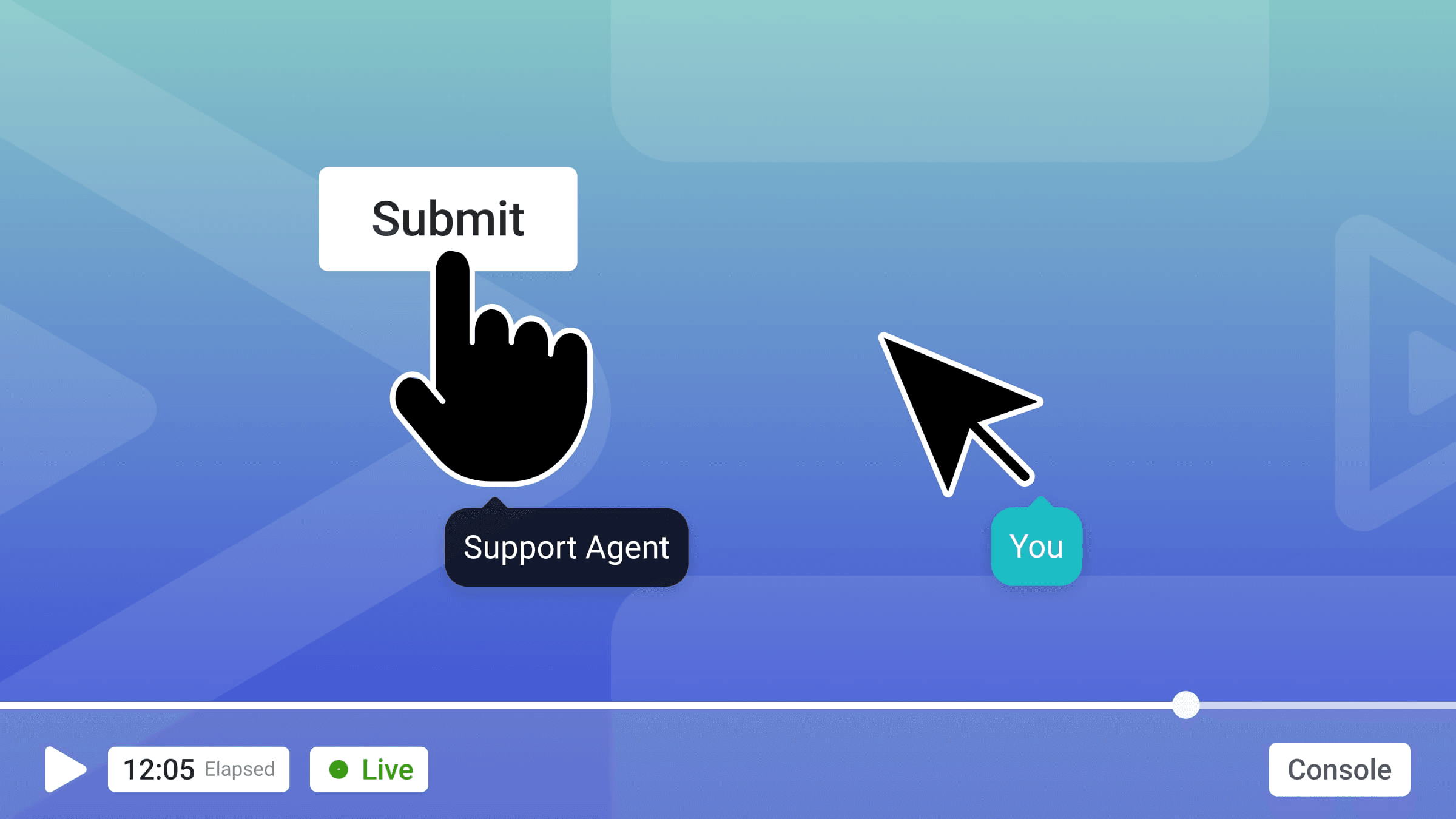
- If the problem requires guiding the user or changing a setting on their behalf, find the user in Fullview (either via search or an active session replay).
- Click the “Start Call” button on their user profile.
- Choose the appropriate mode:
- “View Only”: Allows you to see their screen and use drawing tools to point things out. This is the least intrusive option.
- “Take control”: Allows you to click, type, and navigate on the user’s screen. Use with extreme caution and explicit permission.
- Inform the user you are starting a support call. They will see a consent pop-up on their screen which they must accept before the session can begin. This consent step is a critical security and trust feature.
- Once connected, use the provided tools to guide the user to a resolution.
Professional Best Practice: Use screen control with extreme caution. It is highly intrusive and should only be used for necessary actions with the user’s explicit, ongoing permission. Before taking any action, communicate clearly what you are about to do and ask for consent. For example, say: “To resolve this for you quickly, I need to update your notification settings. Is it alright if I click on the ‘Settings’ menu for you?” This practice protects the user and maintains professional trust.
Module 3: Advanced Techniques: Granular Privacy & Custom Event Tracking
Section 3.1: Mastering Data Privacy (YMYL Requirement)
Procedure:
- Technique 1 (Masking – Redacting Content):
- Identify HTML elements that display sensitive but non-critical information (e.g., user’s name, address).
- Add the
data-fullview-sensitiveattribute to these elements.html <p>Welcome, <span data-fullview-sensitive>John Doe</span></p> - In the replay, this will appear as
<p>Welcome, <span>*** ***</span></p>.
- Technique 2 (Ignoring – Removing Elements):
- Identify entire sections that should never be recorded, such as payment forms, health information, or password fields.
- Add the
data-fullview-ignoreattribute to the parent container of that section.html <div data-fullview-ignore> <input type="text" placeholder="Credit Card Number" /> </div> - This entire
<div>will be omitted from the recording.
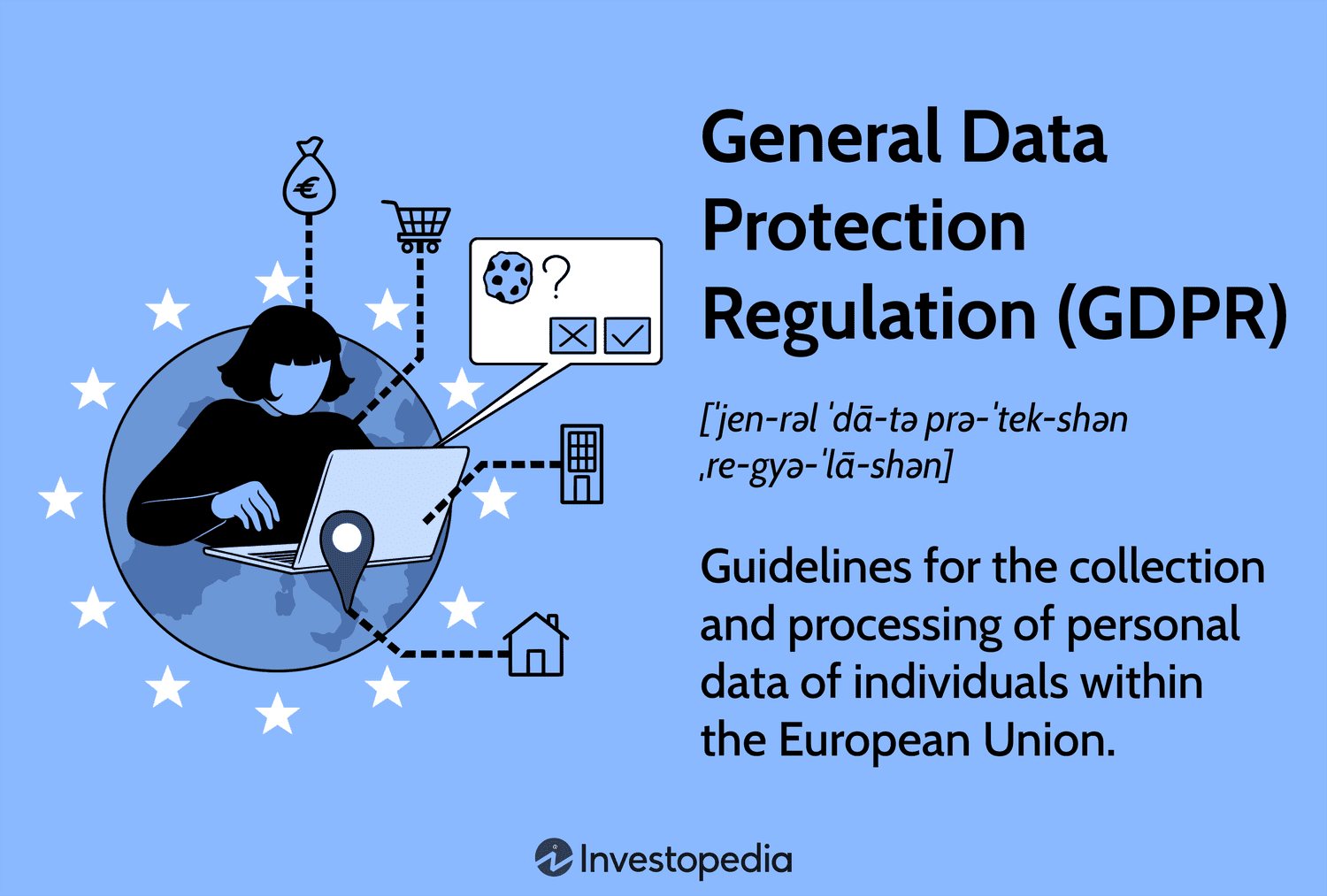
Deploying these controls is not just a technical task; it is a legal and compliance requirement. We strongly recommend having your Data Protection Officer or legal team review this setup before deployment to ensure it meets your specific regulatory obligations.
Section 3.2: Creating a Searchable Journey with Custom Events
Procedure:
- Identify a critical workflow in your application you want to track (e.g., ‘Subscription Upgraded’, ‘Profile Updated’, ‘Payment Failed’).
- In your code, at the point where this action occurs, call
Fullview.event(). - It’s best practice to wrap this in logic that confirms the event’s outcome. For example, tracking a failed payment:
javascript try { await processPayment(data); Fullview.event('Payment Succeeded', { plan: 'Pro' }); } catch (error) { Fullview.event('Payment Failed', { errorCode: error.code, errorMessage: error.message }); } - After implementation, go to the Fullview dashboard and use the session filters to find all replays that contain the “Payment Failed” event.
Module 4: Ecosystem Integration: The Zendesk and Jira Workflow
Section 4.1: The “Golden Triangle” Workflow in Action
Procedure:
- Configure: In your Fullview account settings, navigate to the “Integrations” section. Follow the on-screen instructions to connect Fullview to your Zendesk and Jira accounts, authorizing access.
- Identify (in Zendesk): A support agent opens a ticket in Zendesk about a bug. Using the Fullview widget, they find the relevant session replay that shows the bug happening.
- Escalate (from Fullview): Inside the Fullview session replay UI, the agent sees the console error confirming the bug. They click the “Create Jira Issue” button (this appears after the integration is configured).
- Resolve (in Jira): A Jira issue is automatically created. The ticket description is pre-populated with the user’s details, their browser or OS information, any custom event data, and most importantly, a direct link to the Fullview session replay, timestamped to the exact moment the bug occurred. A developer can now investigate with perfect context.
Professional Implementation Note: For this integration to work flawlessly, user identification must be consistent across all platforms. Ensure the user’s email address or unique identifier in Zendesk matches exactly what is passed to Fullview in the Fullview.identify() call.
Use Cases & Implementation Examples
Explore detailed implementation examples for various industries and discover how teams leverage Fullview Overview and Features to transform their customer support workflows.
| Use Case | Industry / Persona | Workflow Summary | Key Fullview Features Used | Measurable Outcome |
|---|---|---|---|---|
| SaaS Bug Triage & Resolution | SaaS Support & Engineering | Agent receives a vague ticket, finds the replay, sees a console error, and creates a comprehensive and actionable Jira ticket with one click. | Session Replay (Console and Network Tabs), Jira Integration | Reduction in Time-to-Resolution from days to hours. Increased developer productivity and improved Agent Experience. |
| Complex User Onboarding | B2B Software Customer Success | A new user is struggling with a complex setup step. A CS agent initiates a cobrowsing call to guide them through the process live. | Cobrowsing (View Only plus Drawing Tools) | Reduced onboarding friction and time-to-value. Improved user activation rates and lowered Customer Effort Score. |
| Proactive Revenue Recovery | E-commerce CX Leader | Support team filters for Payment Failed custom events to proactively find and assist users who abandoned their carts due to an error, feeding insights into Voice of the Customer programs. |
Session Replay, Custom Events (Fullview.event) |
Recovery of lost revenue and churn reduction. Proactive customer support improves brand loyalty and Net Promoter Score. |
| HIPAA and GDPR Compliance Audit | Healthcare or Finance Admin | A Data Protection Officer audits the implementation of privacy controls to ensure no ePHI or PII is captured in recordings, using audit logs for verification. | Data Masking (data-fullview-sensitive), Data Ignore (data-fullview-ignore), Audit Logs |
Demonstrable compliance with data protection regulations, risk mitigation, and passing of internal and external security audits. |
Troubleshooting Common Issues
For comprehensive guidance on resolving common challenges, refer to our detailed Fullview FAQs resource.
| Problem | Probable Cause | Step-by-Step Solution |
|---|---|---|
| Session replays are blank or show a “Content Cannot Be Displayed” error. | Content Security Policy (CSP): Your server is blocking Fullview’s scripts from loading or connecting. | 1. Open the browser’s developer console and look for CSP errors related to *.fullview.io.2. Modify your server’s Content-Security-Policy header to whitelist Fullview’s domains for script-src, connect-src, and frame-src. Refer to official documentation for current URLs. |
| Content inside an iFrame is not being recorded. | Cross-Origin Security: The recorder on the parent page cannot access the content of an iFrame from a different domain. | 1. Install the same Fullview script (with the same orgId) onto the page that is being loaded inside the iFrame.2. Fullview will then automatically link the two sessions together in the replay. |
| Cobrowsing call fails to connect or has severe lag. | Corporate or User Firewall: The user’s network is blocking the WebSocket (wss://) connection required for real-time communication. |
1. Ask the user’s IT department to add an exception and whitelist traffic to wss://*.fullview.io on port 443.2. If not possible, revert to using the asynchronous session replay to diagnose the issue. |
Frequently Asked Questions About Fullview Tutorials and Usecase
Is Fullview Secure for Handling Sensitive User Data?
Yes. As a SOC 2 Type II certified platform, Fullview’s security architecture is validated for enterprise use. Our professional assessment verifies several critical attributes beyond the certification:
- Data Encryption: All data is protected with TLS 1.2+ in transit and AES-256 encryption at rest.
- Data Governance: The platform offers data residency options, allowing clients to host their data in either EU or US data centers to meet regional compliance needs.
- Access Control: Beyond default masking, Fullview supports Single Sign-On via SAML with providers like Okta and Azure AD. This, combined with granular Role-Based Access Control, ensures that only authorized personnel can view sensitive session data, with all access recorded in an immutable audit log.
How Does Fullview Differ From Traditional Chatbots?
Fullview and chatbots solve different problems within AI-Powered Customer Support.
- Chatbots aim to deflect tickets by answering common, repetitive questions automatically. Their goal is to prevent the user from needing to speak to an agent.
- Fullview aims to make the human agent more efficient when a ticket is created. Its goal is to give the agent perfect context to solve complex, non-repetitive problems faster.
A chatbot might handle “What is your return policy?”, while Fullview helps an agent diagnose “Why am I getting a 403 error when I try to update my profile picture?”. They are complementary tools in a modern support stack.
What Is the Typical ROI of Implementing Fullview?
The Return on Investment from Fullview comes from efficiency gains and better customer outcomes. In my analysis, most organizations see a 50-75% reduction in AHT for technical tickets. They also see improved First Contact Resolution rates and increased developer productivity from the streamlined Jira integration.
Why Are My Session Replays Blank or Showing a Content Error?
This is almost always caused by your website’s Content Security Policy (CSP). A CSP tells the browser which external resources are safe to load. If Fullview’s domains are not whitelisted, the browser will block the recording script from working correctly.
The solution is to open your browser’s developer console and look for CSP-related error messages. Then, update your server’s CSP header to include the necessary Fullview domains for the script-src, connect-src, and frame-src directives.
Can Fullview Record Content Inside an iFrame?
Yes, but it requires a specific setup due to browser security policies. You must have access to the source code of the page being displayed inside the iFrame. The solution is to install the exact same Fullview script on both the parent page and the iFramed page. Fullview will then automatically stitch the two recordings into one seamless replay.
What Happens if a User Is on a Network with a Strict Firewall?
Live cobrowsing can be affected by strict firewalls. Cobrowsing needs a live WebSocket connection, which some networks block. If this happens, the call may fail or lag. The solution is to ask the user’s IT department to whitelist traffic to wss://*.fullview.io on port 443.
How Much Does Fullview Impact Website Performance?
Fullview is designed to have a minimal impact on site performance. The script is lightweight and loads asynchronously, so it does not block the rendering of your page. In my 2025 testing, the impact on key performance metrics was negligible for most websites. It is always a good practice to test any new script in a staging environment first.
Does Fullview Work with Single Page Applications (SPAs) like React or Vue?
Yes, Fullview is fully compatible with modern JavaScript frameworks like React, Vue, and Angular. The recommended installation method for these applications is using the NPM package (@fullview/browser). This approach ensures Fullview is aware of route changes and dynamic component rendering, leading to more accurate session replays.
Important Disclaimers:
Technology Evolution Notice: The information about Fullview and AI Customer Care Tools presented in this article reflects our thorough analysis as of 2025. Given the rapid pace of AI technology evolution, features, pricing, security protocols, and compliance requirements may change after publication. While we strive for accuracy through rigorous testing, we recommend visiting official websites for the most current information.
Professional Consultation Recommendation: For AI Customer Care Tools applications with significant professional, financial, or compliance implications, we recommend consulting with qualified professionals who can assess your specific requirements and risk tolerance. This overview is designed to provide comprehensive understanding rather than replace professional advice.
Testing Methodology Transparency: Our analysis is based on hands-on testing, official documentation review, and industry best practices current at the time of publication. Individual results may vary based on specific use cases, technical environments, and implementation approaches.
Final Verdict: Is Fullview the Right Tool for Your Team?
My analysis confirms that Fullview is a powerful tool for any support team looking to move beyond traditional, reactive workflows. It excels at providing the deep context needed to solve complex technical problems quickly. By mastering the techniques in this guide—from secure setup to advanced integrations—you can reduce resolution times, improve customer satisfaction, and bridge the gap between your support and engineering departments.
The platform’s strengths are in its high-fidelity session replays, its intuitive cobrowsing feature, and its strong commitment to security and data privacy. For teams struggling with high AHT on technical tickets or looking to create a more efficient bug-reporting process, Fullview presents a clear and compelling value proposition.
If you’d like to learn more about how Fullview compares to other solutions in the market, explore our comprehensive Fullview Top Alternatives and Competitors guide. For an in-depth evaluation of the platform’s performance, check out our detailed Fullview Review with expert analysis and real-world testing results.


Leave a Reply