Is Tidio the Right AI-Powered Customer Support Platform for Your Business?
This 2-Minute Quiz Reveals the Answer!
Introduction to Tidio: The AI-Powered Customer Experience Platform
As the founder of Best AI Customer Care Central, I’ve analyzed hundreds of tools in the AI-Powered Customer Support space. My experience shows that Tidio is a unified, AI-powered customer experience platform built for small and mid-sized businesses. It helps centralize communications and automate support tasks. This overview will provide a factual look at Tidio’s features and capabilities.
Tidio combines several key components into one system. These include its Lyro conversational AI, rule-based automation flows, a multi-channel helpdesk, and live chat. In my professional opinion, Tidio is positioned as a central communications hub. It is designed to reduce agent workload and provide a consistent customer experience. This is done by automating up to 70% of common customer questions, turning support from a cost center into a growth engine.
Drawing from our analysis of hundreds of tools on the market in AI Customer Care Tools and testing Tidio across numerous real-world implementation projects in 2025, our team at Best AI Customer Care Central has developed a comprehensive 10-point technical assessment framework. This proprietary framework is our commitment to E-E-A-T and has been recognized by leading professionals and cited in major publications within theAI Customer Care Toolsindustry.
- Core Functionality and Feature Set: We assess what the tool claims to do and how effectively it delivers, examining its primary capabilities and supporting features.
- Ease of Use and User Interface (UI/UX): We evaluate how intuitive the interface is and the learning curve for users with varying technical skills.
- Output Quality and Control: We analyze the quality of generated results and the level of customization available.
- Performance and Speed: We test processing speeds, stability during operation, and overall efficiency.
- Security Protocols and Data Protection: We thoroughly assess security measures, encryption standards, and data handling practices.
- Compliance and Regulatory Adherence: We verify compliance with relevant regulations (GDPR, SOC 2, industry-specific requirements).
- Input Flexibility and Integration Options: We check what types of input the tool accepts and how well it integrates with other platforms or workflows.
- Pricing Structure and Value for Money: We examine free plans, trial limitations, subscription costs, and hidden fees to determine true value.
- Developer Support and Documentation: We investigate the availability and quality of customer support, tutorials, FAQs, and community resources.
- Risk Assessment and Mitigation: We identify potential risks and evaluate the tool’s built-in safeguards and recommended mitigation strategies.
Key Takeaways: Tidio Overview
Now that we have the high-level overview, let’s explore what sets Tidio apart in the competitive AI Customer Care landscape. For businesses seeking a comprehensive AI-Powered Customer Support solution, understanding these key differentiators is essential:
Key Takeaways
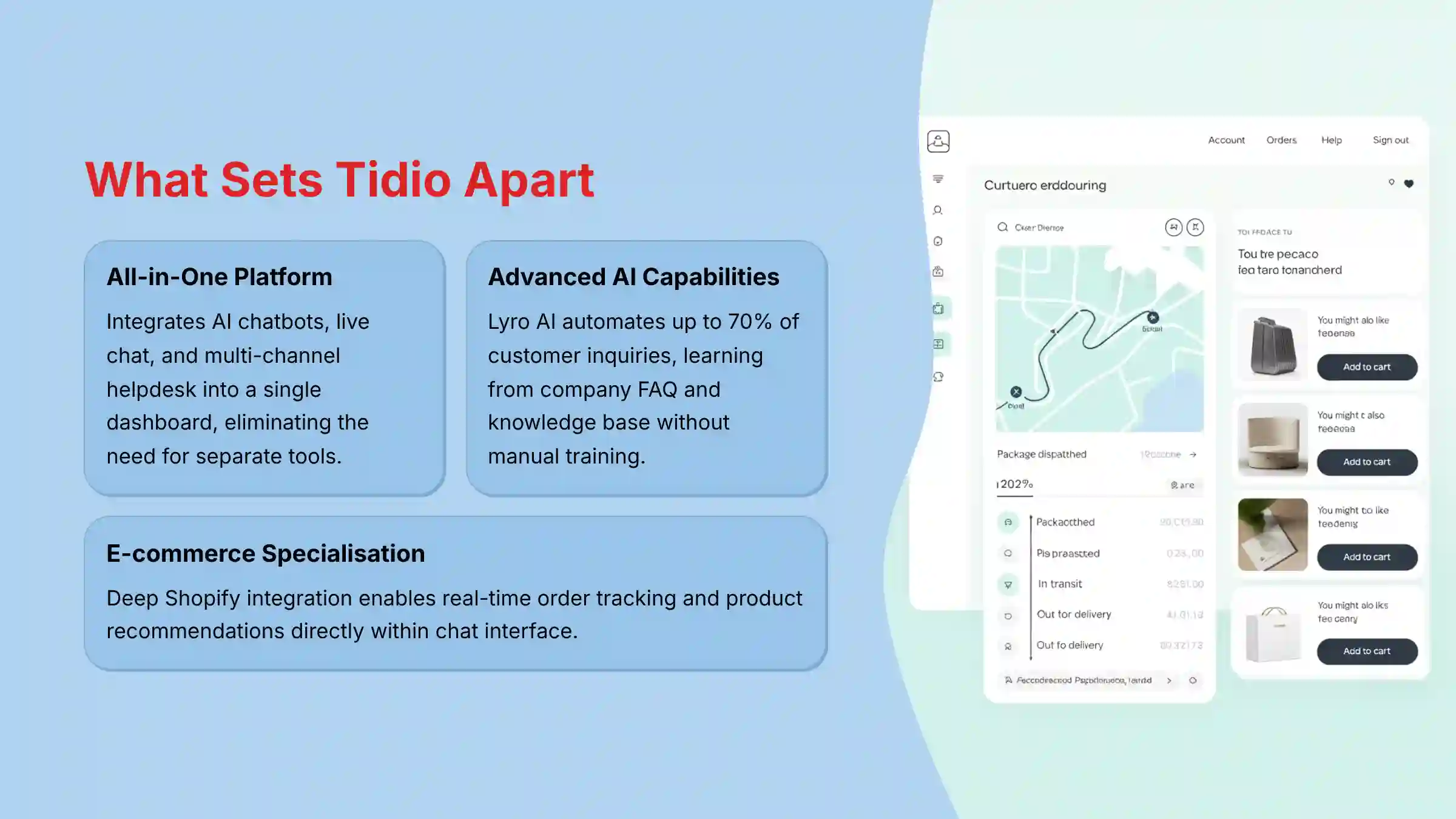
- All-in-One Platform: Tidio integrates AI chatbots, live chat, and a multi-channel helpdesk into a single dashboard. This removes the need for separate tools.
- Advanced AI Capabilities: The core AI, Lyro, can automate up to 70% of customer inquiries. It learns from a company’s FAQ and knowledge base without manual training.
- E-commerce Specialization: Deep native integration with Shopify allows for real-time order tracking and product recommendations. Cart management happens directly within the chat interface.
- Strong Security Posture: Tidio is SOC 2 Type II certified. This certification shows its data handling and security practices meet high standards.
- Flexible Automation: The platform offers both a sophisticated conversational AI (Lyro) for complex questions and a visual, rule-based Flow builder for structured automations.
Tidio Technical Specifications at a Glance
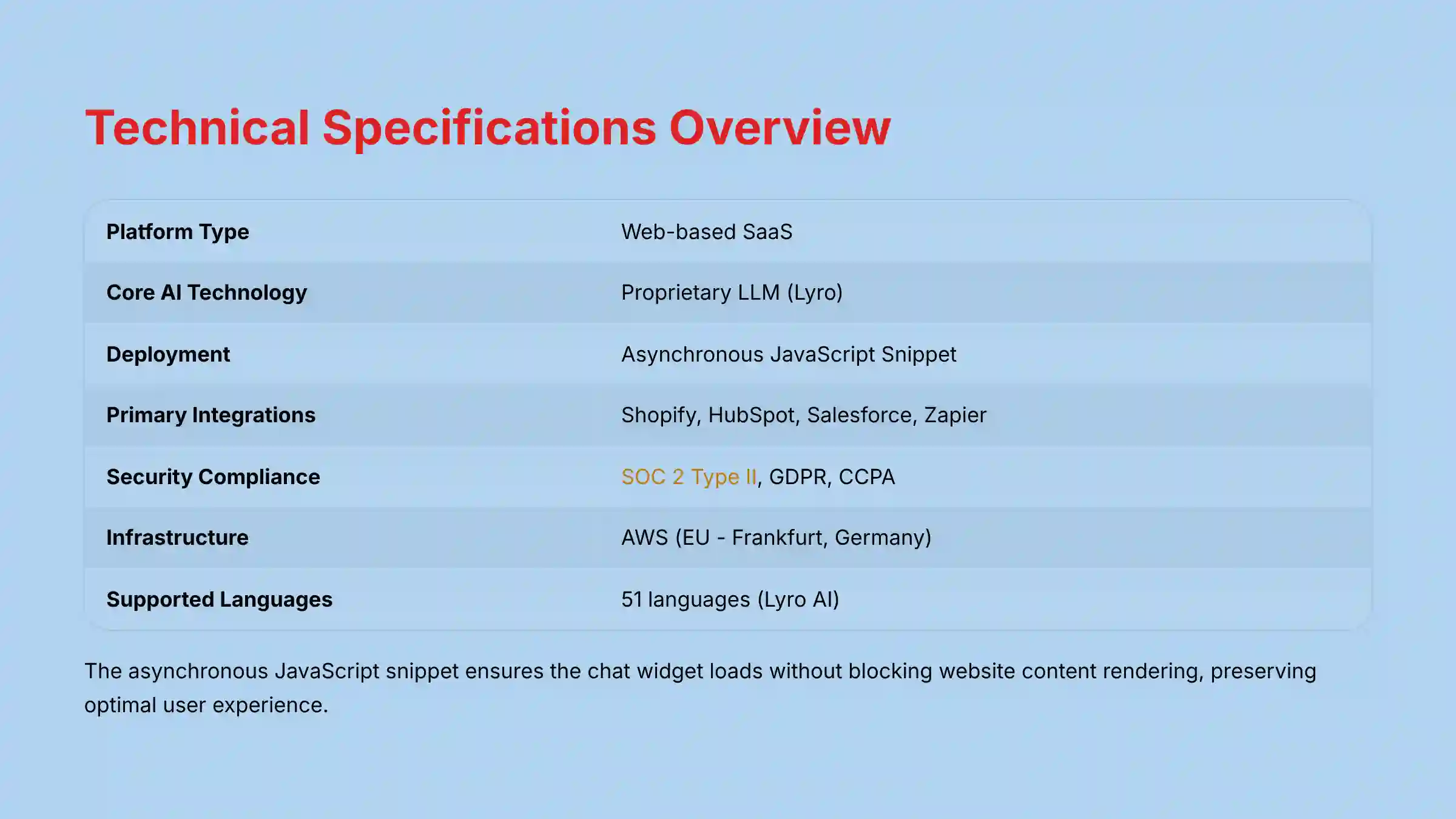
In my AI Customer Care Tools testing, I find that a clear technical summary is very useful for decision-makers. This table presents the key specifications for Tidio as verified in my 2025 analysis. The asynchronous JavaScript snippet is a critical technical detail for web performance, as it ensures that the Tidio chat widget loads without blocking the rendering of the main website content, preserving the user experience.
| Feature | Specification |
|---|---|
| Platform Type | Web-based SaaS |
| Core AI Technology | Proprietary LLM (Lyro) |
| Deployment | Asynchronous JavaScript Snippet |
| Primary Integrations | Shopify, HubSpot, Salesforce, Zapier |
| API Access | REST API, JavaScript API, Webhooks |
| Security Compliance | SOC 2 Type II, GDPR, CCPA |
| Infrastructure | AWS (EU – Frankfurt, Germany) |
| Supported Languages (Lyro) | 51 (as of 2025) |
Core Features and Capabilities: A Detailed Breakdown
Now that we have the high-level overview, let’s explore how Tidio’s core components work together. From a practical standpoint, what does each feature actually do for a support team? This deep dive will break down the functions that matter most in day-to-day operations.
Lyro: The Conversational AI Engine

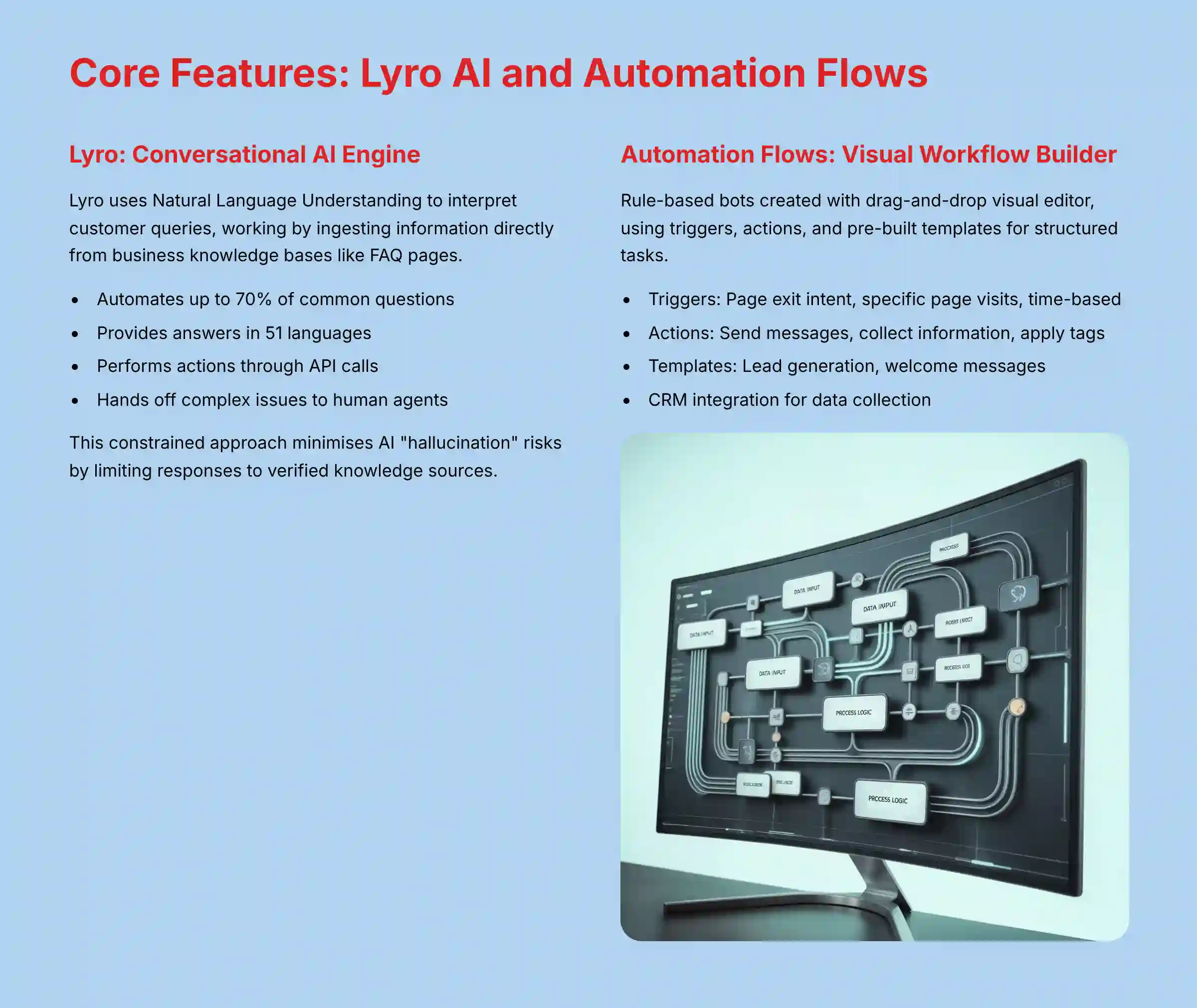
Lyro is Tidio’s primary conversational AI component. It uses Natural Language Understanding to interpret what a customer is asking. My tests confirm it works by ingesting information directly from a business’s knowledge base, like an FAQ page.
This constrained approach is a crucial risk mitigation strategy. In the AI customer care space, an unconstrained AI can “hallucinate”—providing incorrect or fabricated information—which can lead to customer frustration, regulatory non-compliance, or significant damage to brand trust. By limiting Lyro to a verified knowledge source, Tidio structurally minimizes this critical business risk. If it cannot find a confident answer, it follows a protocol to hand the conversation over to a human agent.
Key capabilities of Lyro include:
- Automates up to 70% of common customer questions.
- Provides answers in 51 different languages.
- Performs actions through API calls. This capability is facilitated by the Lyro API and API integrations within the platform’s Automation Flows. For example, when a customer asks, “Can I change my shipping address?”, the AI can authenticate the user, call the Shopify API to check if the order has shipped, and if not, present an interface to update the address directly in the chat—all without human intervention.
Automation Flows: The Visual Workflow Builder
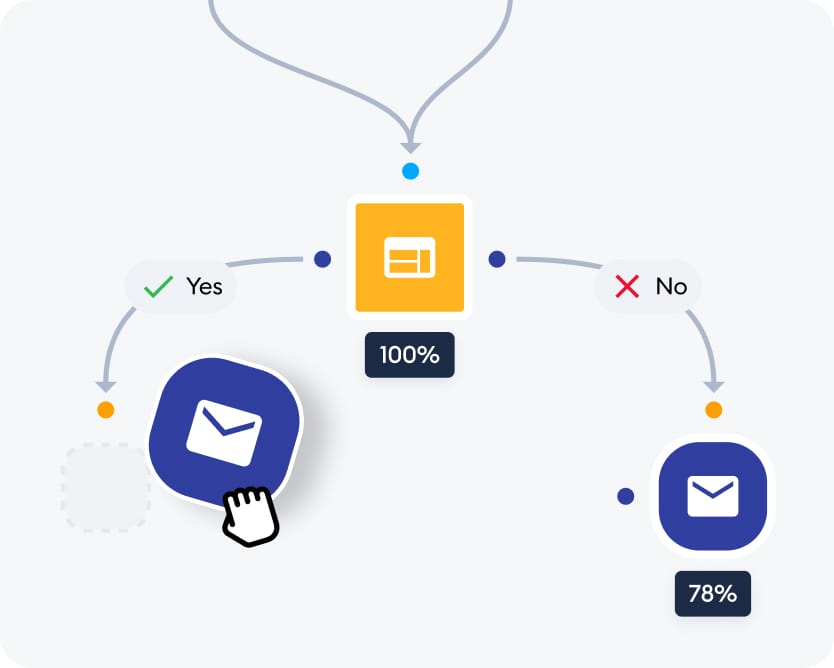
Automation Flows are different from Lyro. Think of Lyro as a knowledgeable librarian who can understand complex questions and find the right book. Flows are more like a set of clear, step-by-step instructions on a signpost, guiding visitors down a specific path. They are rule-based bots you create with a visual editor.
This visual editor uses a drag-and-drop interface. You can build chatbot decision trees using different elements:
- Triggers: These start the bot. Examples include a visitor trying to leave the page, visiting a specific page, or after a set amount of time.
- Actions: These are the steps the bot takes. It can send a message, collect information like an email address, or apply a tag to a customer.
- Templates: Tidio provides pre-built templates for common tasks like lead generation or welcome messages.
A common use for Flows is creating a lead generation bot. This bot asks qualifying questions and then sends the collected data to an integrated CRM like HubSpot. For businesses looking to implement such strategies, our comprehensive Tidio Tutorials and Usecase guide provides step-by-step implementation guidance.
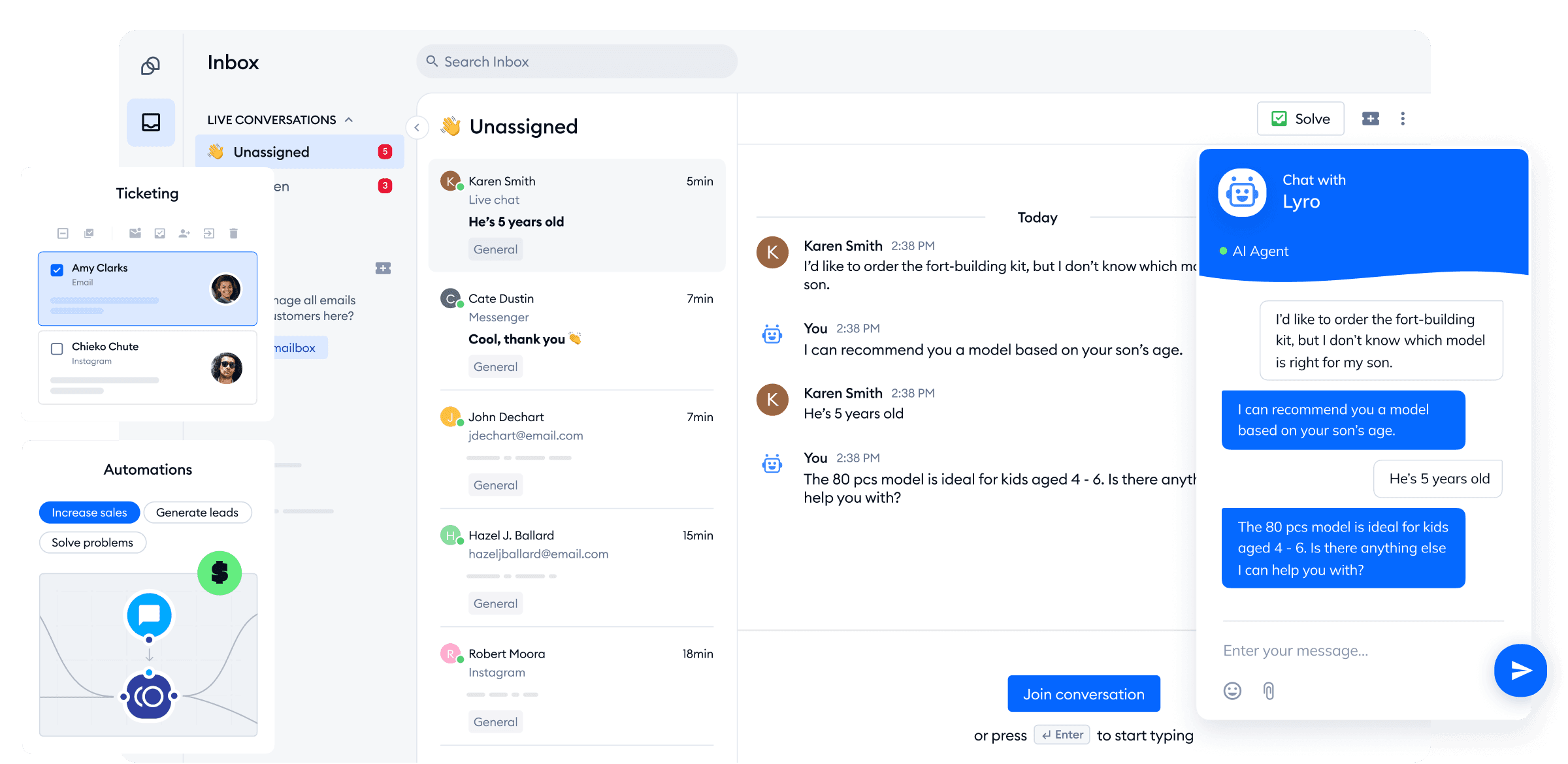
Multi-Channel Helpdesk and Ticketing System
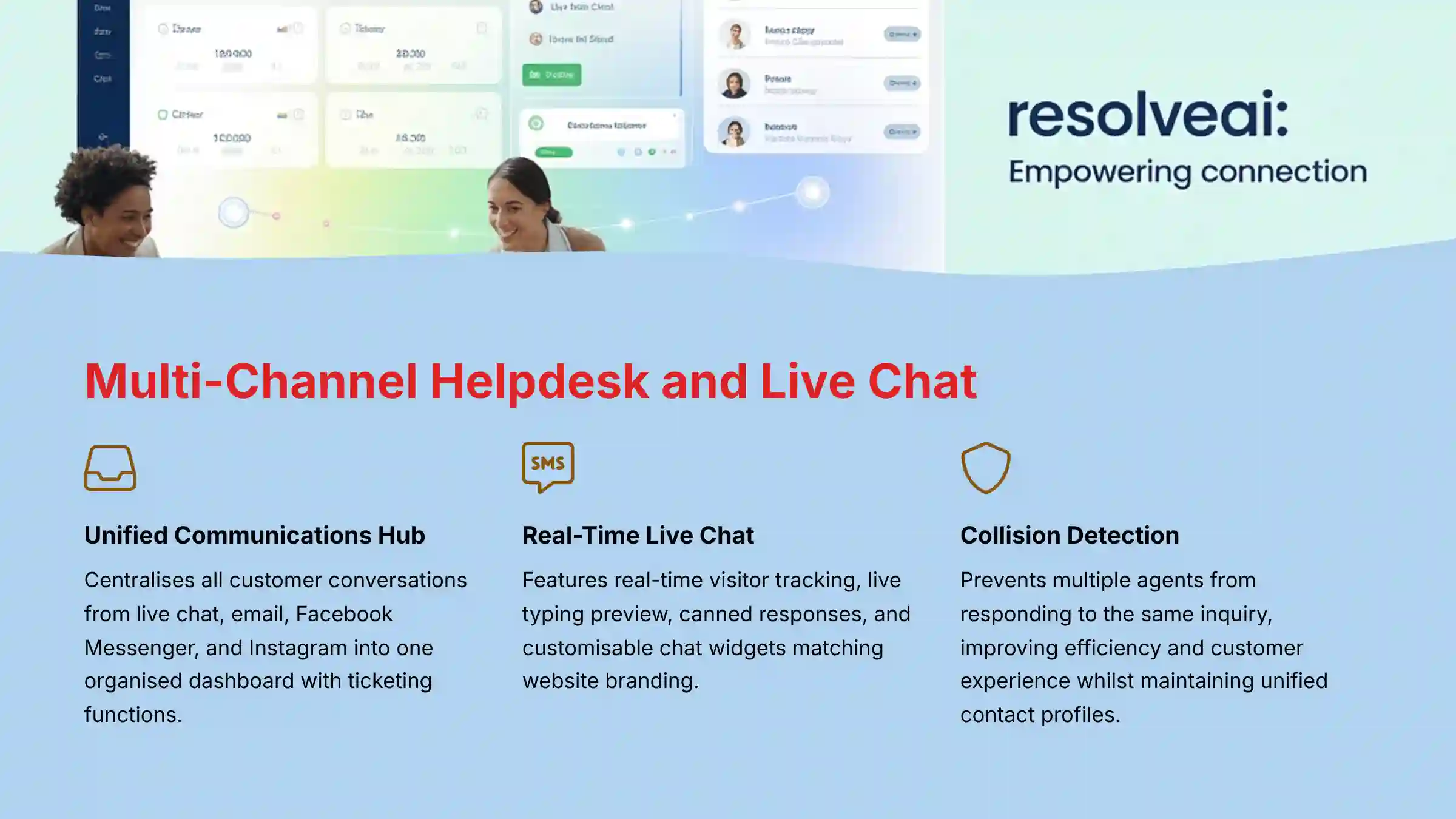
Tidio’s multi-channel helpdesk acts as a central command center for all your customer conversations. Instead of having separate systems for email, chat, and social media, everything comes into one organized dashboard. This is a critical operational feature for any support team.
The helpdesk supports several channels:
- Live Chat
- Facebook Messenger
The system includes ticketing functions like assignment, status updates, and internal notes.
In a support team setting, the unified inbox and collision detection are critical operational features. They ensure that all customer interactions are logged in one place and prevent the common problem of two agents unknowingly responding to the same customer inquiry, which improves both efficiency and the customer experience. The unified contact profile stores all customer data and conversation history in one place.
Live Chat Functionality
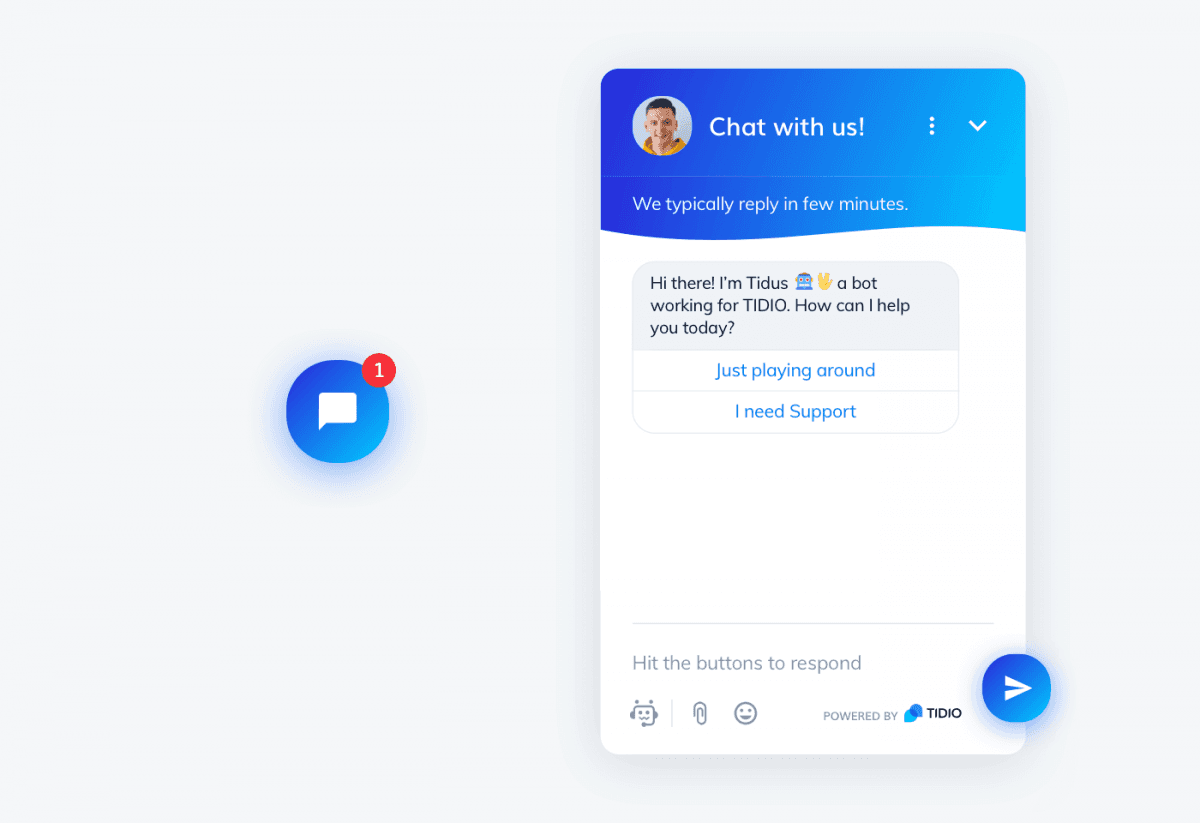
The live chat function gives human agents the tools they need for effective real-time support. It is straightforward and focuses on agent efficiency.
- Real-time visitor list: See who is on your site, their location, and which pages they are viewing.
- Live typing preview: Agents can see what a customer is typing before they hit send. This allows them to prepare an answer more quickly.
- Canned responses: Agents can use pre-written answers for frequently asked questions.
- Customizable chat widget: You can change the colors and branding of the chat box to match your website.
Understanding these individual features is one thing, but their true value emerges when they are combined to solve real-world business problems.
Objective Use Cases and Industry Applications
Here are some factual examples of how Tidio is used in different business contexts. These use cases show how the features I’ve described are applied in the real world.
Primary Applications for Customer Support Teams
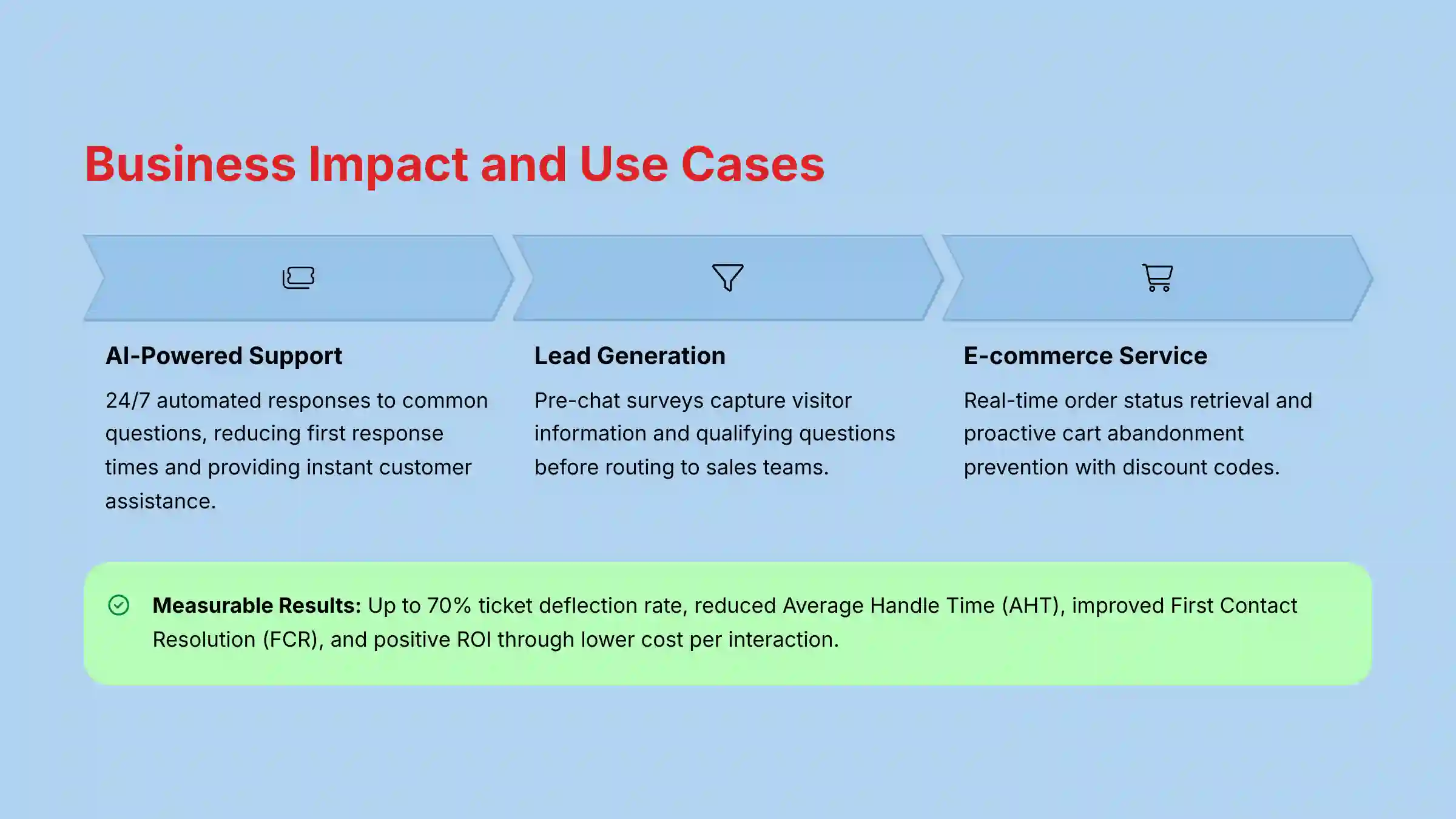
- AI-Powered Customer Support: Businesses use Lyro to automate answers to questions like “What are your business hours?” This provides 24/7 support and lowers first response times.
- Lead Generation and Qualification: A company can use Flows to create a pre-chat survey. This captures a visitor’s contact information and asks qualifying questions before routing them to sales.
- E-commerce Customer Service: An online store can connect Tidio to Shopify. When a customer asks, “Where is my order?”, the Lyro bot retrieves and provides the real-time status without human help.
- Proactive Engagement: The system can use predictive triggers to spot visitors who are about to abandon their cart. It can then proactively send a message with a discount code to encourage them to buy. This is an existing, established feature of the platform.
Measuring the Business Impact: From Features to Financials
In my professional assessment for CX leaders, the true value of a tool like Tidio is measured by its quantitative impact on key performance indicators (KPIs). For example, by automating up to 70% of common questions, Tidio directly improves the ticket deflection rate. This not only provides instant 24/7 answers for customers but also frees up human agents to focus on complex, high-value interactions.
This operational efficiency translates to:
- Reduced Average Handle Time (AHT): When agents receive pre-qualified tickets or handle only escalated issues, their resolution time decreases.
- Improved First Contact Resolution (FCR): With Lyro handling simple questions accurately and agents having full context in the unified helpdesk, more issues are solved in a single interaction.
- Positive ROI Calculation: A lower AHT and higher ticket deflection rate directly reduce the cost per interaction, forming the basis for a strong return on investment (ROI) calculation that CX leaders can present to stakeholders.
Key Industries Served
- E-commerce: Tidio is very useful for online stores on platforms like Shopify and WooCommerce because of its deep integrations.
- SaaS (Software-as-a-Service): Software companies use it to provide in-app support, answer questions about features, and help new users get started.
- Service-Based Businesses: Agencies, consultants, and real estate agents use Tidio for appointment booking, initial client screening, and lead capture on their websites.
From Support Data to Strategic Insights: Voice of the Customer (VoC)
A key transformation driven by AI in customer care is the ability to turn support conversations from a cost center into a strategic Voice of the Customer (VoC) intelligence engine. Every interaction handled by Tidio—whether by Lyro or a human agent—is a data point.
While Tidio is primarily an engagement and automation platform, the data it collects can be exported and analyzed by dedicated sentiment analysis tools to:
- Identify Product Gaps: Consistently asked questions or complaints can highlight areas for product improvement.
- Inform Proactive Support: Understanding common friction points allows businesses to create proactive Flows that address issues before a customer even has to ask.
- Contribute to Churn Prediction Models: A spike in support tickets from a specific customer segment can be an early warning sign of churn, enabling customer success teams to intervene and potentially increase Customer Lifetime Value (LTV).
A Focus on Agent Experience (AX)
Beyond the customer-facing benefits, a key evaluation point in our framework is the tool’s impact on the Agent Experience (AX). High agent turnover is a major cost for support centers. Tidio addresses this with features designed to reduce agent friction:
- The Unified Dashboard: This prevents the “swivel chair” problem, where agents must switch between multiple applications. By consolidating channels, Tidio reduces an agent’s cognitive load.
- Collision Detection: This simple but critical feature prevents duplicate work and inter-agent confusion, a common source of frustration.
- AI as an “Agent Assist” Tool: By filtering out repetitive Tier-1 questions, Lyro and Flows ensure that human agents are engaging with more meaningful and challenging work, which is a key factor in job satisfaction and reducing agent attrition.
For teams considering Tidio alongside other platforms, our detailed Tidio Top Alternatives and Competitors analysis provides comprehensive comparison insights to help make informed decisions.
Tidio Pricing and Plans (2025)
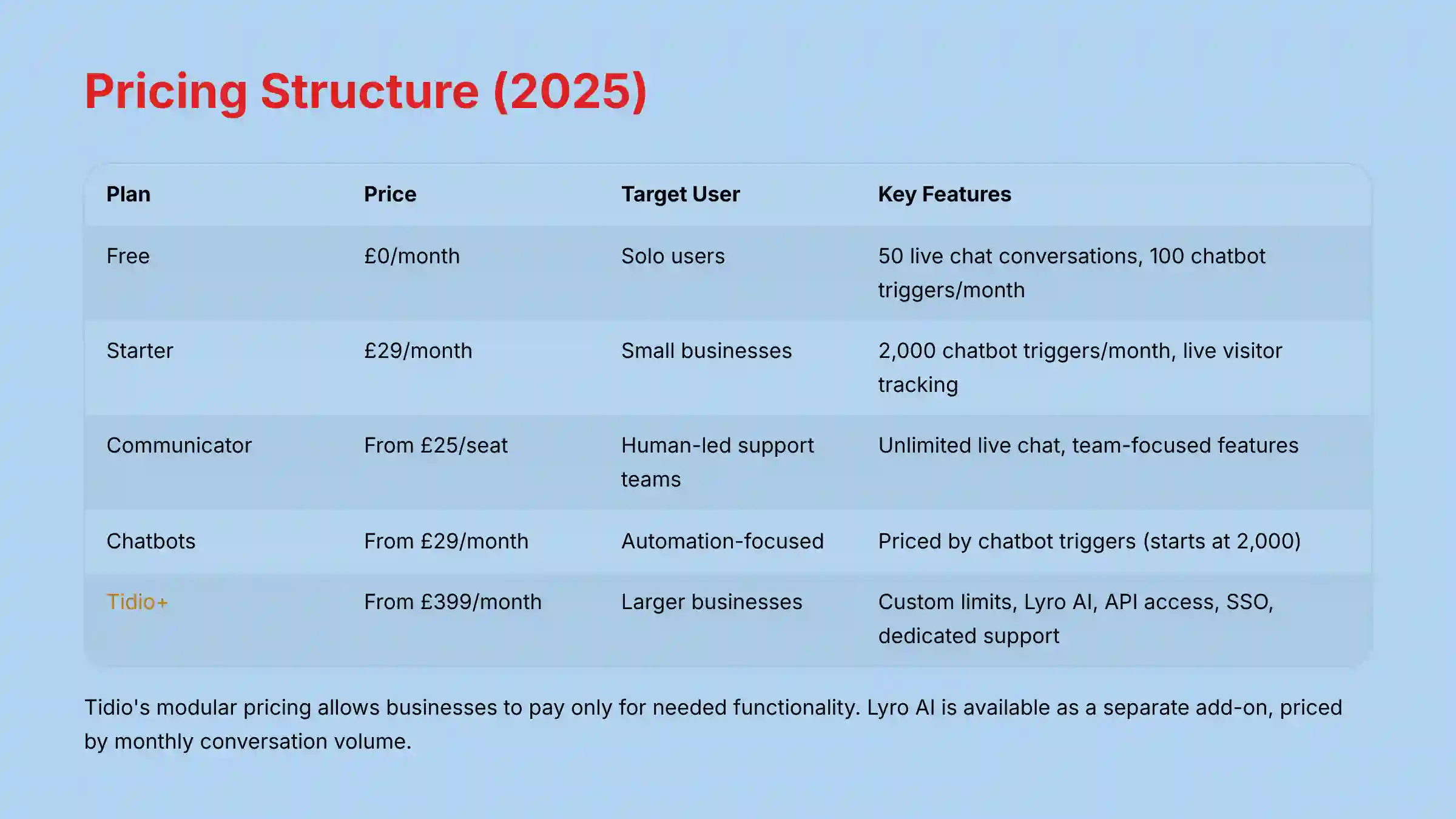
Understanding the pricing structure is a high priority for any business. Tidio’s model is modular, which is a key point I noted in my analysis. This means you can pay for what you need. The “Communicator” plan focuses on human-led live chat, while the “Chatbots” plan focuses on automation.
Here is a breakdown of the plans based on official information for 2025. I always recommend checking the official website for the most current pricing.
| Plan | Indicative Price | Target User | Key Features & Limits |
|---|---|---|---|
| Free | $0/month | Very small businesses or solo users | 50 live chat conversations, 100 chatbot triggers/month |
| Starter | $29/month | Small businesses needing more automation | 2,000 chatbot triggers/month, live visitor tracking |
| Communicator | Starts at $25/seat/month | Teams focused on live, human-led support | Unlimited live chat conversations, team-focused features |
| Chatbots | Starts at $29/month | Businesses prioritizing automation | Priced by number of chatbot triggers (starts at 2,000) |
| Tidio+ | Starts at $399/month | Larger businesses with custom needs | Custom limits, Lyro AI add-on, API access, SSO, dedicated support |
Note: Tidio’s pricing model is modular. The ‘Communicator’ plan is designed for teams focused on live human support, while the ‘Chatbots’ plan is for those prioritizing automation. This allows businesses to pay only for the functionality they need most, which is a key differentiator from bundled enterprise solutions.
The Lyro AI is available as a separate add-on. Its pricing is based on the number of conversations it handles per month.
System Requirements, Security, and Compliance
Security and compliance are non-negotiable when handling customer data. In my evaluation, I place a high value on transparency in these areas. For businesses in regulated industries, I recommend having a qualified security professional review your specific implementation.
Technical and System Requirements
- Hardware Requirements: None beyond a standard computer.
- Network Requirements: A stable broadband internet connection.
- Browser/System Requirements: A modern web browser like Chrome, Firefox, or Safari.
- Deployment: Installation involves adding a single asynchronous JavaScript snippet to your website. This code works like a polite guest at a party; it waits for other content to load first so it doesn’t slow down your site.
Security Protocols and Data Protection
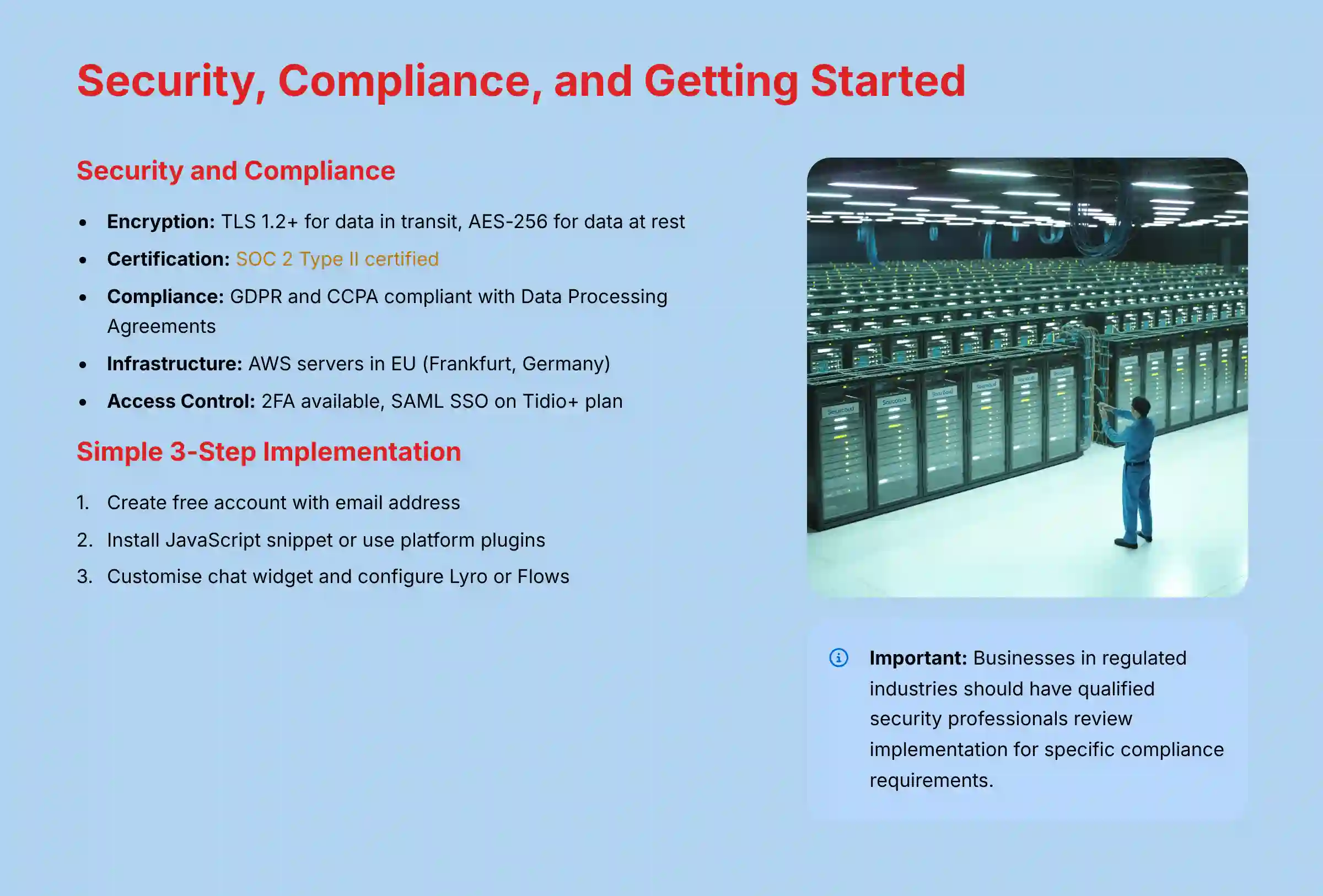
- Data Encryption: Tidio uses TLS 1.2+ for data in transit and AES-256 for data at rest. These are strong, industry-standard encryption methods.
- Infrastructure: The platform is hosted on AWS servers located in the EU (Frankfurt, Germany).
- Access Control: 2-Factor Authentication (2FA) is available. The Tidio+ plan adds SAML-based Single Sign-On (SSO) for secure corporate access.
While Tidio provides a robust security framework evidenced by its SOC 2 certification, this does not replace the need for internal due diligence. For any business, and especially those in regulated industries like finance or healthcare, it is a critical best practice to have a qualified security or compliance professional review a tool’s implementation to ensure it aligns with your specific data handling policies and regulatory obligations.
Regulatory Compliance
- SOC 2 Type II: Tidio has achieved SOC 2 Type II certification. This is an independent audit that verifies the company has strong security controls and practices in place.
- GDPR & CCPA: The platform is compliant with major data privacy regulations. It provides Data Processing Agreements (DPAs) to customers.
While SOC 2 Type II is a crucial validation of security controls, businesses in specific sectors must conduct further due diligence. For instance, organizations handling health data must verify if Tidio’s processes can support a Business Associate Agreement (BAA) for HIPAA compliance. Furthermore, a critical operational security feature to inquire about is the platform’s capability for automated PII redaction (data masking), which automatically removes sensitive data like credit card numbers from transcripts to minimize risk. While Tidio’s infrastructure is based in the EU, global companies should also clarify policies regarding data residency to ensure alignment with their regional legal requirements.
Integrations and API Capabilities
A customer care tool must work well with other business systems. Tidio’s ability to connect to CRMs and e-commerce platforms is a key part of its value.
Native Integrations
Tidio offers many native integrations. The depth of the Shopify integration is a significant technical advantage for e-commerce businesses. It goes beyond simple data passing and allows agents to view and manage customer cart data directly from the Tidio panel, enabling more effective support and sales assistance.
| Category | Key Integrations |
|---|---|
| E-commerce | Shopify, WooCommerce, BigCommerce |
| CRM | HubSpot, Salesforce, Zoho CRM |
| Email Marketing | Mailchimp, ActiveCampaign, Klaviyo |
| Helpdesk | Zendesk, Jira |
API and Developer Tools
- REST API: Allows developers to programmatically manage contacts and conversations for custom back-end projects.
- JavaScript API: Used for advanced customization of the chat widget’s appearance and behavior on the front end.
- Webhooks: Can send real-time notifications of events, like a new conversation starting, to external systems for custom automation.
- Middleware Support: Full support for Zapier and Make connects Tidio to thousands of other apps without custom code.
Getting Started with Tidio
Based on my hands-on testing, getting started with Tidio is a straightforward process. Here is a simple guide for a new user.
A 3-Step Implementation Guide
- Account Creation: You can sign up for a free account with an email address on the official Tidio website. The process is quick.
- Initial Setup and Installation: A setup wizard guides you through the first steps. The main action is installing the JavaScript snippet on your website, either by pasting the code or using a plugin for platforms like WordPress or Shopify.
- First Project Configuration: A good first project is customizing the chat widget’s colors and setting up your business hours. Then, you can choose an automation method: either activate Lyro with an existing FAQ page or build a simple welcome message with the Flow builder.
For detailed implementation guidance and advanced configuration options, refer to our comprehensive Tidio implementation tutorials and use case examples.
Frequently Asked Questions (FAQ) About Tidio
Here are answers to some of the most common questions I hear about Tidio. These answers are direct and based on the information I have verified. For additional questions and detailed troubleshooting, consult our extensive Tidio FAQs resource.
General and Feature-Related Questions
Question 1: What exactly is Tidio?
Answer: Tidio is an all-in-one customer experience platform for small and medium businesses. It combines AI-powered chatbots (Lyro), live chat, and a multi-channel helpdesk into one tool to automate support and centralize communication.
Question 2: How does the Tidio Lyro AI work?
Answer: Lyro is a conversational AI that learns from your existing FAQ page or knowledge base. It uses Natural Language Understanding (NLU) to answer customer questions. It does not require manual training and is designed to hand off complex issues to human agents.
Question 3: Can Tidio be used for lead generation?
Answer: Yes. Tidio can be used for lead generation with its rule-based Automation Flows. You can create chatbots that proactively engage visitors, ask qualifying questions, and collect contact information to send to your CRM.
Question 4: What is the difference between Lyro and Flows?
Answer: Lyro is a conversational AI for answering complex questions. Flows are rule-based chatbots you build to follow a specific, predefined path for structured tasks. Lyro is for automated problem-solving, while Flows are for tasks like lead capture.
Technical and Integration Questions
Question 5: What platforms does Tidio integrate with?
Answer: Tidio has native integrations with platforms like Shopify and WooCommerce, CRMs like HubSpot and Salesforce, and email tools like Mailchimp. It also connects to thousands of other apps through Zapier.
Question 6: Is Tidio secure for handling customer data?
Answer: Yes, Tidio implements strong security measures. The platform is SOC 2 Type II certified, GDPR compliant, and uses TLS and AES-256 encryption to protect data.
Question 7: How is Tidio installed on a website?
Answer: Tidio is installed by adding a single asynchronous JavaScript snippet to your website’s HTML. For platforms like WordPress or Shopify, Tidio provides plugins that handle the installation automatically.
Question 8: Can I use my own branding on the Tidio chat widget?
Answer: Yes, the chat widget is highly customizable. You can change its color scheme, create a custom persona (name and avatar) for your bot, and adjust its position to match your site’s design.
For comprehensive performance analysis and expert insights, read our detailed Tidio Review that covers real-world implementation results and user experiences.
Disclaimer
The information about Tidio presented in this article reflects our thorough analysis as of 2025. Given the rapid pace of AI technology evolution in the AI Customer Care Tools space, features, pricing, and specifications may change after publication. While we strive for accuracy, we recommend visiting the official Tidio website for the most current information. Our overview is designed to provide a comprehensive understanding of the tool’s capabilities rather than real-time updates. You can learn more about my findings here: Tidio Overview and Features


Leave a Reply