Is Freshdesk the Right AI Customer Support Platform for You?
Take Our 2-Minute Quiz to Find Out!
As the founder of Best AI Customer Care Central, I’ve seen countless businesses struggle to manage customer inquiries efficiently. This guide on Freshdesk Tutorials and Usecase provides a clear path to mastering this powerful platform.
We will focus on how to use its AI-Powered Customer Support features to transform your operations. My goal is to give you practical tips for achieving higher ticket deflection, better agent efficiency, and improved customer satisfaction (CSAT).
While many tutorials focus on email-based ticketing, a modern customer care strategy must be omnichannel. This guide will demonstrate how Freshdesk unifies customer interactions from email, live chat, social media (like WhatsApp and Twitter), and voice into a single unified agent desktop.
This approach is critical for providing a seamless customer experience and empowering agents with the full context of a customer’s journey, regardless of the channel they use.
This guide contains everything from initial setup to advanced AI workflows. I will share insights from my direct experience to help you get the most out of Freshdesk. By following these steps, you can turn your customer service team into a highly efficient, data-driven department.
Key Takeaways: Your Fast Track To Freshdesk Mastery
Key Takeaways
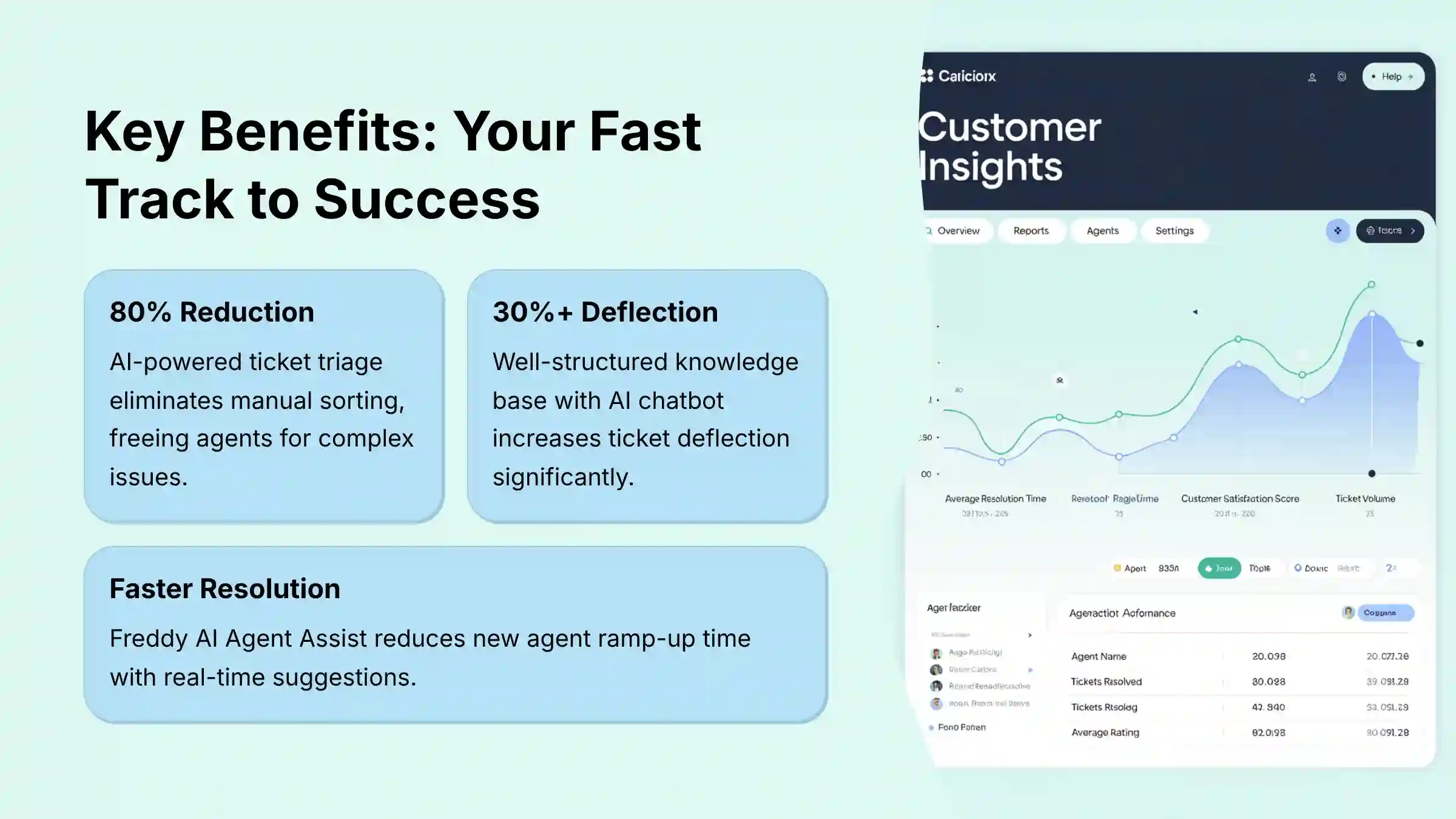
- Automate for Efficiency: Implementing Freshdesk’s AI-powered ticket triage can reduce manual ticket sorting by up to 80%. This frees up agents to focus on complex issues.
- Enhance Self-Service: A well-structured knowledge base integrated with an AI-powered chatbot can increase your ticket deflection rate by over 30%, which lowers support costs.
- Secure Your Integrations: When building chatbots with API calls, always use Freshdesk’s built-in credential management to handle authentication. Never expose secret API keys directly in the bot builder to prevent critical security vulnerabilities.
- Measure for Success: Use Freshdesk’s analytics to track key metrics like First Contact Resolution (FCR) and Average Handle Time (AHT). This helps prove the ROI of your AI implementation.
- Empower Your Agents: Use Freddy AI’s Agent Assist to provide real-time suggestions. This reduces new agent ramp-up time and promotes consistent, high-quality responses.
Our Testing Methodology For AI Customer Care Tools
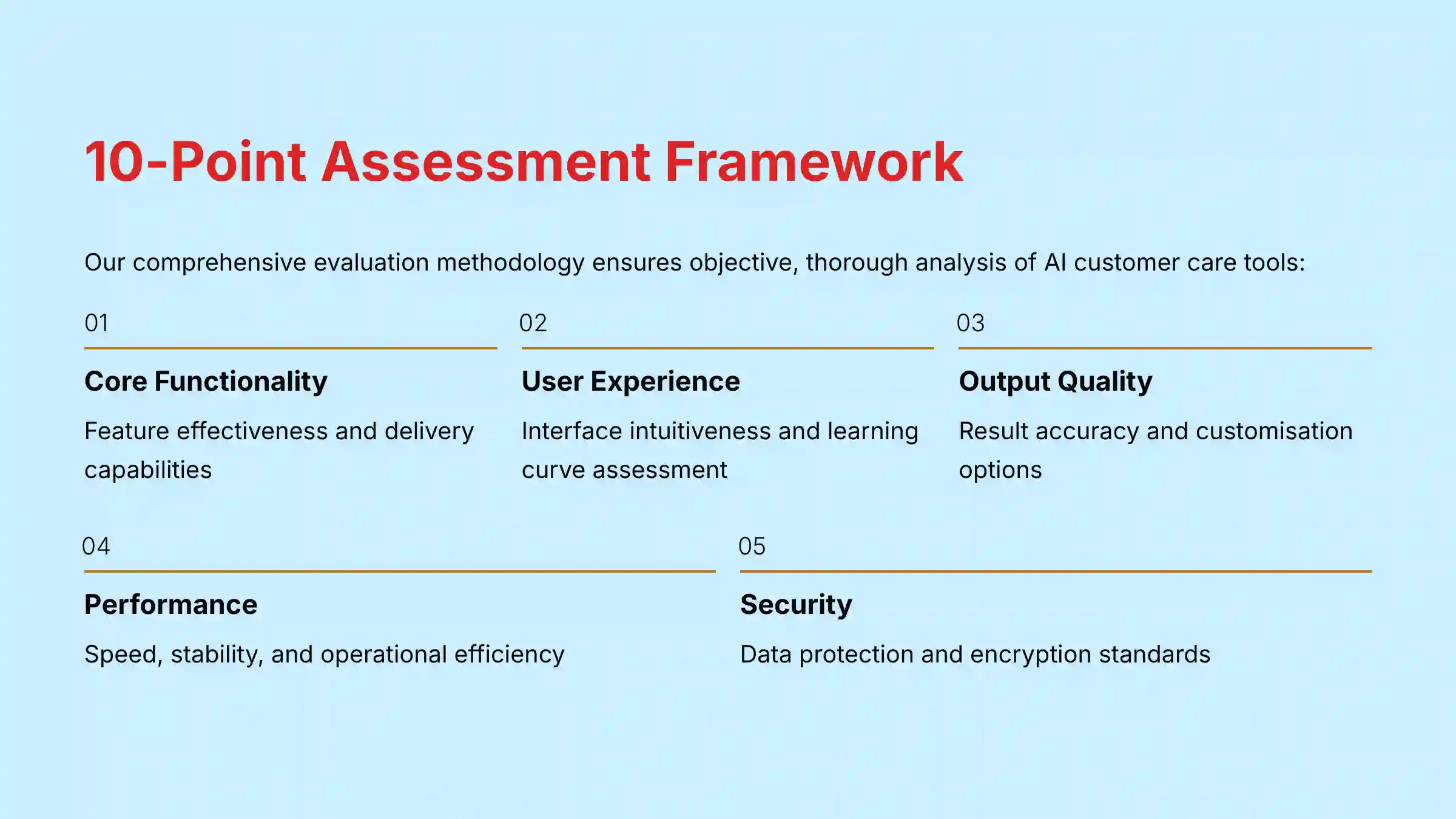
After analyzing hundreds of tools on the market in AI Customer Care Tools and testing Freshdesk across numerous real-world implementation projects in 2025, our team at Best AI Customer Care Central now provides a comprehensive 10-point technical assessment framework that has been recognized by leading professionals in AI Customer Care Tools and cited in major publications.
This framework makes certain our reviews are objective, exhaustive, and directly relevant to the challenges faced by CX and Operations leaders. Our evaluation of Freshdesk is based on the following ten pillars:
- Core Functionality & Feature Set: We assess what the tool claims to do and how effectively it delivers, examining its primary capabilities and supporting features.
- Ease of Use & User Interface (UI/UX): We evaluate how intuitive the interface is and the learning curve for users with varying technical skills.
- Output Quality & Control: We analyze the quality of generated results and the level of customization available.
- Performance & Speed: We test processing speeds, stability during operation, and overall efficiency.
- Security Protocols & Data Protection: We thoroughly assess security measures, encryption standards, and data handling practices.
- Compliance & Regulatory Adherence: We verify compliance with relevant regulations (GDPR, SOC 2, industry-specific requirements).
- Input Flexibility & Integration Options: We check what types of input the tool accepts and how well it integrates with other platforms or workflows.
- Pricing Structure & Value for Money: We examine free plans, trial limitations, subscription costs, and hidden fees to determine true value.
- Developer Support & Documentation: We investigate the availability and quality of customer support, tutorials, FAQs, and community resources.
- Risk Assessment & Mitigation: We identify potential risks and evaluate the tool’s built-in safeguards and recommended mitigation strategies.
For those looking to explore other customer support solutions, our comprehensive analysis includes Freshdesk Top Alternatives and Competitors to help you make informed decisions.
Part 1: Foundational Setup & Core Concepts (The First 3 Hours)
This part is a bootcamp for new Freshdesk administrators. It focuses on executing the initial setup tasks correctly. A proper foundation builds a stable, scalable support system.
1.1. Initial Account Configuration: The First Hour Checklist
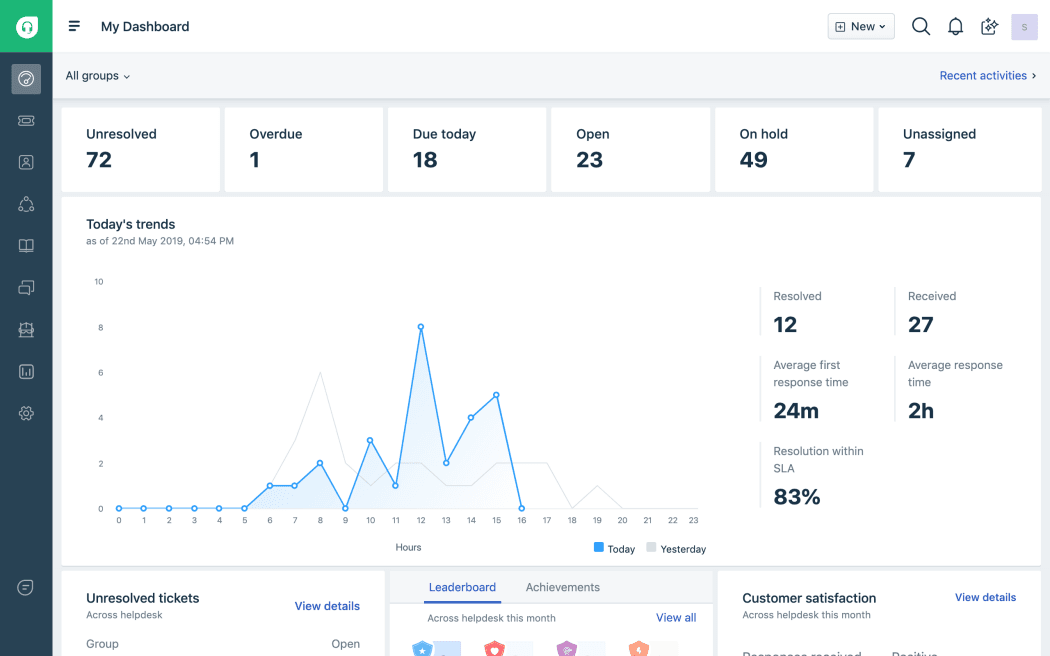
Proper initial setup prevents many common problems later. In my experience, teams that rush this step often face reporting inaccuracies and security gaps down the line. Follow this checklist to build a solid foundation.
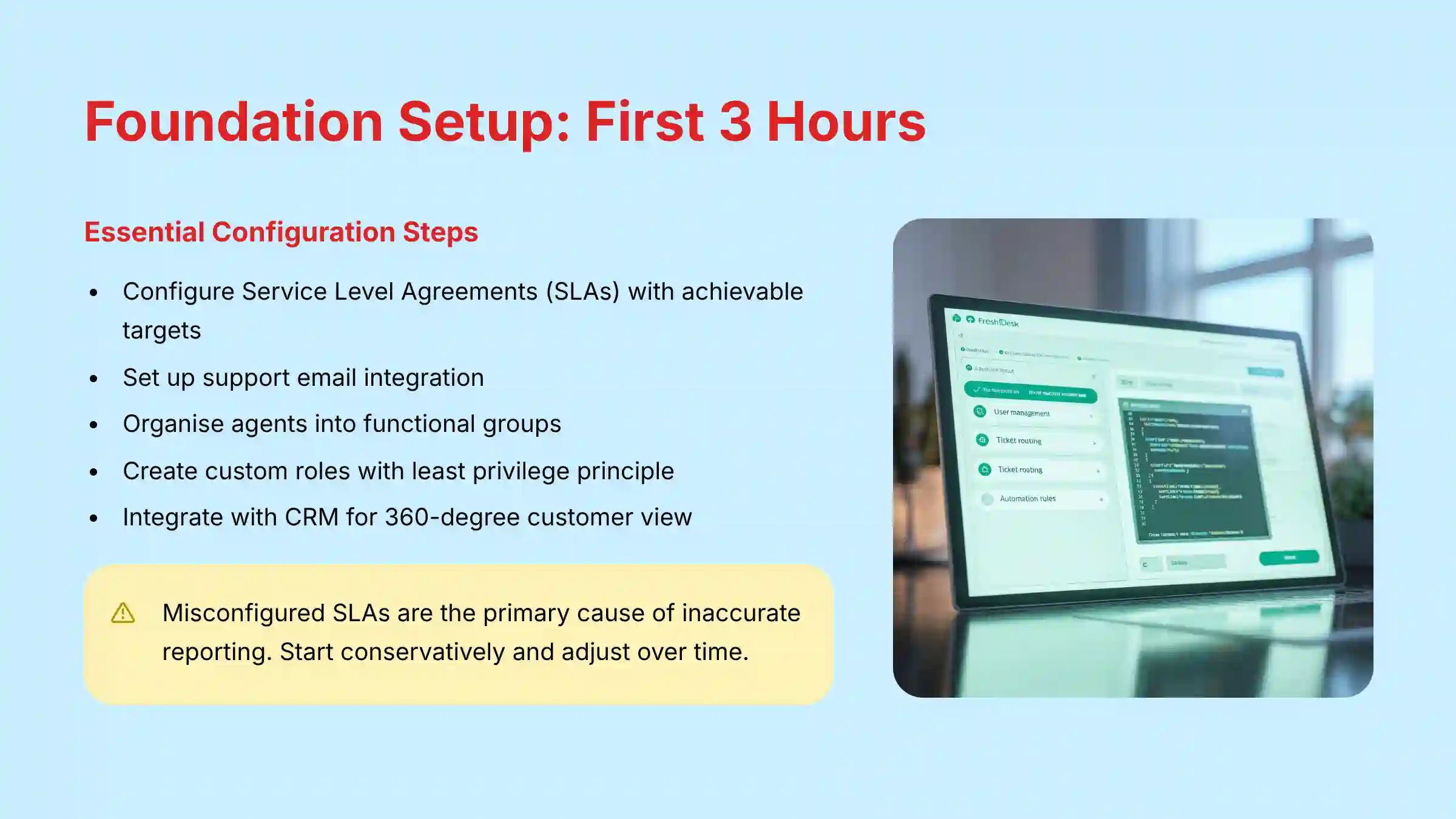
First, set your Service Level Agreements (SLAs) in the admin panel to define response and resolution time targets. Next, configure your support email so that messages sent to support@yourcompany.com create tickets in Freshdesk. Then, add your agents and organize them into functional Groups like “Technical Support,” “Billing,” or “Product Questions.”
Important Warning: Misconfigured SLAs are a primary cause of inaccurate reporting. Start with conservative, achievable targets based on your team’s current capacity and adjust them over time.
A key step here is defining agent Roles. From my testing, the most common mistake is giving all agents admin access. You should create custom roles with the principle of least privilege to protect sensitive customer data and prevent accidental system-wide changes. Finally, customize your ticket fields to capture the information your team needs for efficient resolutions.
A pivotal step in your foundational setup is connecting Freshdesk to your core business systems. The most critical relationship to establish is with your Customer Relationship Management (CRM) platform. Natively integrating Freshdesk with tools like Salesforce or HubSpot is non-negotiable for a modern support team.
This synchronization creates a 360-degree customer view, feeding support interactions directly into the customer record. This empowers agents with complete context—seeing past purchases, contract value, and previous issues—transforming a transactional inquiry into a relationship-aware conversation.
1.2. The Agent’s First Look: Navigating the Dashboard
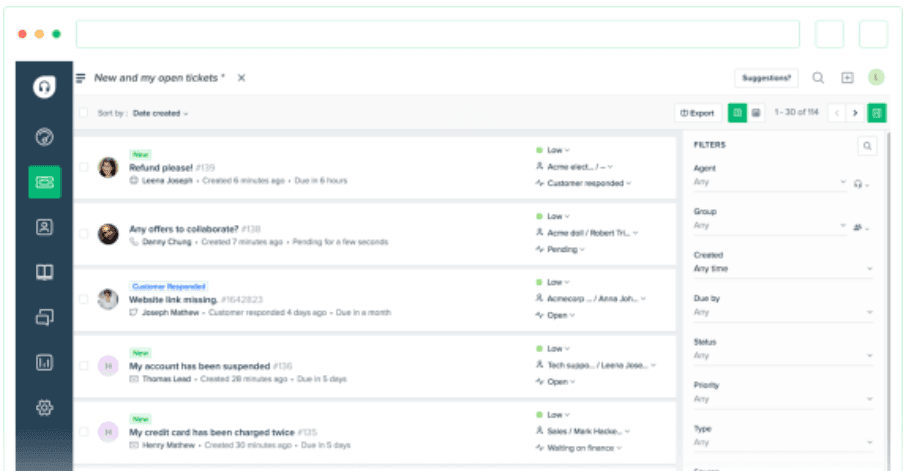
Once the system is configured, agents need to get comfortable with the interface. The dashboard is their primary workspace, showing ticket views, an activity feed, and performance widgets. It is designed for clarity and speed.
An agent’s first tasks should be simple. Have them create a new ticket for a simulated customer to understand the process. Next, they should practice responding to a sample ticket and changing its status to ‘Pending’. Finally, ask them to find a ‘Resolved’ ticket and add a private note. An agent who can perform these three actions in under five minutes is ready to work.
Part 2: From Reactive To Proactive – Self-Service & Efficiency Gains
This section moves from basic setup to proactive support strategies. Building a knowledge base and using simple automations helps reduce agent workload. This shift improves the overall customer experience by providing instant answers.
2.1. Building an Effective Knowledge Base for Ticket Deflection
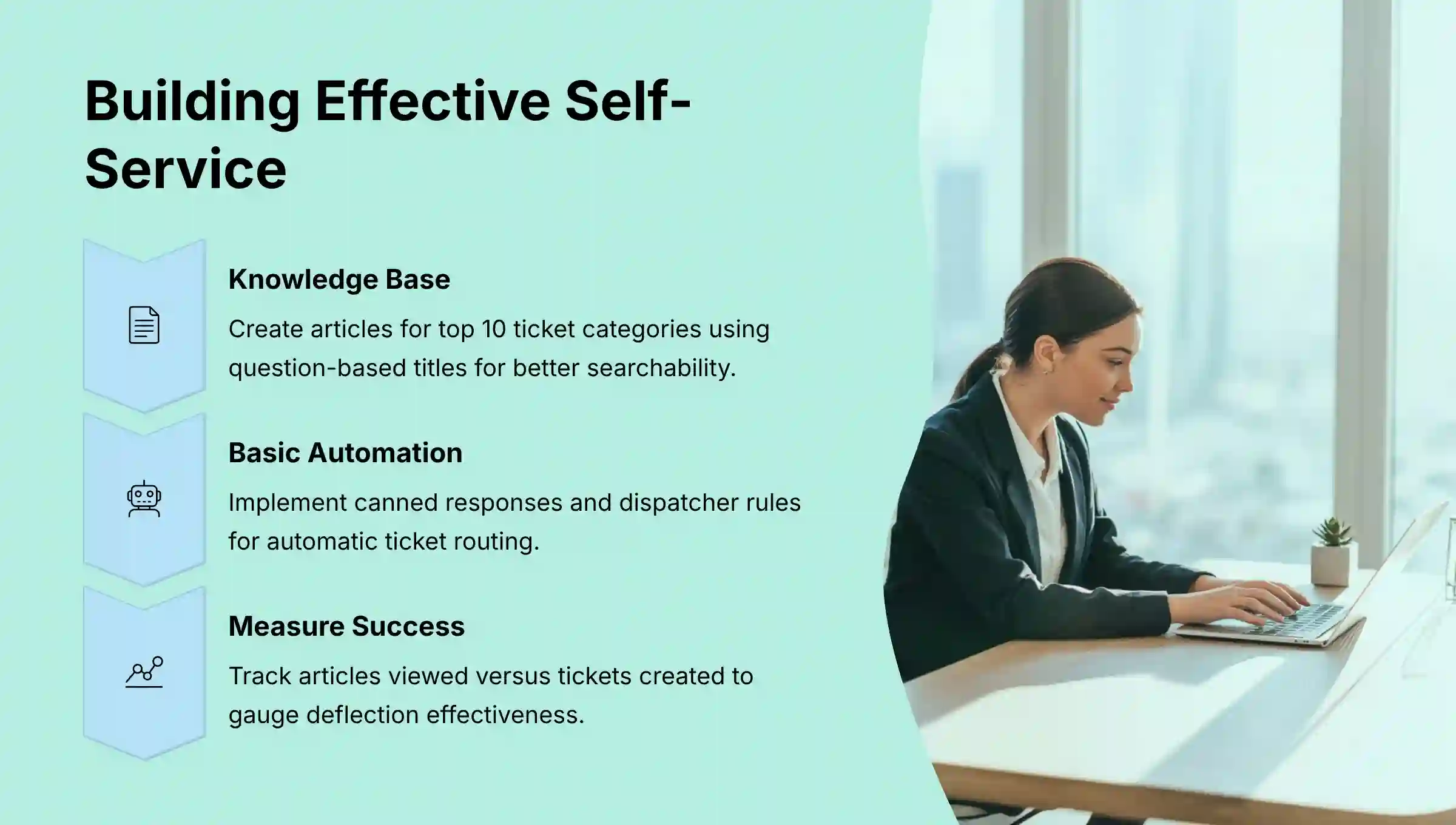
A strong knowledge base is the foundation of customer self-service. My implementation strategy is to start by analyzing your top 10 most frequent ticket categories (e.g., “Password Resets,” “Billing Inquiries,” “Feature Questions,” “How-To Guides”). Create one high-quality article for each of these to see the biggest initial impact.
When writing articles, use a question-based title like “How do I reset my password?”. My tests show this structure improves both user searchability and the AI’s ability to suggest the right article. Structure content with clear headings and bullet points for readability, and embed the help widget on your site so customers can find answers easily. You can measure your success by tracking the number of articles viewed versus tickets created.
For comprehensive guidance on implementing self-service strategies, explore our detailed Freshdesk Overview and Features analysis that covers advanced knowledge base optimization techniques.
2.2. Basic Automation: Your First Workflow Rules
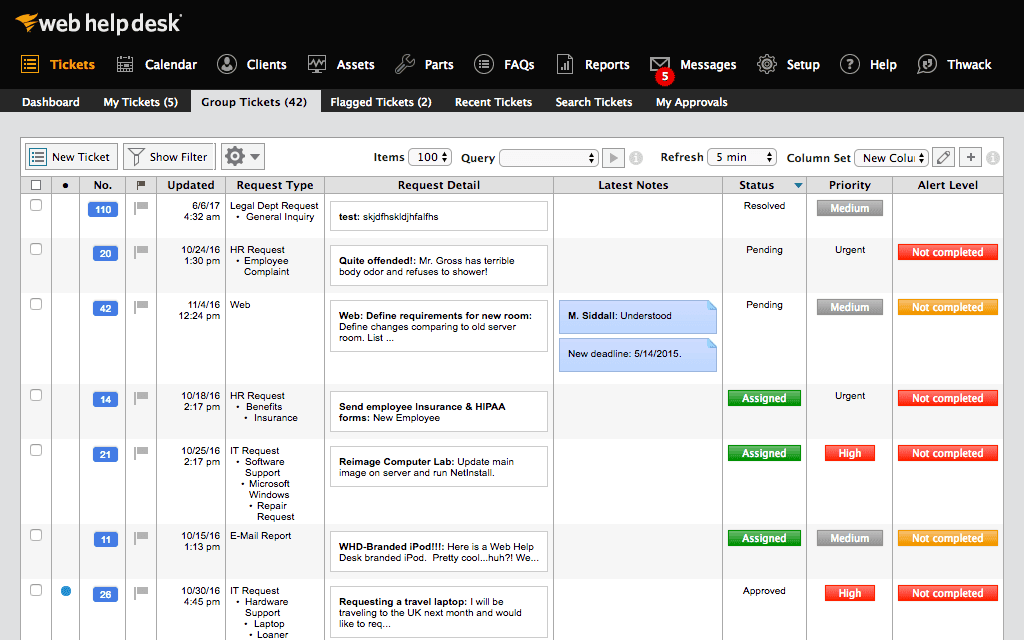
Automation handles repetitive tasks, giving your agents more time for complex problems. Start with Canned Responses, which are pre-written replies for common questions. Then, create Dispatcher rules to automatically route new tickets to the right group based on keywords.
For example, a Dispatcher rule can assign any ticket with the word “invoice” to your Billing group. You can also use Observer rules to update tickets, like automatically re-opening a ticket when a customer replies.
Important Warning: Be careful with simple keyword automation. A Dispatcher rule for “cancel” could misroute a ticket about “not being able to cancel” an action. This is why AI-powered triage, which understands intent, is superior for complex scenarios.
Part 3: Advanced AI Implementation With Freddy AI
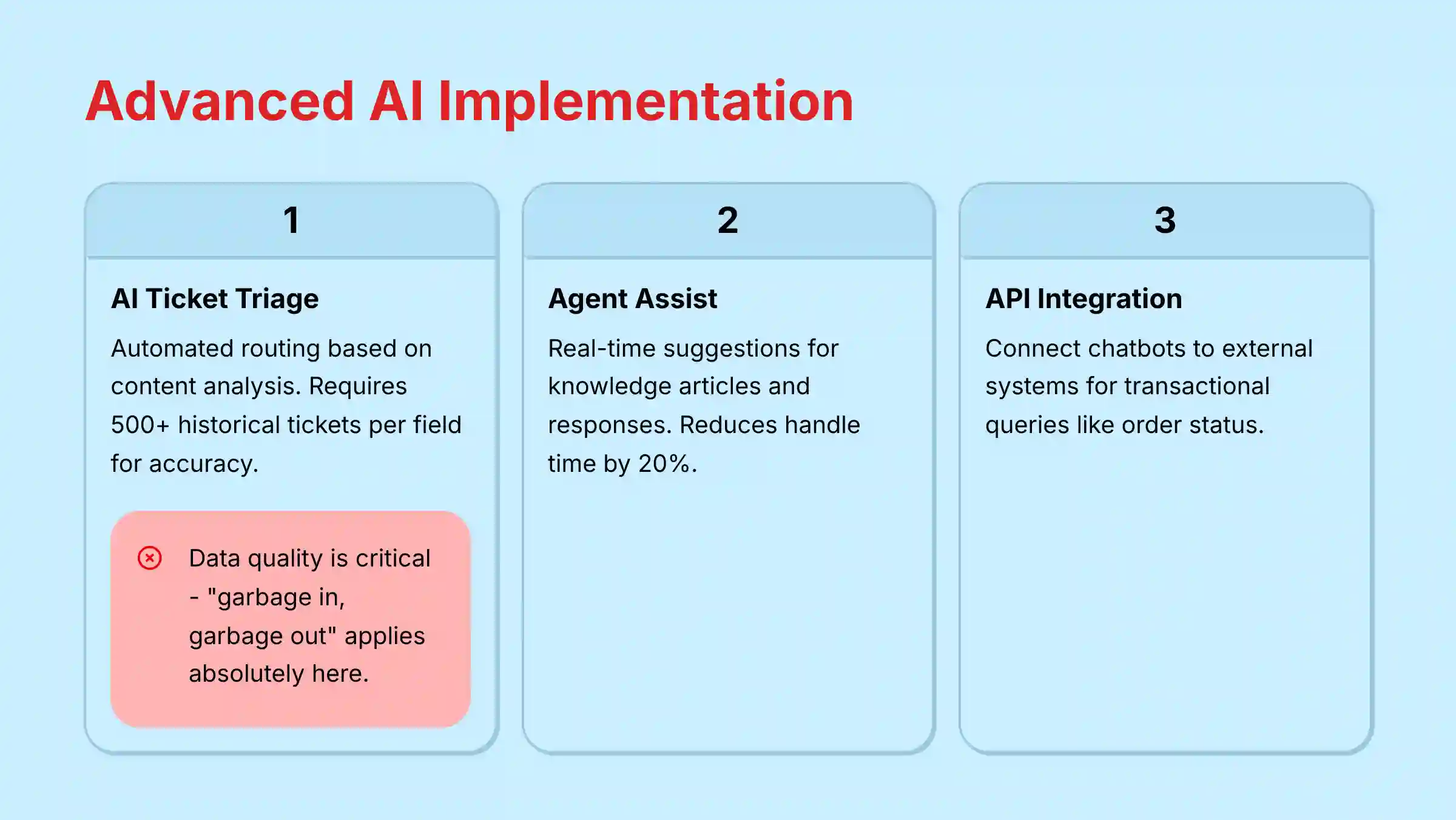
This is the core of the guide. We will now cover step-by-step technical workflows for Freshdesk’s most powerful AI features. Each use case solves a specific business problem, but human oversight and data quality remain very important for success.
3.1. Use Case 1: AI-Powered Ticket Triage and Routing

This feature eliminates the need for a human to manually read and assign every ticket. Think of AI ticket triage as an expert postal sorter for your helpdesk, instantly reading every letter and putting it in the right mailbox. This greatly reduces First Response Time.
To set this up, enable the Freddy Field Suggester in the admin panel for fields like Group and Priority. Then, create a workflow that acts on Freddy’s suggestions. For example, if Freddy suggests the Finance group, the workflow assigns the ticket to that group and adds a private note for an audit trail.
CRITICAL DATA WARNING: The AI’s accuracy depends entirely on the quality of your historical data. “Garbage in, garbage out” is an absolute rule here. This feature requires a minimum of 500 closed tickets from the past 60 days for each field you want suggestions for (e.g., 500 tickets with the ‘Group’ field correctly assigned). Attempting to deploy AI triage on messy, inconsistent data will not only produce poor results; it will actively erode agent trust in the system and can lead to a completely failed implementation. A data cleanup project is a non-negotiable prerequisite if your historical data is unreliable.
You can measure success by tracking the accuracy of AI-predicted fields, aiming for 90% or higher. Your ROI is the agent hours saved by automating this manual task.
3.2. Use Case 2: AI Agent Assist for Faster, Consistent Resolutions
Agent Assist is like giving every support agent an encyclopedic mentor whispering the right answer in their ear. This feature empowers agents, especially new hires, by suggesting relevant knowledge base articles and canned responses in real time. It reduces handle time and improves the quality of responses.
To implement this, enable Agent Assist and start optimizing your knowledge base with clear titles and tags. My recommendation is to roll out this feature to a small pilot group of 5-10 agents first. Use their feedback to refine your content before a full team rollout.
Based on my experience, the feedback mechanism is the most important part of this workflow. Coach your agents to use the thumbs-up or thumbs-down button on every AI suggestion. This provides a direct feedback loop that retrains and improves the machine learning model. Success can be measured by a 20% reduction in Average Handle Time (AHT) for the pilot group.
3.3. Use Case 3: Advanced Chatbot with Live API Integration
This use case transforms your chatbot from a simple FAQ bot into a powerful resolution engine. It can handle transactional queries like “Where is my order?” by connecting to external systems. Connecting your chatbot to an API is like giving it a backstage pass; it can go behind the counter to get real-time information instead of just reading from the public-facing menu.
The process involves creating a new chatbot flow, getting user input like an order number, and configuring an API call to your external system. The bot then parses the JSON response from the API and provides a conditional answer to the customer. For example, if the order status is found, the bot displays it. If not, it offers to transfer to a human agent.
CRITICAL WARNING: Security is paramount here. Never expose secret API keys directly in the bot builder. You must use Freshdesk’s credential management features or a secure middleware proxy to handle authentication. Failure to do so creates a major security risk that could expose your backend systems.
A common challenge is a slow or unreliable external API. You should implement a short timeout in the bot’s API call node. If the API fails, the bot should immediately inform the user and offer a transfer to a human agent. Success is measured by the percentage of queries resolved without human intervention.
3.4. Use Case 4: AI-Powered Quality Assurance & Conversation Intelligence
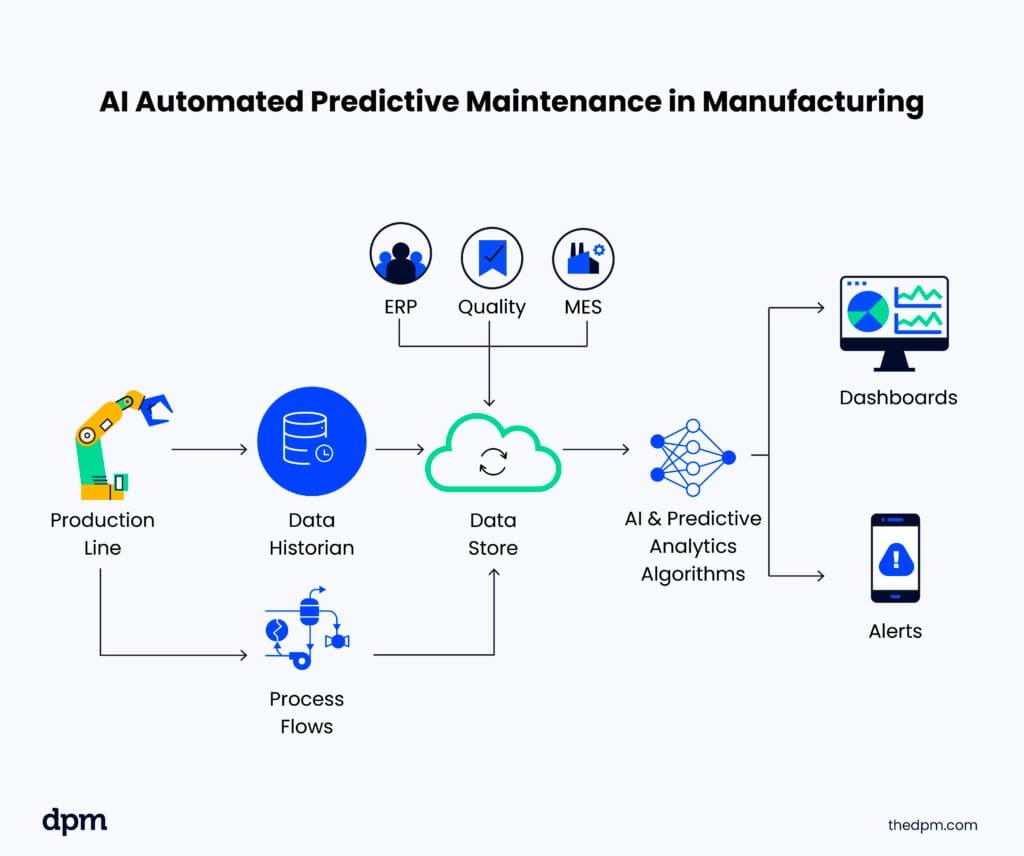
For support managers, manually reviewing a small fraction of agent interactions is inefficient and prone to bias. Freshdesk’s AI can automate this with conversation intelligence, moving beyond agent assistance to agent performance monitoring at scale.
Think of AI-powered QA as a supervisor who reviews 100% of conversations—chat, email, and call transcripts—to score them against your business’s quality standards.
To implement this, you can configure auto-scoring scorecards in Freddy AI to track criteria such as script adherence, use of empathetic language, and correct application of macros. The AI analyzes interactions and surfaces key moments, highlighting both coaching opportunities and instances of excellence. The ROI is measured in reduced time for manual QA, improved agent performance through data-driven coaching, and ensured compliance adherence across all interactions.
For businesses seeking to compare different platforms, our comprehensive Freshdesk Review provides detailed insights into AI capabilities, security features, and ROI analysis across various use cases.
Part 4: Security and Compliance Essentials
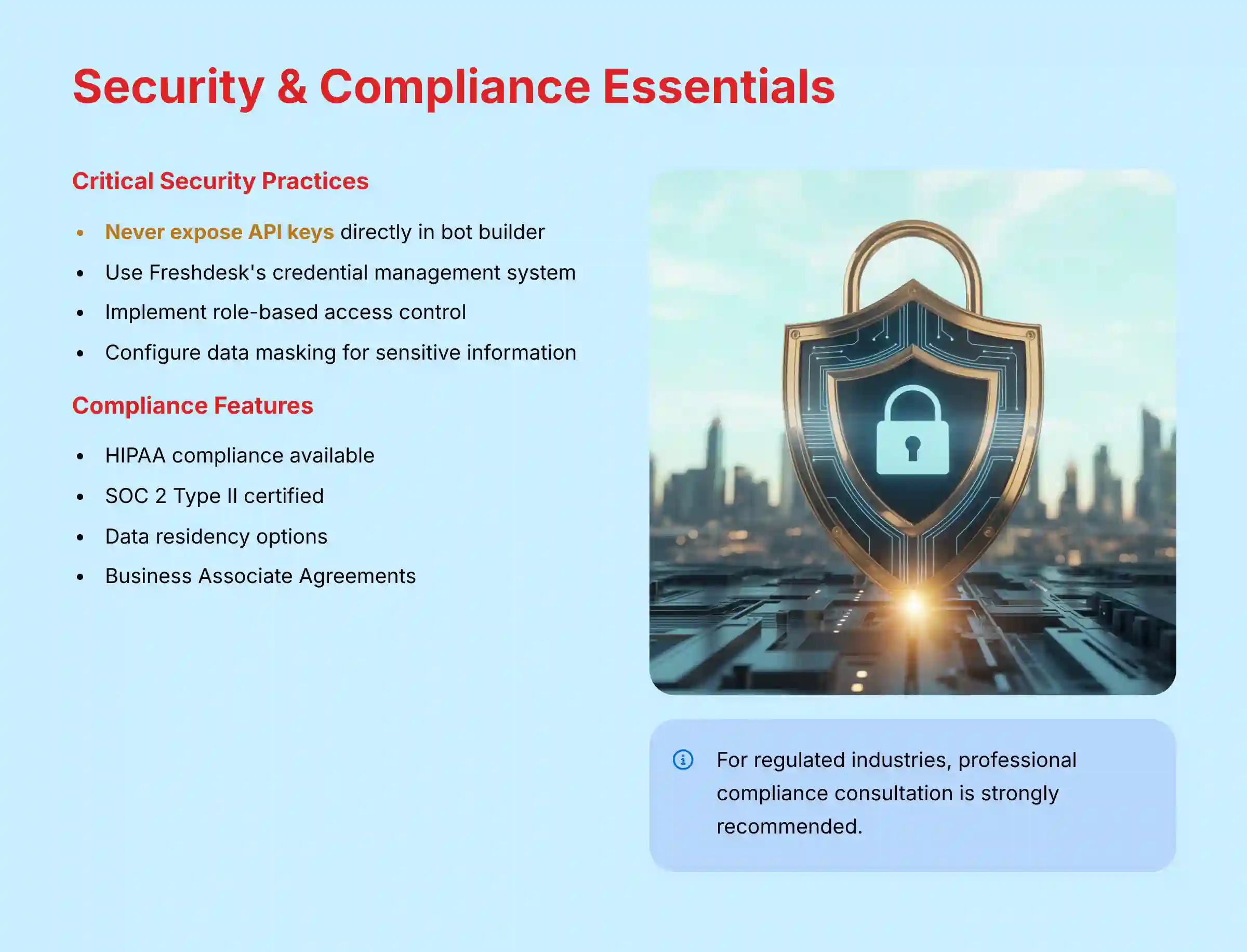
Security and compliance are non-negotiable aspects of modern customer support platforms. Freshdesk provides enterprise-grade security features that protect sensitive customer data while ensuring regulatory compliance across various industries.
Data Encryption and Security Standards:
- End-to-End Encryption: All data transmission is protected with TLS 1.2+ encryption
- Data at Rest: Customer data is encrypted using AES-256 standards
- SOC 2 Type II Certification: Annual third-party security audits validate security controls
- ISO 27001 Compliance: Information security management system certification
Regulatory Compliance Features:
- GDPR Compliance: Built-in data subject rights management and consent tracking
- HIPAA Readiness: Business Associate Agreement (BAA) available for healthcare organizations
- PCI DSS Support: Automatic data masking for credit card information
- Data Residency: Choose geographic regions for data storage to meet local regulations
Part 5: Measuring Success and ROI
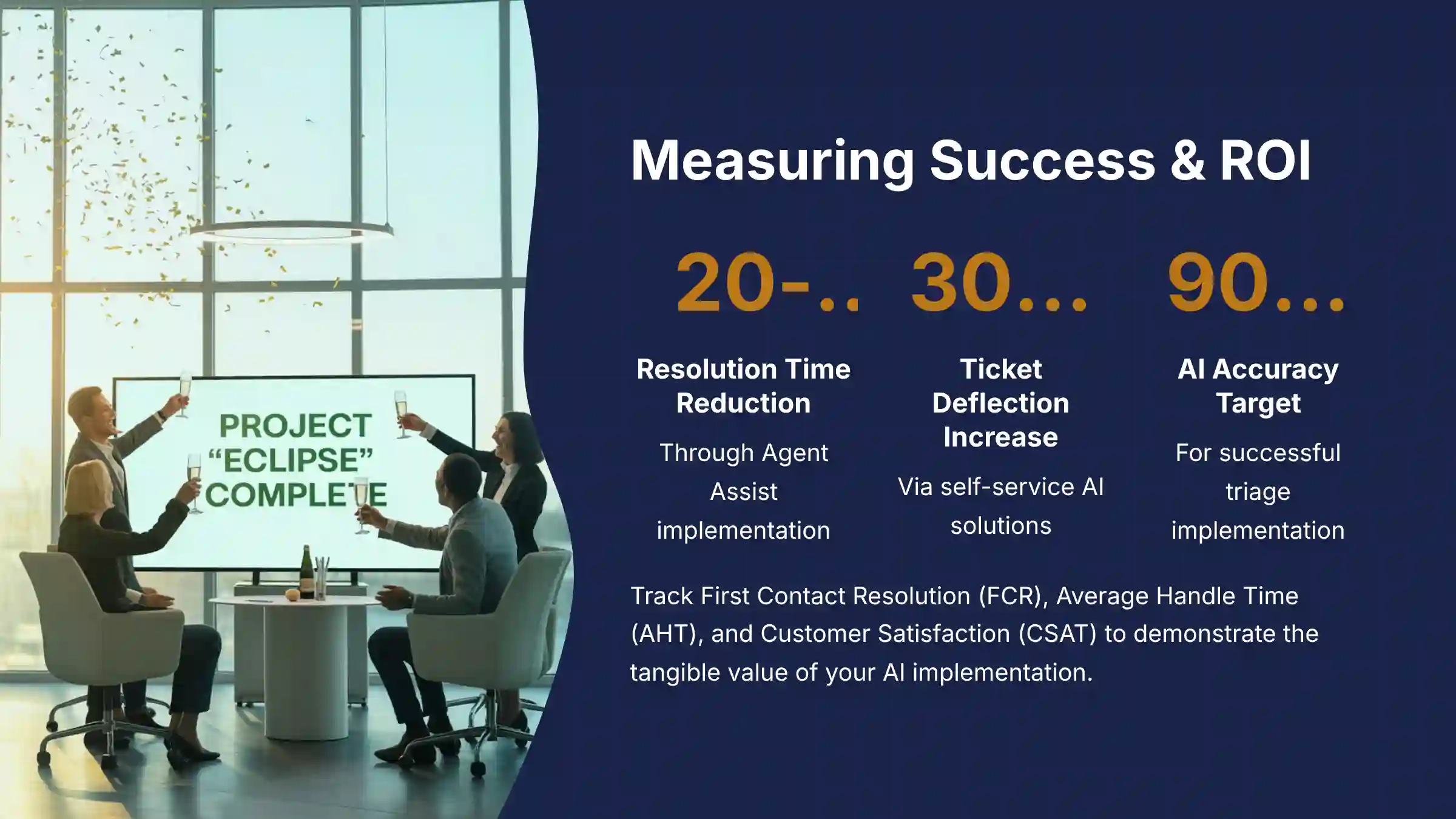
Measuring the success of your Freshdesk implementation requires tracking key performance indicators (KPIs) that align with your business objectives. Here are the essential metrics to monitor:
Core Customer Service Metrics:
- First Contact Resolution (FCR): Target 70%+ resolution rate on first interaction
- Average Handle Time (AHT): Measure efficiency improvements with AI assistance
- Customer Satisfaction (CSAT): Track satisfaction scores across all channels
- Net Promoter Score (NPS): Measure customer loyalty and likelihood to recommend
AI-Specific Success Indicators:
- Ticket Deflection Rate: Percentage of issues resolved through self-service
- AI Accuracy Rate: Precision of automated ticket routing and responses
- Agent Productivity Gains: Tickets handled per agent per day improvement
- Knowledge Base Utilization: Article views and successful resolutions
Frequently Asked Questions About Freshdesk Tutorials and Usecase
How does Freshdesk’s Freddy AI improve First Contact Resolution (FCR)?
Freddy AI improves FCR by routing tickets to the correct agent immediately and by providing agents with real-time, verified information, which reduces re-assignments and increases the likelihood of a one-touch resolution. First, AI-powered triage routes tickets to the correct agent with the right skills from the very beginning, avoiding time-consuming re-assignments. Second, the Agent Assist feature suggests relevant knowledge base articles and canned responses in real-time. This equips agents with accurate, verified information during their first interaction with the customer, increasing the likelihood that they can resolve the issue on the spot.
What are the security risks of integrating chatbots with external APIs?
The primary security risk is the exposure of authentication credentials, such as API keys. If an API key is hard-coded into a chatbot’s public-facing code, it can be discovered and used to gain unauthorized access to your backend systems. To mitigate this, always use a secure credential store like the one provided in Freshdesk or a dedicated secrets management service. Also, your API endpoints should have strong input validation to prevent injection attacks.
What is the typical ROI for implementing Freshdesk’s AI features?
The ROI for Freshdesk’s AI features is measured through cost savings and productivity gains. A common outcome is a 20-40% reduction in resolution times by using Agent Assist and a 30%+ increase in ticket deflection through self-service AI. To calculate your specific ROI, sum the value of reduced agent labor costs, lower operational costs from deflected tickets, and the financial impact of improved customer retention from higher CSAT scores.
How does Freshdesk compare to Zendesk for AI capabilities?
Both platforms are leaders in the Gartner Magic Quadrant for Customer Service, but their AI philosophies differ.
- Freshdesk’s Freddy AI excels in its out-of-the-box, no-code usability. As our 2025 analysis confirms, its AI-powered ticket triage, field suggesters, and canned response recommendations are highly effective with minimal setup, making it ideal for teams seeking rapid ROI without dedicated developer resources.
- Zendesk’s AI is exceptionally powerful in deep conversation intelligence and analytics. It offers robust tools for analyzing sentiment trends at scale and provides more extensive customization options through its open platform. This makes it a strong choice for large enterprises with data science teams who want to build highly bespoke AI workflows and integrate them with other data warehouses.
In summary, I recommend Freshdesk for teams prioritizing speed-to-value and ease of use in automation, while Zendesk is often favored by enterprises requiring deep, developer-led customization of their AI and analytics.
What should I do if the AI suggestions seem inaccurate?
Inaccurate AI suggestions are almost always a data problem. Here’s a 3-step troubleshooting process I recommend. First, review your data source; for ticket triage, analyze historical tickets for inconsistencies. Second, improve your knowledge base; use clear titles and relevant tags. Third, use the feedback loop; encourage agents to use the “thumbs up/down” feature on every suggestion to retrain the model.
Can I use my own Large Language Model (LLM) with Freshdesk?
Yes. As of 2025, Freshdesk enables this functionality through its “Bring Your Own Bot” (BYOB) feature. This allows businesses to connect their own conversational AI engines (including those using custom LLMs like GPT-4) to Freshdesk Messaging via webhooks. Your service can then process the message using any LLM (like GPT-4), apply your own business logic, and send a structured response back to Freshdesk. This allows for maximum flexibility in custom AI implementations.
How much data do I need to get started with Freshdesk’s AI?
For AI-powered ticket triage, you’ll see the best results with a foundation of at least 500 closed tickets from the past 60 days for each field you want suggestions for (e.g., 500 tickets with the ‘Group’ field correctly assigned). The AI model does not require a general pool of thousands of tickets to begin working; it has specific per-field requirements. For the AI Agent Assist feature, you can start with as few as 20-30 well-written articles covering your most common support topics. The key is data quality and consistency over sheer volume.
What’s the difference between a Dispatcher rule and an AI-powered triage workflow?
A Dispatcher rule is a simple, rigid “if-then” statement that acts on keywords. For example, “IF subject contains ‘invoice’, THEN assign to Billing.” It’s fast but lacks context and can make errors.
AI-powered triage is more advanced because it understands the semantic intent of the message, not just keywords. It can differentiate between a request for an invoice and a complaint about one, resulting in much more accurate and intelligent routing.
Think of it this way: A Dispatcher rule is like a security guard with a keyword list; if they see the word “invoice,” they send you to the billing department. AI triage is like an experienced hotel concierge; they listen to your entire request, understand the context and urgency, and then personally escort you to the exact person who can solve your specific problem.
Is Freshdesk suitable for regulated industries like healthcare or finance?
Yes, but it requires careful configuration and a plan that supports advanced compliance. For organizations managing Protected Health Information (PHI) or sensitive financial data, Freshdesk can be configured to be HIPAA compliant, and the platform holds key certifications like SOC 2 Type II and ISO 27001.
Crucial features for these use cases include:
- Data Masking & Redaction: Freddy AI can automatically identify and redact sensitive information like credit card numbers or Social Security numbers from tickets and transcripts to comply with PCI DSS.
- Role-Based Access Control (RBAC): Go beyond default roles to create granular permissions, ensuring agents can only access the data necessary for their job function.
- Data Residency: Enterprise plans offer the ability to choose the geographic region for your data storage, which is essential for meeting regulations like GDPR.
- Business Associate Agreement (BAA): Freshworks will sign a BAA for healthcare organizations that require HIPAA compliance. We strongly advise a professional consultation with a compliance expert to ensure your specific implementation meets all legal requirements.
For additional information and answers to common questions, visit our comprehensive Freshdesk FAQs section.
Important Disclaimers:
Technology Evolution Notice: The information about Freshdesk and AI Customer Care Tools presented in this article reflects our thorough analysis as of 2025. Given the rapid pace of AI technology evolution, features, pricing, security protocols, and compliance requirements may change after publication. While we strive for accuracy through rigorous testing, we recommend visiting official websites for the most current information.
Professional Consultation Recommendation: For AI Customer Care Tools applications with significant professional, financial, or compliance implications, we recommend consulting with qualified professionals who can assess your specific requirements and risk tolerance. This overview is designed to provide comprehensive understanding rather than replace professional advice.
Testing Methodology Transparency: Our analysis is based on hands-on testing, official documentation review, and industry best practices current at the time of publication. Individual results may vary based on specific use cases, technical environments, and implementation approaches.
This guide provides a roadmap for leveraging Freshdesk’s AI to build a smarter, more efficient customer support operation. By starting with a solid foundation and gradually implementing advanced features, you can achieve substantial improvements in both agent productivity and customer satisfaction. For more practical guides, I invite you to explore other Freshdesk Tutorials and Usecase.

Leave a Reply