Is Freshdesk the Right AI Customer Care Platform for You?
Take This 2-Minute Quiz to Find Out!
Key Takeaways
- Freddy AI Core Functions: Freshdesk’s AI suite transforms support operations through self-service automation, agent productivity enhancement, and strategic customer insights
- ROI for Mid-Sized Teams: Typical returns include 25-35% ticket deflection, 20-25% AHT reduction, and $400,000-600,000 annual value for 30-agent teams
- Security & Compliance: SOC 2 Type II, ISO 27001, GDPR, and HIPAA compliant with robust data encryption and access controls
- Implementation Strategy: 14-day Enterprise trial provides comprehensive AI testing with structured evaluation framework for optimal results
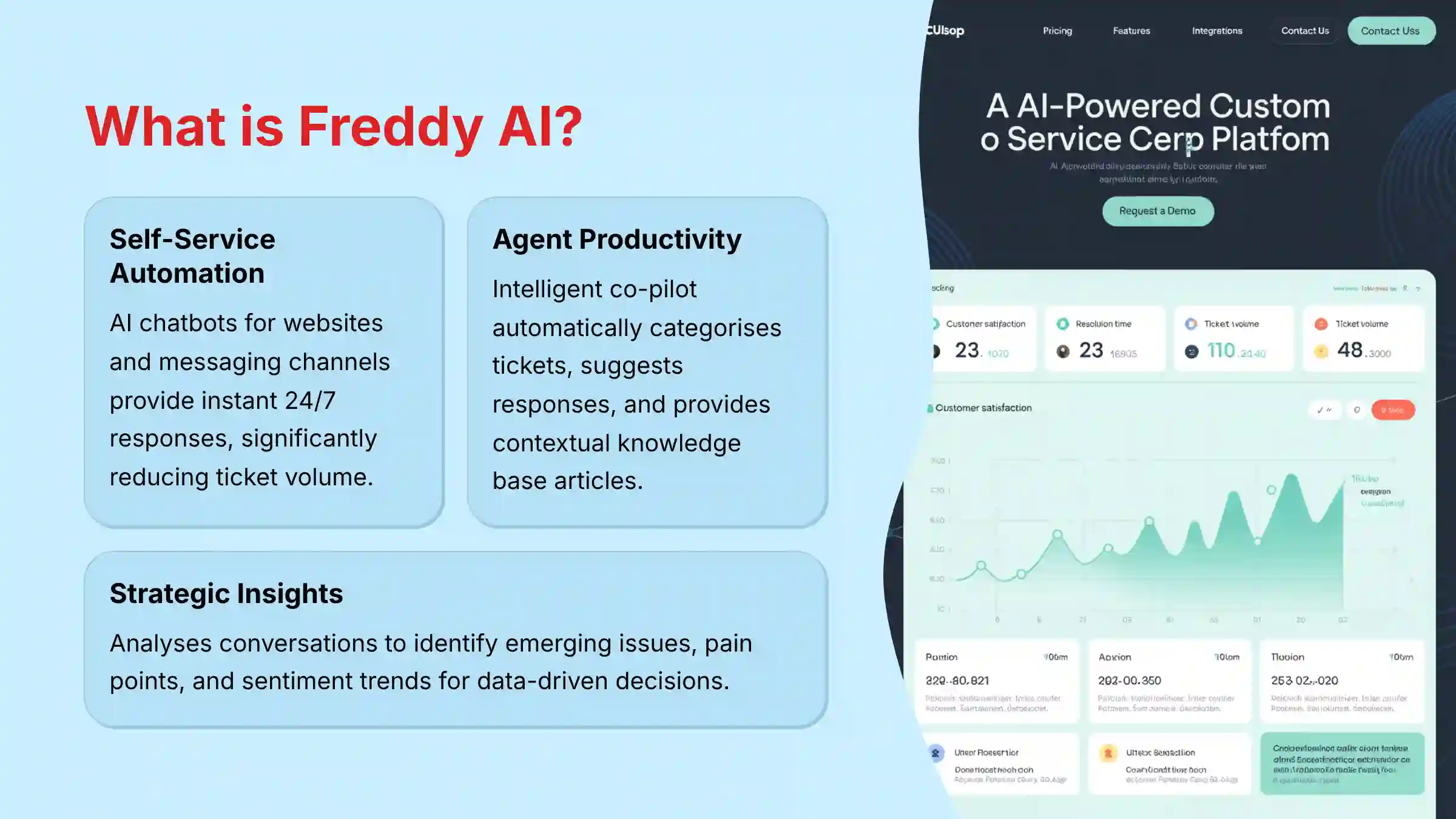
What is Freshdesk’s Freddy AI, and what can it actually do for a support team?
Freshdesk’s Freddy AI is a comprehensive suite of artificial intelligence and machine learning capabilities integrated into the Freshdesk helpdesk platform. It transforms standard customer support operations from reactive ticket management into a proactive, intelligent customer care system.
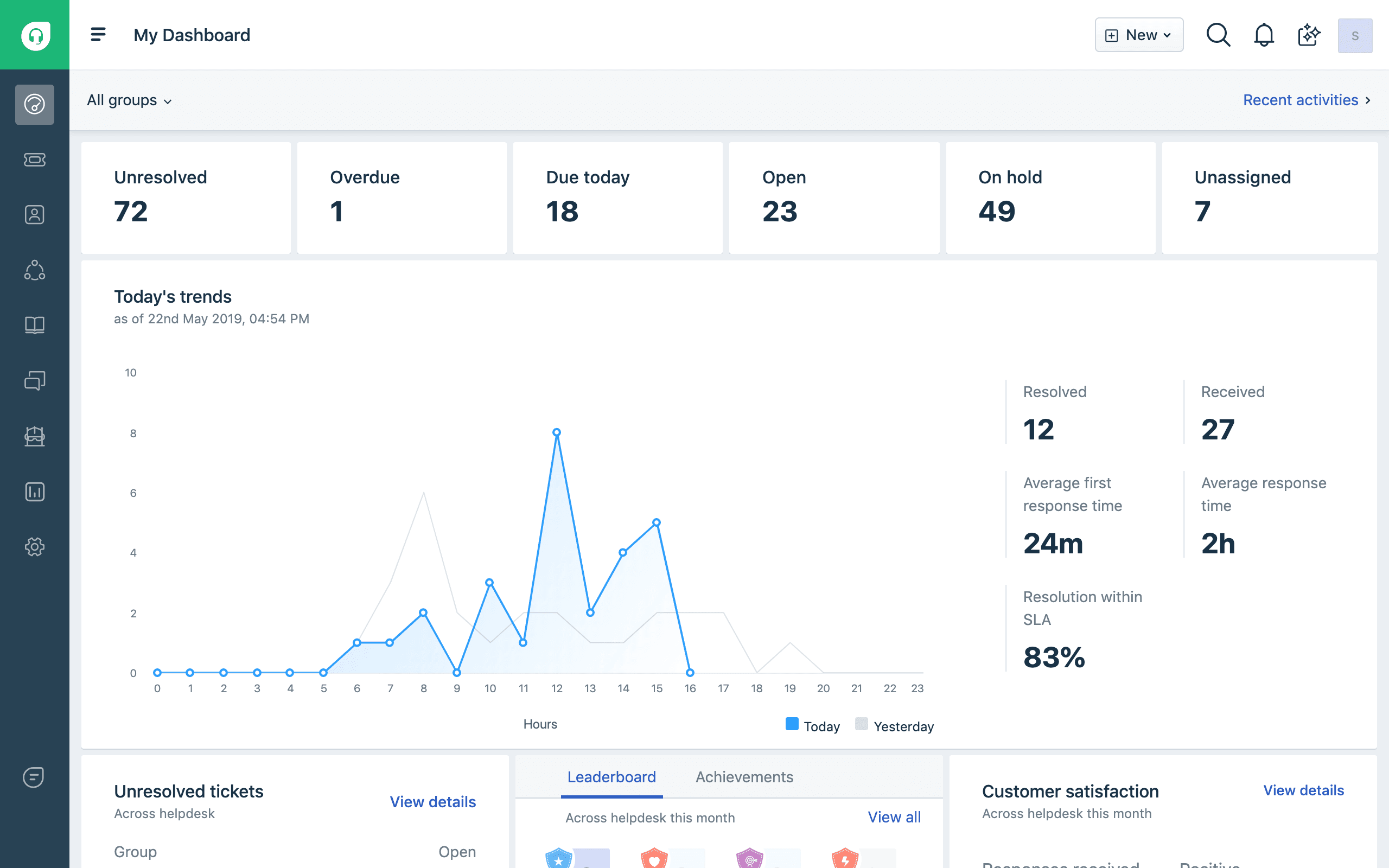
For support teams, Freddy AI delivers value across three key areas:
- Self-Service Automation: Freddy powers customer-facing tools including AI chatbots for your website and messaging channels (WhatsApp, Facebook Messenger), plus intelligent knowledge base search. These tools provide instant 24/7 responses to common customer questions, significantly reducing ticket volume by deflecting repetitive inquiries before they reach human agents.
- Agent Productivity Enhancement: Freddy AI functions as an intelligent co-pilot for support agents. It automatically categorizes and routes incoming tickets to the right specialists, suggests relevant responses based on historical ticket data, summarizes lengthy ticket threads, and provides contextual knowledge base articles. These features dramatically reduce manual work and decrease Average Handle Time (AHT).
- Strategic Insights: The AI continuously analyzes customer conversations to identify emerging issues, common pain points, and sentiment trends. Support managers can use these insights to identify product weaknesses, understand friction points in the customer journey, and provide data-driven recommendations to product and marketing teams, elevating the support function from cost center to strategic business asset.
By combining these capabilities, Freddy AI helps support teams handle higher volumes more efficiently while simultaneously improving customer satisfaction through faster, more accurate resolutions. For those looking to enhance their customer support strategy further, consider exploring our comprehensive Freshdesk Overview and Features guide for additional insights.
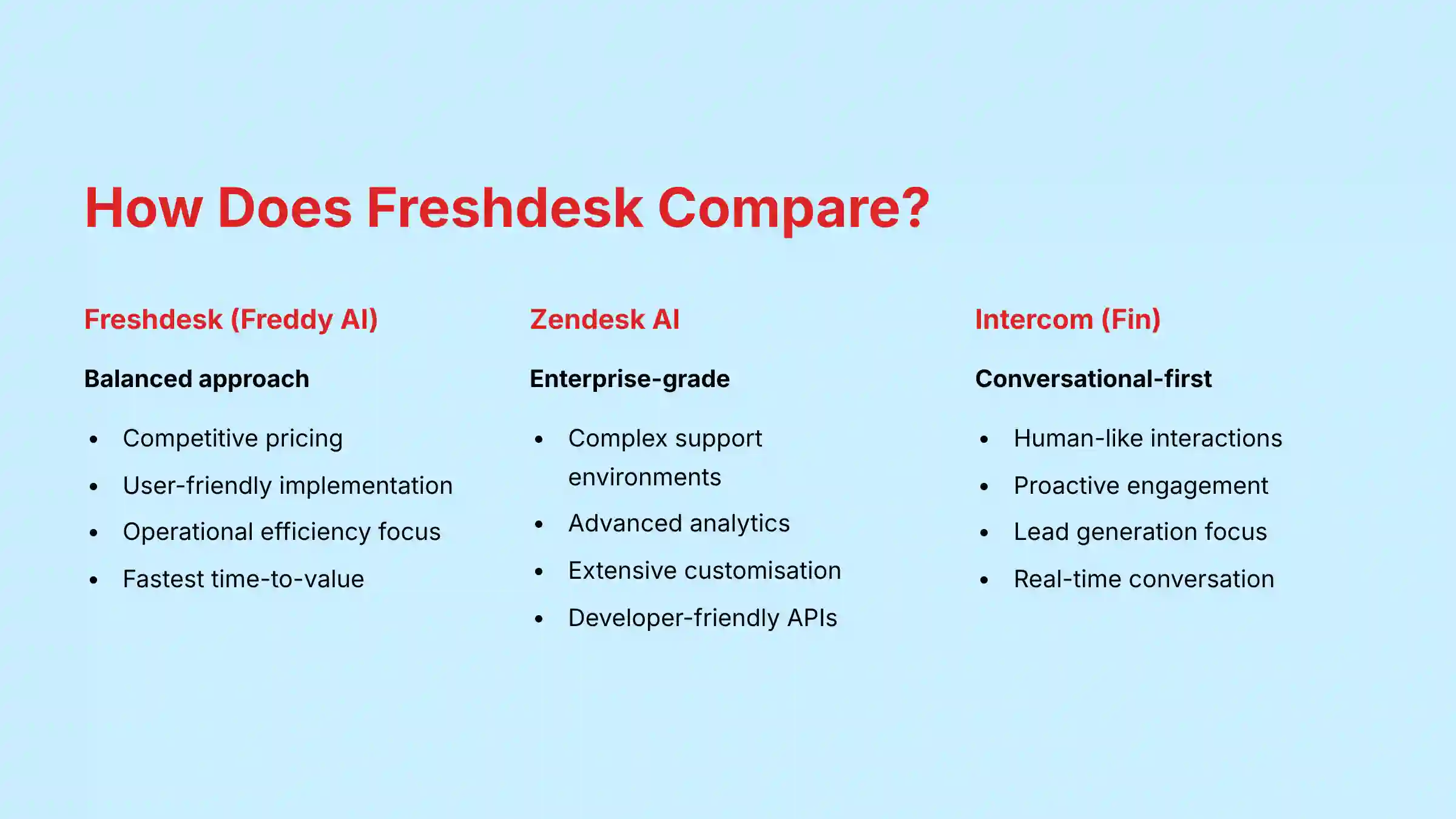
How does Freshdesk’s Freddy AI compare to Zendesk AI and Intercom’s Fin?
While all three platforms leverage AI to enhance customer support operations, they have distinct approaches and strengths that align with different organizational needs, existing technology stacks, and budget considerations.
Freshdesk (Freddy AI) positions itself as the balanced option, offering powerful AI capabilities with user-friendly implementation at a competitive price point. Freddy AI is tightly integrated across the entire Freshworks product ecosystem (Support, Messaging, Contact Center). Its strongest AI capabilities center around operational efficiency – particularly ticket automation workflows like auto-triaging, smart routing, and suggested replies. This makes Freshdesk ideal for teams focused on handling high ticket volumes efficiently while maintaining quality service across multiple communication channels.
Zendesk AI has established itself as an enterprise-grade solution with mature AI capabilities designed for complex support environments. Its AI excels in sophisticated routing logic, advanced analytics, and predictive insights for large organizations. Zendesk’s developer-friendly approach offers extensive APIs and customization options for organizations with technical resources to tailor the system. Companies already invested in the Zendesk ecosystem will find its AI capabilities a natural extension of their existing workflows.
Intercom (Fin) differentiates through its conversational-first approach. Fin excels at delivering contextual, human-like interactions through proactive chatbot experiences. It’s designed to function more as a “teammate” than just a tool, with strengths in real-time engagement and conversation qualification. Organizations looking to leverage their support channels for lead generation and proactive customer engagement will find Intercom’s approach particularly effective.
When evaluating these platforms, the key consideration isn’t just feature comparison but workflow alignment. Freshdesk typically offers the fastest time-to-value with intuitive setup and configuration that requires minimal technical expertise. While Zendesk might provide more granular customization options, it often demands greater technical resources to implement effectively. For most mid-sized businesses, Freshdesk’s Freddy AI delivers substantial value with significantly lower implementation complexity.
To make the most informed decision for your organization, our detailed Freshdesk Top Alternatives and Competitors analysis provides comprehensive comparisons across all major platforms.
Does the free version of Freshdesk include any AI or automation features?
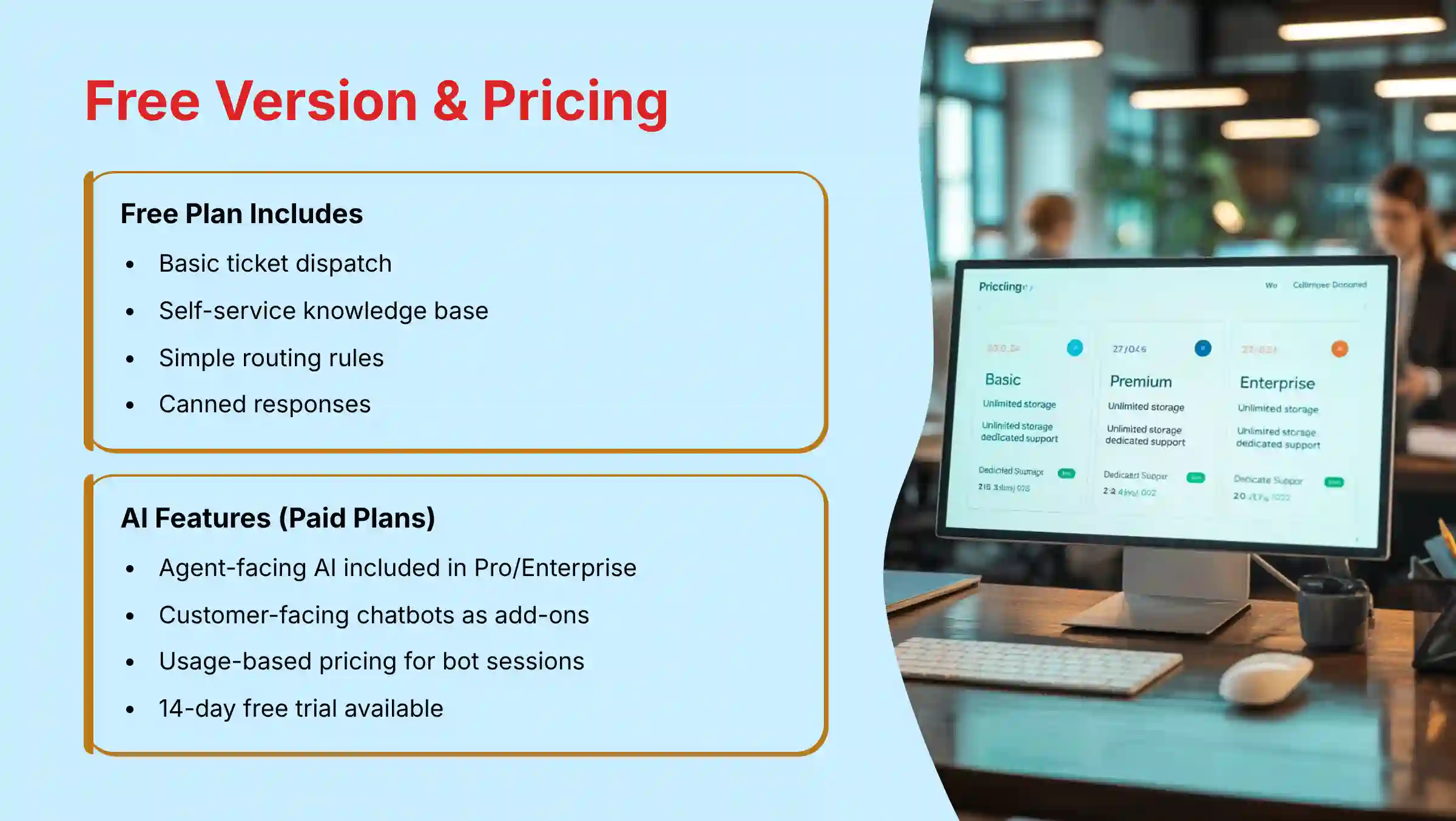
Yes, Freshdesk’s free version does include basic automation capabilities, though it lacks the advanced Freddy AI features found in paid plans. This provides small teams and startups with essential efficiency tools without requiring initial investment.
The free Freshdesk plan includes these automation features:
- Basic Ticket Dispatch: You can configure simple automation rules to assign incoming tickets to specific agents or groups based on predefined criteria like ticket source (email, social media, or web form).
- Self-Service Knowledge Base: The free plan allows you to create and maintain a customer-accessible knowledge base with articles, guides, and FAQs. While this knowledge base lacks the AI-powered semantic search available in paid plans, it still serves as an effective self-service resource for reducing simple, repetitive tickets.
- Simple Routing Rules: You can establish basic keyword-based routing rules to direct tickets containing specific terms to appropriate departments. For instance, tickets mentioning “billing” or “payment” can automatically route to your finance team.
- Canned Responses: Agents can create and use templated responses for common questions, improving response consistency and speed.
However, the core Freddy AI capabilities are reserved for paid plans (typically starting from the Pro plan). These premium features include AI chatbots, sentiment analysis, automatic ticket categorization, reply suggestions, and predictive ticket assignment. The free plan provides foundational automation through rule-based systems, but the adaptive, learning capabilities of AI require a subscription.
For organizations looking to test more advanced capabilities, Freshdesk offers a 14-day free trial of their higher-tier plans, allowing teams to experience the full AI feature set before committing to a purchase.
What is the real cost of Freshdesk’s AI features? Is Freddy AI an add-on or included in plans?
Understanding Freshdesk’s AI pricing is essential for accurate budgeting. The company has evolved its pricing structure over time, moving toward more bundled AI features in higher-tier plans.
Here’s the current pricing structure for Freshdesk’s AI capabilities:
- Included AI Features: Most agent-facing AI capabilities are now integrated directly into the Pro and Enterprise plans without additional charges. These include AI-powered ticket classification, agent reply suggestions, ticket summarization, and basic sentiment analysis. These features are covered by the standard per-agent monthly subscription fee of these plans.
- Add-on AI Features: Customer-facing AI capabilities, particularly the AI-powered chatbots and voicebots, are typically sold as add-ons with usage-based pricing. This pricing model is based on “sessions” – defined as a unique interaction between a customer and the bot within a 24-hour period. Organizations purchase session packs (e.g., 1,000 sessions/month) and pay overage fees for exceeding this limit.
- Implementation Costs: While not direct AI costs, some organizations may need to budget for professional services to optimize AI configuration, particularly for complex use cases or enterprise-wide deployments.
This hybrid model allows businesses to access agent-productivity AI by upgrading their subscription tier, while only paying for customer-facing AI based on actual usage volume. For accurate budgeting, you should:
- Estimate your monthly ticket volume and the percentage you hope to deflect with AI chatbots
- Calculate the expected number of bot sessions based on your web traffic and customer base
- Compare this with Freshdesk’s current session-based pricing tiers
Always check Freshdesk’s current pricing page for the most up-to-date information, as AI feature inclusion and pricing models continue to evolve in the rapidly changing customer support AI market. For a comprehensive analysis of costs and value, our Freshdesk Review provides detailed ROI calculations and pricing insights.
Is Freshdesk secure and compliant for handling sensitive customer data (GDPR, HIPAA, SOC 2)?
Yes, Freshdesk maintains robust security infrastructure and compliance certifications that make it suitable for organizations handling sensitive customer information. The platform has invested significantly in security protocols and compliance frameworks to meet regulatory requirements across industries.
Key Security Certifications:
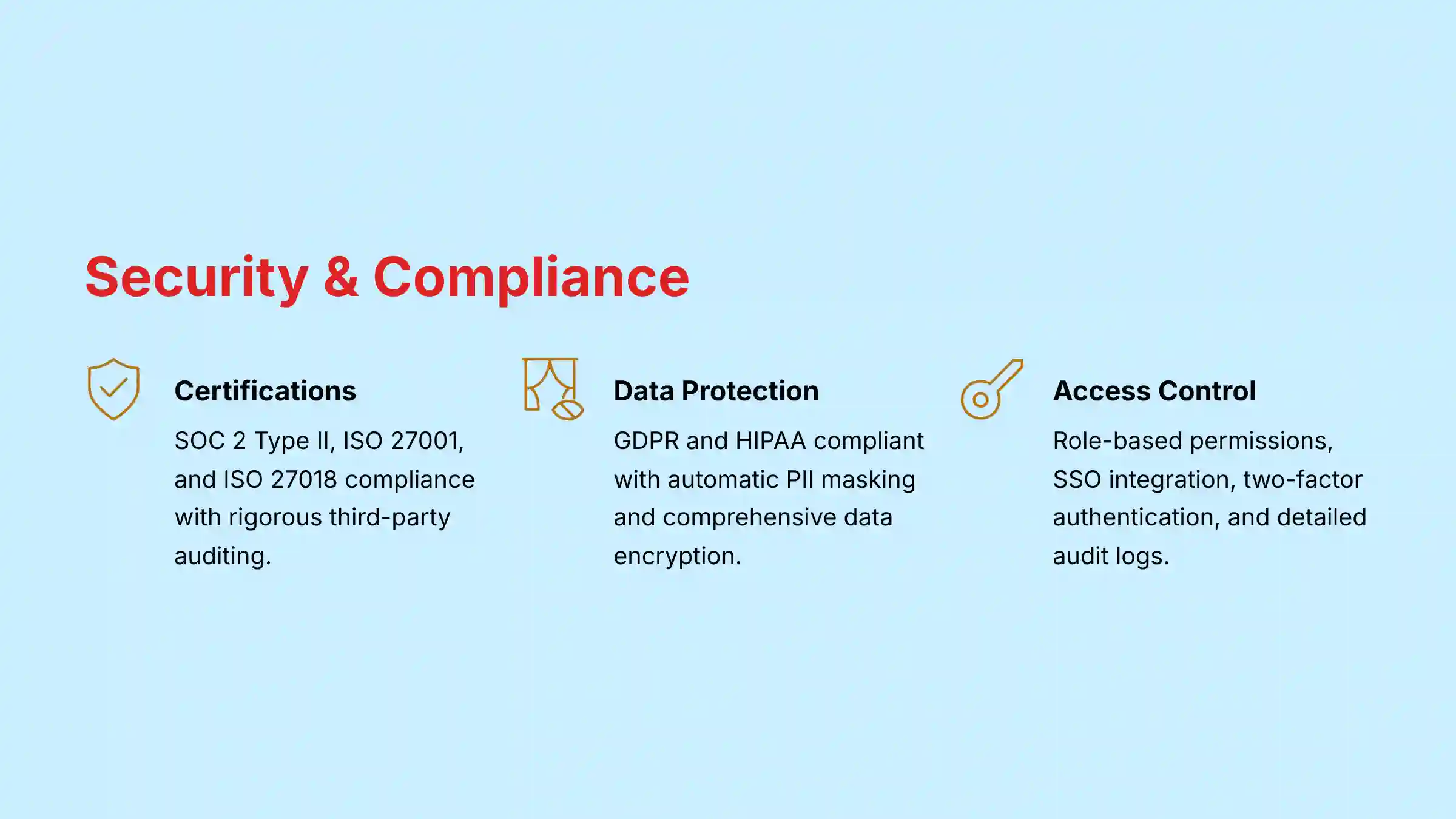
- SOC 2 Type II: Freshdesk has achieved and maintains SOC 2 Type II compliance, verifying that their systems have appropriate controls for security, availability, processing integrity, confidentiality, and privacy. This certification involves rigorous third-party auditing to ensure these controls remain effective over time.
- ISO 27001: The platform holds ISO 27001 certification for its Information Security Management System (ISMS), demonstrating a systematic approach to managing sensitive information securely.
- ISO 27018: Freshdesk complies with this standard for protecting personally identifiable information (PII) in public cloud environments.
Regulatory Compliance:
- GDPR Compliance: Freshdesk is fully compliant with the European Union’s General Data Protection Regulation. The platform includes features that help organizations fulfill GDPR obligations, including data subject access requests, data portability, and the right to erasure. Freshworks provides a comprehensive Data Processing Addendum (DPA) for GDPR compliance.
- HIPAA Compliance: For healthcare organizations, Freshdesk offers a HIPAA-compliant environment when implemented with the proper configurations. This requires signing a Business Associate Agreement (BAA) with Freshworks. The platform includes features specifically designed for PHI protection, including data encryption at rest and in transit, access controls, and audit logs.
Built-in Security Features:
- Data Encryption: All data is encrypted both in transit (TLS 1.2+) and at rest (AES-256).
- Data Masking: Automatic redaction of sensitive information (credit card numbers, social security numbers) from tickets and conversation transcripts.
- Role-Based Access Control: Granular permissions system to ensure employees only access information necessary for their role.
- Single Sign-On (SSO): Support for SAML-based SSO integration with identity providers.
- Two-Factor Authentication: Additional security layer for account access.
Always verify the latest compliance status directly with Freshdesk for your specific implementation requirements, as security certifications require periodic renewal and validation.
Can Freshdesk’s AI automatically categorize, prioritize, and route tickets to the right agent?
Yes, automated ticket workflow management is one of Freddy AI’s core strengths. The platform provides comprehensive automation for the entire triage process, eliminating manual sorting and assignment that often creates bottlenecks in support operations.
Here’s how Freshdesk’s AI ticket management works:
1. Intelligent Categorization
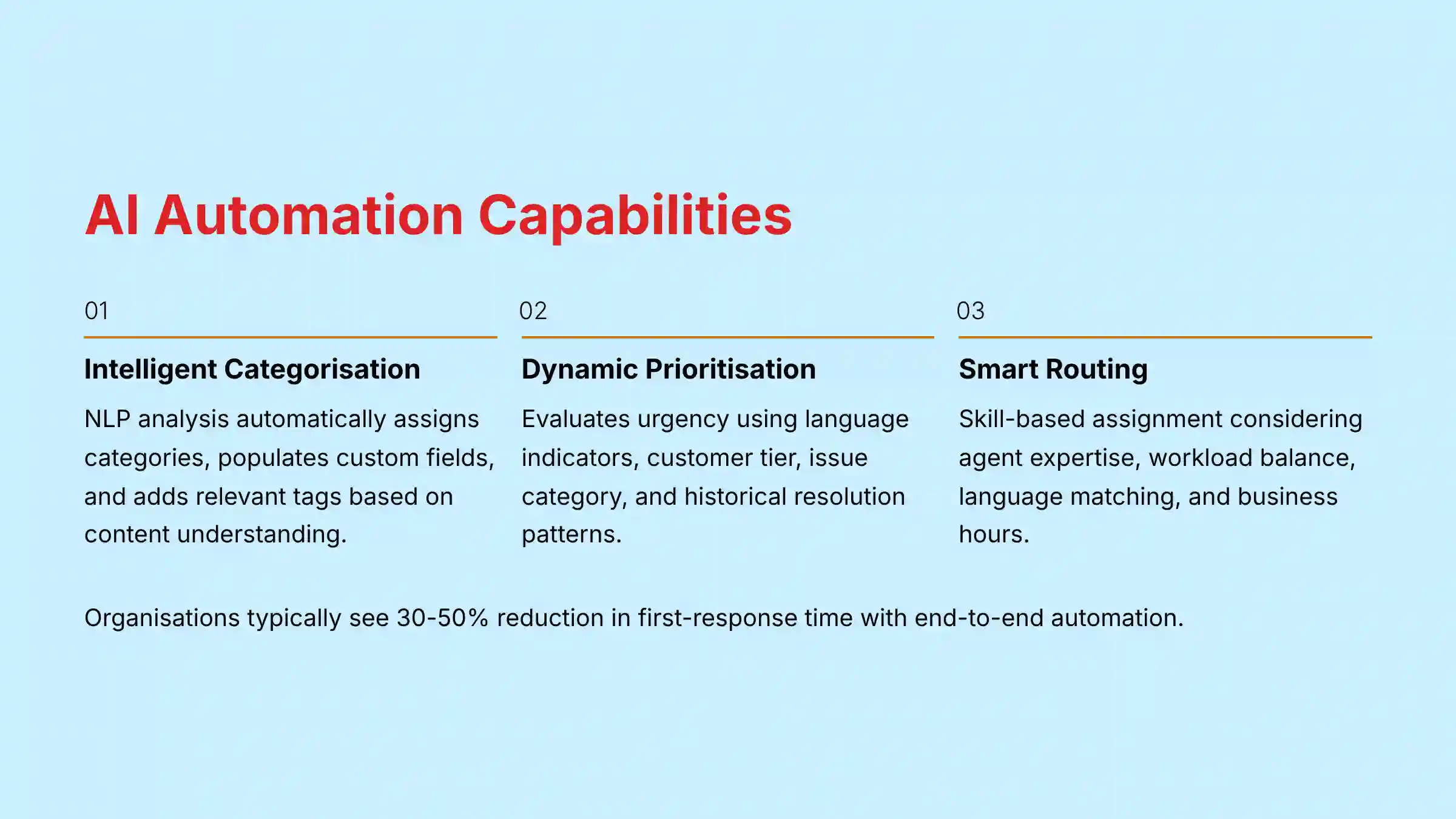
When a new ticket arrives through any channel (email, web form, chat, social media), Freddy AI analyzes both the subject line and message content using Natural Language Processing (NLP). Rather than simple keyword matching, the AI understands the intent behind the message. It then automatically:
- Assigns the appropriate category (e.g., “Technical Issue,” “Billing Question,” “Feature Request”)
- Populates relevant custom ticket fields based on content analysis
- Tags the ticket with appropriate labels for reporting and tracking
2. Dynamic Prioritization
The AI evaluates ticket urgency based on several factors:
- Language indicating urgency (“system down,” “urgent,” “can’t access”)
- Customer tier or SLA requirements
- Issue category importance (configured by administrators)
- Historical resolution patterns of similar issues
This automated prioritization ensures critical issues receive immediate attention while routine inquiries are handled according to business rules.
3. Intelligent Routing
Once categorized and prioritized, Freshdesk’s routing engine directs the ticket to the most appropriate destination based on sophisticated matching logic:
- Skill-Based Routing: Assigns tickets to agents with specific expertise in the issue area
- Workload Balancing: Considers current agent queue and availability
- Language Matching: Routes tickets to agents fluent in the customer’s language
- Business Hours: Factors in team schedules and operating hours
- Escalation Paths: Automatically escalates unresolved tickets based on time thresholds
This end-to-end automation dramatically reduces response times by eliminating manual triage while ensuring tickets reach the most qualified agent on the first assignment. Organizations typically see 30-50% reduction in first-response time after implementing these AI-powered workflows.
The system continuously improves through machine learning, becoming more accurate as it processes more tickets and learns from agent actions and ticket resolutions within your specific business context.
What are the known limitations of Freshdesk’s Freddy AI? Where does it still require human oversight?
While Freshdesk’s Freddy AI delivers significant operational benefits, understanding its limitations is crucial for effective implementation and setting realistic expectations. Human oversight remains essential in several key areas:
1. Complex Emotional Intelligence
Freddy AI’s sentiment analysis can identify basic positive/negative tone, but struggles with nuanced emotional contexts:
- Sarcasm and Irony: The AI may misinterpret sarcastic statements like “Just great, another error message” as positive feedback
- Cultural Nuances: Regional expressions and cultural communication patterns can be misinterpreted
- Mixed Emotions: When customers express conflicting feelings (“I love your product but this bug is driving me crazy”), the AI may oversimplify the sentiment
Human agents remain essential for accurately interpreting emotional subtext and responding with appropriate empathy.
2. Multi-Issue Resolution
The AI excels at addressing single, clearly defined problems but faces challenges with:
- Compound Questions: When customers present multiple unrelated issues in one ticket
- Ambiguous Requests: Vague inquiries that require clarification questions
- Evolving Conversations: Threads that shift topics or reveal new information gradually
For these scenarios, human agents need to review and potentially override AI categorizations to ensure all customer concerns are properly addressed.
3. Training Dependencies
The effectiveness of Freshdesk’s AI is directly tied to your historical data quality:
- Initial Accuracy: Without sufficient historical tickets, the AI’s initial suggestions and categorizations will be less precise
- Data Biases: If past agents inconsistently categorized tickets, these inconsistencies will be reflected in AI recommendations
- Continuous Training: The system requires ongoing feedback (agents accepting/rejecting AI suggestions) to improve over time
4. Edge Cases and Exceptions
The AI operates best within expected parameters but may falter with:
- Unique Situations: Unprecedented issues without similar examples in training data
- Policy Exceptions: Special circumstances requiring judgment calls on policy enforcement
- VIP Handling: High-value customers who may need customized approaches beyond standard procedures
Best Practice Recommendation:
The most successful Freshdesk AI implementations follow the 80/20 principle: use AI to automate the 20% of common scenarios that generate 80% of ticket volume, while maintaining clear human escalation paths for complex issues. Design your chatbots to excel at qualifying issues and gathering relevant information before seamlessly transitioning to the right human agent when necessary.
Human oversight remains essential for quality assurance, exception handling, and ensuring the AI continues to align with evolving business priorities and customer expectations. To maximize your implementation success, explore our comprehensive Freshdesk Tutorials and Usecase guide for proven strategies and best practices.
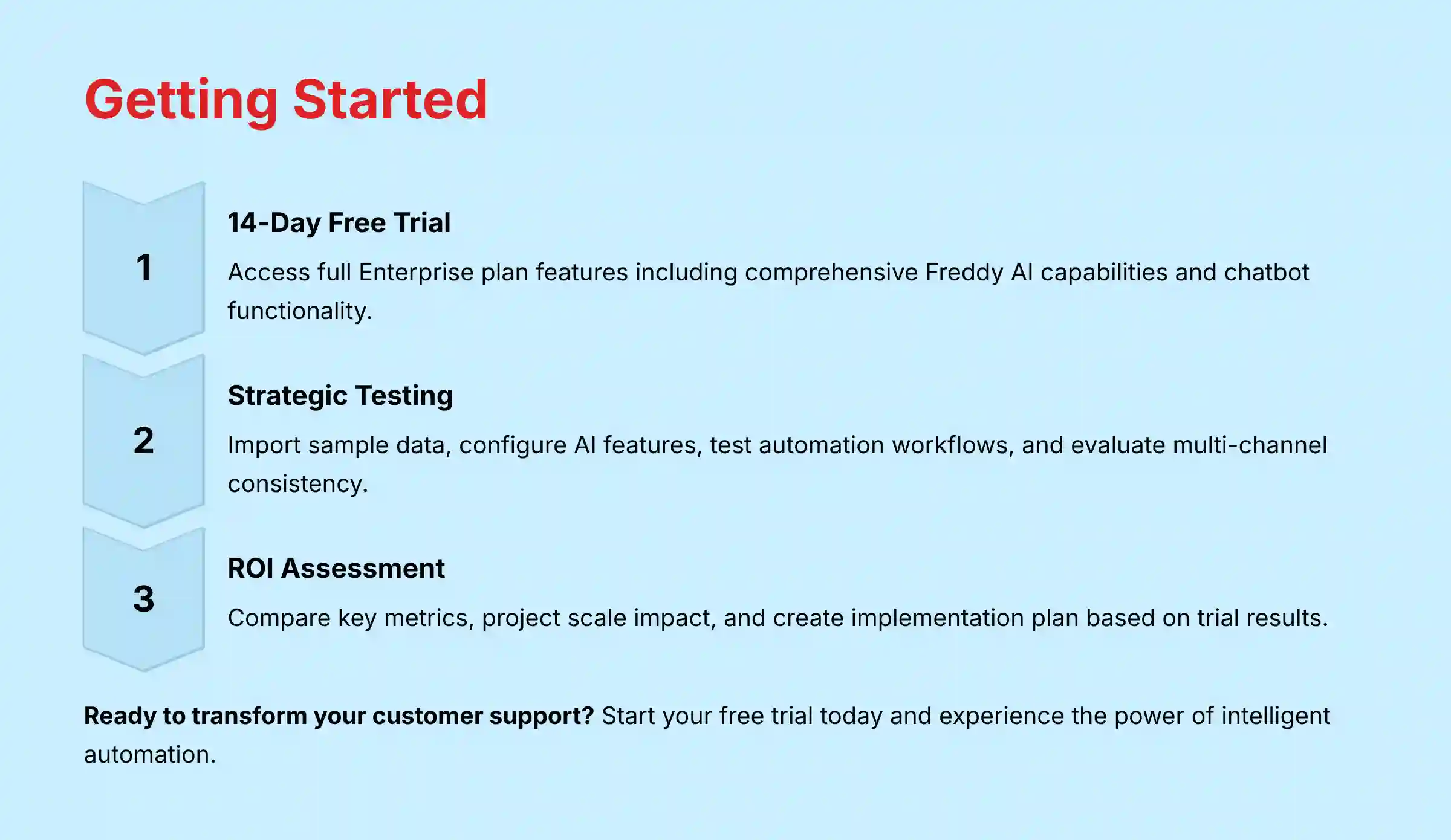
How can I test Freshdesk’s full AI and chatbot capabilities during a free trial?
Freshdesk offers a 14-day free trial of its Enterprise plan that includes comprehensive access to Freddy AI capabilities. To maximize this evaluation period and gather meaningful insights about the platform’s potential impact on your support operations, follow this structured testing approach:
1. Strategic Trial Setup (Days 1-2)
- Enable All AI Features: Navigate to the Admin section and locate “Freddy AI” or “AI Features” settings. Explicitly activate all available AI capabilities including suggested replies, auto-classification, and chatbot functionality.
- Import Sample Data: If possible, import a subset of your existing support tickets (100-200) to provide training data for the AI. This will significantly improve the relevance of AI suggestions during your trial.
- Configure User Roles: Add 2-3 team members with different roles (agent, supervisor, admin) to evaluate the experience from multiple perspectives.
2. Focused AI Testing Priorities (Days 3-7)
- Email Automation Workflow: Configure Freddy AI to automatically categorize and route incoming email tickets. Create 5-10 test tickets that represent your most common customer scenarios to evaluate classification accuracy.
- Agent Assist Evaluation: Have your test agents handle tickets while paying attention to AI-suggested replies and knowledge base recommendations. Document which suggestions are helpful versus irrelevant.
- Basic Chatbot Implementation: Use the visual bot builder to create a simple chatbot focused on your top 3-5 FAQs. Deploy it on a test page and conduct structured tests simulating common customer questions, including both direct queries and conversational variations.
3. Advanced Testing Scenarios (Days 8-12)
- Multi-Channel Consistency: Test how Freddy AI performs across different communication channels (email, chat, social media) to evaluate consistency.
- Exception Handling: Deliberately test edge cases and complex scenarios to identify where the AI needs human intervention. Document these boundaries clearly.
- Analytics Review: Examine the AI analytics dashboards to understand what insights are available, focusing on metrics like auto-resolution rate, suggestion acceptance rate, and conversation sentiment.
4. ROI Assessment Framework (Days 13-14)
- Benchmark Comparison: Compare key metrics from your trial period against your current support solution: average handle time, first response time, resolution time.
- Scale Projection: Based on trial results, create a projection of expected impact if deployed across your entire support operation.
- Implementation Plan: Outline what a full implementation would require in terms of data migration, team training, and configuration.
Pro Tips for Maximizing Your Trial:
- Schedule a demo call with a Freshdesk specialist at the start of your trial to ensure you’re configuring the AI features optimally
- Create a detailed test script of specific scenarios you want to evaluate before starting the trial
- Keep a log of AI strengths and limitations observed during testing to inform your final decision
Remember that while the 14-day window provides valuable insights, AI systems improve with time and training data. Initial performance will likely be exceeded in a full implementation as the system learns from your specific support patterns.
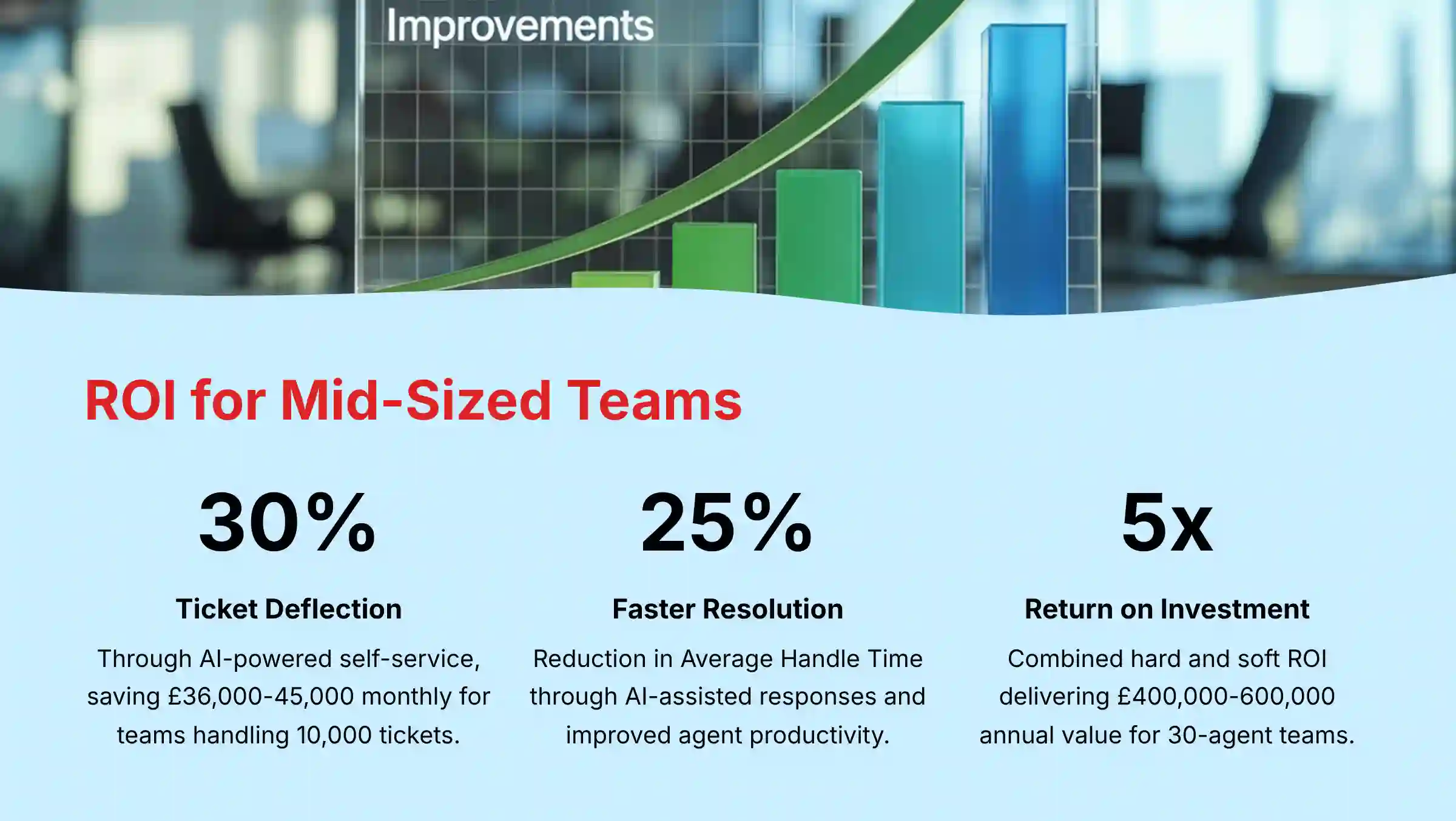
What is the typical ROI of implementing Freshdesk’s AI for a mid-sized support team?
Implementing Freshdesk’s AI typically delivers a multi-dimensional return on investment for mid-sized support teams (15-50 agents), with both immediate operational savings and longer-term strategic benefits. Here’s a comprehensive breakdown of the typical ROI components:
Hard ROI (Quantifiable Cost Savings)
1. Ticket Deflection & Reduced Staffing Requirements
- Typical Impact: 25-35% reduction in ticket volume through AI-powered self-service
- Financial Calculation: If a mid-sized team handles 10,000 monthly tickets, a 30% deflection rate equals 3,000 fewer agent-handled tickets
- Cost Savings: At an average fully-loaded cost of $12-15 per ticket, this represents $36,000-45,000 monthly operational savings
- Staffing Efficiency: This deflection typically allows teams to handle 25-30% more customer inquiries without additional headcount
2. Improved Agent Productivity
- Typical Impact: 20-25% reduction in Average Handle Time (AHT) through AI-assisted responses
- Efficiency Gain: Agents can handle 1.2-1.25x more tickets per hour with AI assistance
- Financial Impact: This translates to approximately $25,000-35,000 monthly in labor efficiency for a 30-agent team
3. Reduced Onboarding & Training Costs
- Typical Impact: 30-40% faster new agent ramp-up time
- Financial Benefit: New agents reach productivity targets in 2-3 weeks instead of 4-6 weeks
- Knowledge Retention: AI provides consistent answers, reducing dependency on tribal knowledge
Soft ROI (Business Impact Metrics)
1. Customer Experience Improvements
- First Response Time: Typically decreases by 40-60% through immediate AI responses
- Resolution Time: Average reduction of 25-35% through more efficient workflows
- CSAT/NPS Impact: Average increase of 5-10 percentage points in satisfaction scores
- Revenue Protection: Each 5-point increase in NPS correlates with 3-5% improvement in customer retention
2. Agent Experience & Retention
- Agent Satisfaction: Typically improves 15-20% when repetitive tasks are automated
- Turnover Reduction: Average 20-30% decrease in agent attrition
- Recruitment Savings: $10,000-15,000 saved per retained agent (recruiting, training costs)
3. Strategic Business Intelligence
- Product Insights: AI analysis identifies top customer pain points and feature requests
- Proactive Issue Detection: 30-40% faster identification of emerging product issues
- Revenue Opportunities: Typically uncovers 5-10% of interactions with upsell/cross-sell potential
Implementation Timeline & ROI Realization
- Initial ROI (1-3 months): Basic ticket deflection and routing automation deliver immediate efficiency gains
- Mid-term ROI (3-6 months): Agent productivity enhancements and customer experience improvements become measurable
- Long-term ROI (6-12 months): Strategic insights, reduced turnover benefits, and full platform optimization
For a typical 30-agent mid-sized team, the combined hard and soft ROI translates to approximately $400,000-600,000 in annual value, representing a 3-5x return on the Freshdesk investment. This calculation includes direct cost savings, productivity gains, and customer retention improvements.
To accurately forecast your specific ROI, begin by benchmarking your current metrics (ticket volume, AHT, CSAT, agent turnover) and apply the typical improvement percentages to your particular business context.
How does Freshdesk ensure the privacy and security of the data used to train its AI models?
Freshdesk implements a comprehensive data privacy framework that balances AI effectiveness with stringent data protection standards. This approach is particularly important for organizations in regulated industries handling sensitive customer information.
Core Data Protection Principles
Freshdesk’s approach to AI data security is built on several key principles:
1. Tenant Isolation & Data Separation
- Customer data remains siloed within each organization’s private Freshdesk instance
- Each customer’s AI models are trained exclusively on their own data
- No cross-customer data sharing or pooling occurs for AI training
2. Limited Data Usage
- According to Freshworks’ official “AI Powered Features Terms” (Section 2.1), the company explicitly states: “We shall not use Customer Data to train Our AI/ML models”
- This means the actual content of customer tickets, chats, and other communications is not used to improve Freshdesk’s global AI models
- Only Usage Data (system performance metrics, feature usage patterns) may be used for improving the overall service
3. Automated PII Protection
- Built-in data masking automatically redacts sensitive information like credit card numbers, social security numbers, and other PII from conversations
- Pattern recognition identifies and obscures sensitive data formats even if not explicitly marked
- Custom data masking rules can be configured for industry-specific sensitive information
4. Compliance Framework Alignment
- GDPR compliance ensures data minimization, purpose limitation, and user rights
- CCPA/CPRA provisions for California residents regarding data collection and usage
- HIPAA safeguards for healthcare organizations when operating under a BAA
Technical Security Measures
1. Data Encryption
- All data is encrypted both in transit (TLS 1.2+) and at rest (AES-256)
- Encryption key management follows industry best practices with regular rotation
2. Access Controls
- Role-based permissions limit who can access what data within an organization
- Audit logging tracks all system access and changes
- Multi-factor authentication adds additional protection against unauthorized access
3. Infrastructure Security
- Regular penetration testing by independent security firms
- Compliance with SOC 2 Type II and ISO 27001 standards
- Continuous security monitoring and vulnerability management
Transparency and Control
Freshdesk provides customers with visibility and control over how their data is used:
- Detailed documentation of data handling practices in Terms of Service and DPA
- Administrative controls to configure data retention policies
- Data export capabilities for customers who wish to retrieve their information
This comprehensive approach ensures that organizations can leverage Freshdesk’s AI capabilities while maintaining strict control over their customer data and meeting their regulatory obligations. The separation between customer content and AI model training provides an additional layer of privacy protection beyond standard anonymization practices.
What integrations does Freshdesk offer with other CRM and business systems?
Freshdesk offers an extensive integration ecosystem that connects your customer support operations with critical business systems, creating a unified workflow environment. These integrations are essential for maintaining a consistent customer view across platforms and enabling seamless data flow between departments.
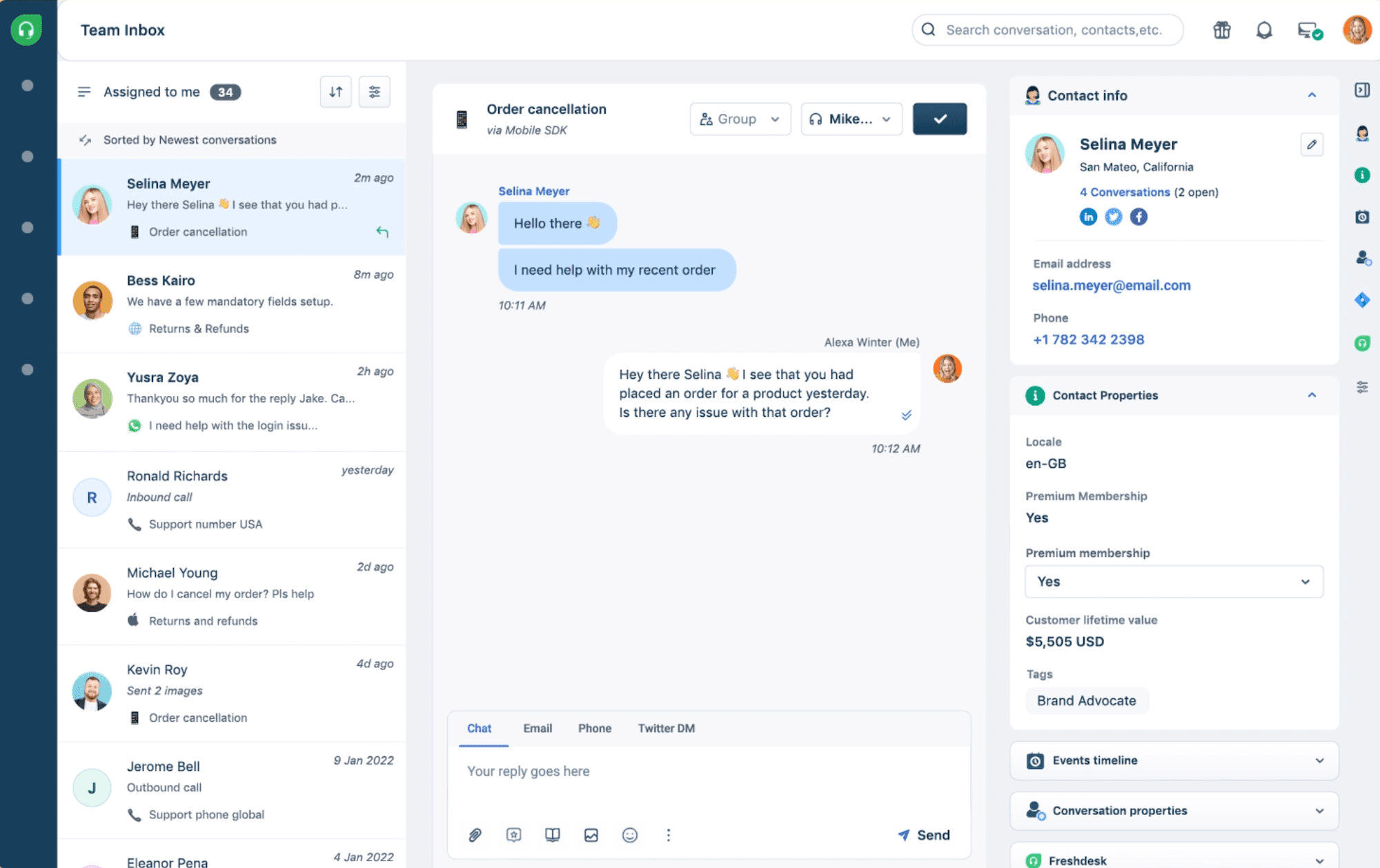
Core CRM Integrations
Freshdesk provides native, bi-directional integrations with major CRM platforms:
- Salesforce: The comprehensive Salesforce integration synchronizes contacts, accounts, and opportunities with Freshdesk tickets. Support agents can view customer relationship history directly in the ticket interface, while sales teams gain visibility into support interactions. Custom field mapping ensures data consistency across both systems.
- HubSpot: This integration connects customer profiles, companies, and deals with support tickets. It enables support-to-sales handoffs for upsell opportunities identified during support interactions and provides marketing teams with insights into product usage challenges.
- Zoho CRM: The native Zoho integration synchronizes contacts and accounts while enabling cross-platform reporting and analytics. It’s particularly valuable for organizations using multiple Zoho products.
- Microsoft Dynamics: This enterprise-grade integration supports complex organizational structures with advanced field mapping and customizable synchronization rules.
E-commerce Platform Integrations
For online retailers and digital businesses, Freshdesk connects with major e-commerce platforms:
- Shopify: This integration pulls order history, product details, and customer purchase data directly into support tickets, allowing agents to provide context-aware assistance for order-related inquiries.
- WooCommerce: Similar to Shopify, this integration connects WordPress-based stores with Freshdesk, synchronizing customer and order information.
- Magento: Enterprise e-commerce operations benefit from this integration that handles complex product catalogs and order structures.
Collaboration and Project Management
Freshdesk connects support operations with development and internal collaboration tools:
- Jira: This critical integration enables seamless bug reporting and feature request tracking between support and development teams. Tickets can be converted to Jira issues with full context preservation.
- Slack: Real-time notifications about important tickets and collaboration on complex issues happen through this integration, which connects agent discussions with broader team communication.
- Microsoft Teams: Similar to Slack, this integration supports organizations in the Microsoft ecosystem with ticket notifications and collaborative troubleshooting.
- Asana/Trello: These integrations help connect customer feedback with product roadmaps and internal projects.
Additional Business System Integrations
- Accounting Systems: QuickBooks and Xero integrations help resolve billing inquiries by giving agents visibility into invoice and payment status.
- Communication Tools: Integrations with telephony systems (Twilio, RingCentral), video conferencing (Zoom), and email marketing platforms (Mailchimp) create a unified communication environment.
- Custom Integrations: Freshdesk’s robust API and webhook capabilities enable custom integrations with proprietary systems or specialized business applications.
Integration Deployment Options
Freshdesk offers three methods for implementing integrations:
- Marketplace Apps: Pre-built integrations available through the Freshworks Marketplace with one-click installation
- Zapier/Make Connections: No-code integration options for connecting with 1,000+ applications
- API Development: Custom integration development using Freshdesk’s comprehensive REST API
For organizations with complex integration needs, Freshdesk’s Professional Services team offers custom integration development and deployment assistance to ensure seamless data flow across your business ecosystem.
What distinguishes Freshdesk’s AI chatbot from other customer service chatbots?
Freshdesk’s AI chatbot technology, powered by Freddy AI, differentiates itself in the crowded customer service automation market through several distinctive capabilities designed specifically for support-focused use cases.
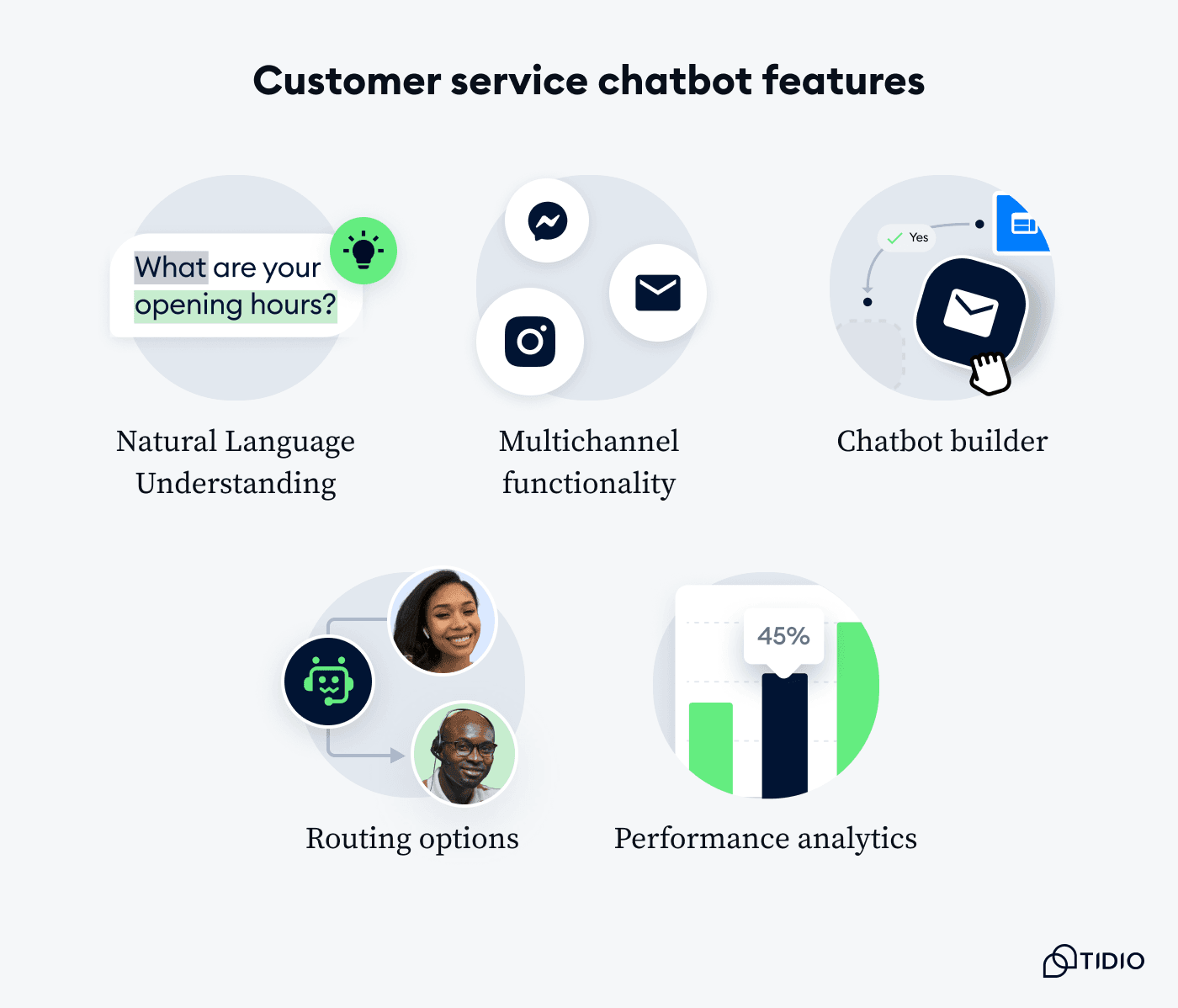
Contextual Understanding & Memory
Unlike basic rule-based chatbots, Freshdesk’s solution features:
- Conversational Context Retention: The chatbot maintains context throughout multi-turn conversations, remembering previous customer statements without requiring repetition. This creates more natural, human-like interactions.
- Cross-Channel Memory: The system recognizes returning customers across different communication channels (website chat, email, social media) and maintains conversation history for seamless handoffs between channels.
This contextual intelligence enables the chatbot to provide more personalized and relevant responses while reducing customer frustration from having to repeat information.
For organizations looking to implement advanced AI-powered customer support solutions, our guide to the Best 10 AI-Powered Customer Support platforms provides comprehensive comparisons and implementation strategies.
For any remaining questions about Freshdesk’s capabilities, our detailed Freshdesk FAQs resource addresses the most common implementation and usage concerns organizations face when evaluating this platform.


Leave a Reply