Which Intercom Plan Is Right For Your Business?
Take This 2-Minute Quiz To Find Out!
Key Takeaways
- AI-Powered Support: Intercom’s Fin AI handles 30-50% of customer inquiries automatically, significantly reducing response times while maintaining quality
- Flexible Pricing: Four tiers from $74/month (Starter) to $1,999/month (Expert) with scalable features for different business sizes
- Comprehensive Integrations: Seamless connection with CRM systems, e-commerce platforms, and development tools for unified customer context
- Proven ROI: Organizations typically see 25-40% cost reduction, 70-90% faster response times, and 10-15% improvement in customer satisfaction
- Enterprise Security: SOC 2 Type II, ISO 27001, GDPR compliance with advanced security features for regulated industries
Intercom has revolutionized customer support through AI-powered conversational experiences, transforming how businesses interact with their customers. This comprehensive FAQ guide addresses the most critical questions about implementing and optimizing Intercom for AI-driven customer care success.
What is Intercom and what does it offer for customer support teams?
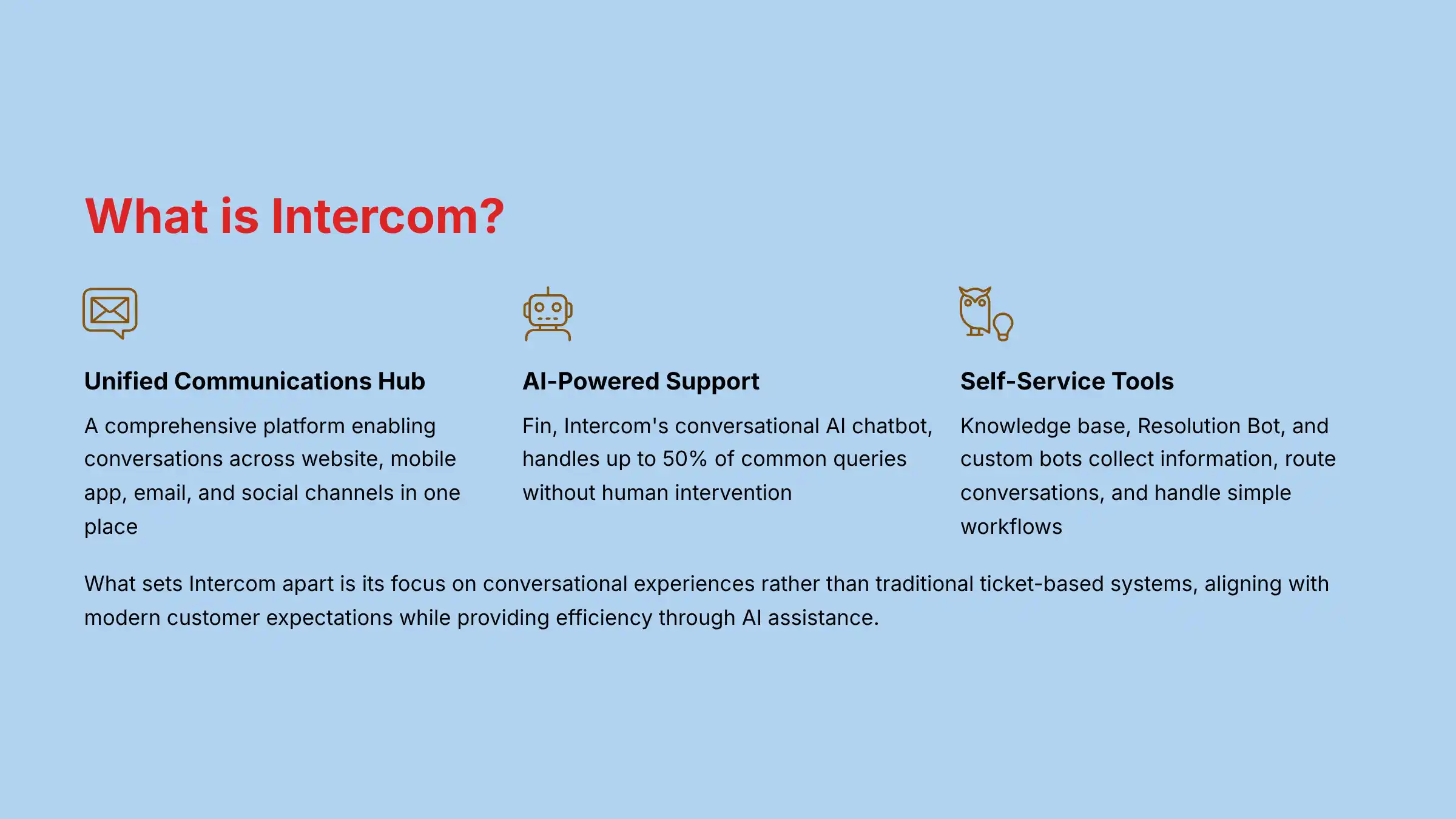
Intercom is a comprehensive customer communications platform that enables businesses to build stronger customer relationships through conversational, messenger-based experiences. At its core, Intercom transforms how support teams interact with customers by providing a unified hub where conversations can happen across multiple channels (website, mobile app, email, and social).
For customer support teams specifically, Intercom offers a powerful suite of AI-powered tools designed to automate repetitive tasks, enhance agent productivity, and deliver more personalized support experiences:
- Conversational AI Chatbot (Fin): Intercom’s AI bot can handle up to 50% of common customer queries without human intervention, using natural language processing to understand customer intent and provide accurate responses 24/7.
- Shared Inbox: A centralized workspace where support teams can manage all customer conversations across channels, with features like assignment rules, saved responses, and collision detection.
- Knowledge Base: A self-service help center that allows customers to find answers independently, reducing ticket volume.
- Resolution Bot: Automatically suggests relevant help articles based on customer queries before they reach human agents.
- Custom Bots: Rule-based chatbots that can collect initial information, route conversations, and handle simple workflows.
- Proactive Support: Tools to reach out to customers before they experience problems, based on their behavior or product usage.
What sets Intercom apart in the AI customer care space is its strong focus on the conversational experience rather than traditional ticket-based systems. This approach aligns with modern customer expectations for immediate, personalized support while giving businesses the efficiency benefits of automation and AI assistance.
For businesses looking to implement comprehensive AI-powered customer support solutions, Intercom provides both the technological foundation and strategic framework needed for success.
How does Intercom’s AI chatbot (Fin) work to support customer service teams?
Intercom’s AI chatbot, Fin, represents the company’s most advanced AI offering, designed to transform how customer service teams handle support requests. Fin uses large language model (LLM) technology similar to ChatGPT but specifically trained and optimized for customer support scenarios.
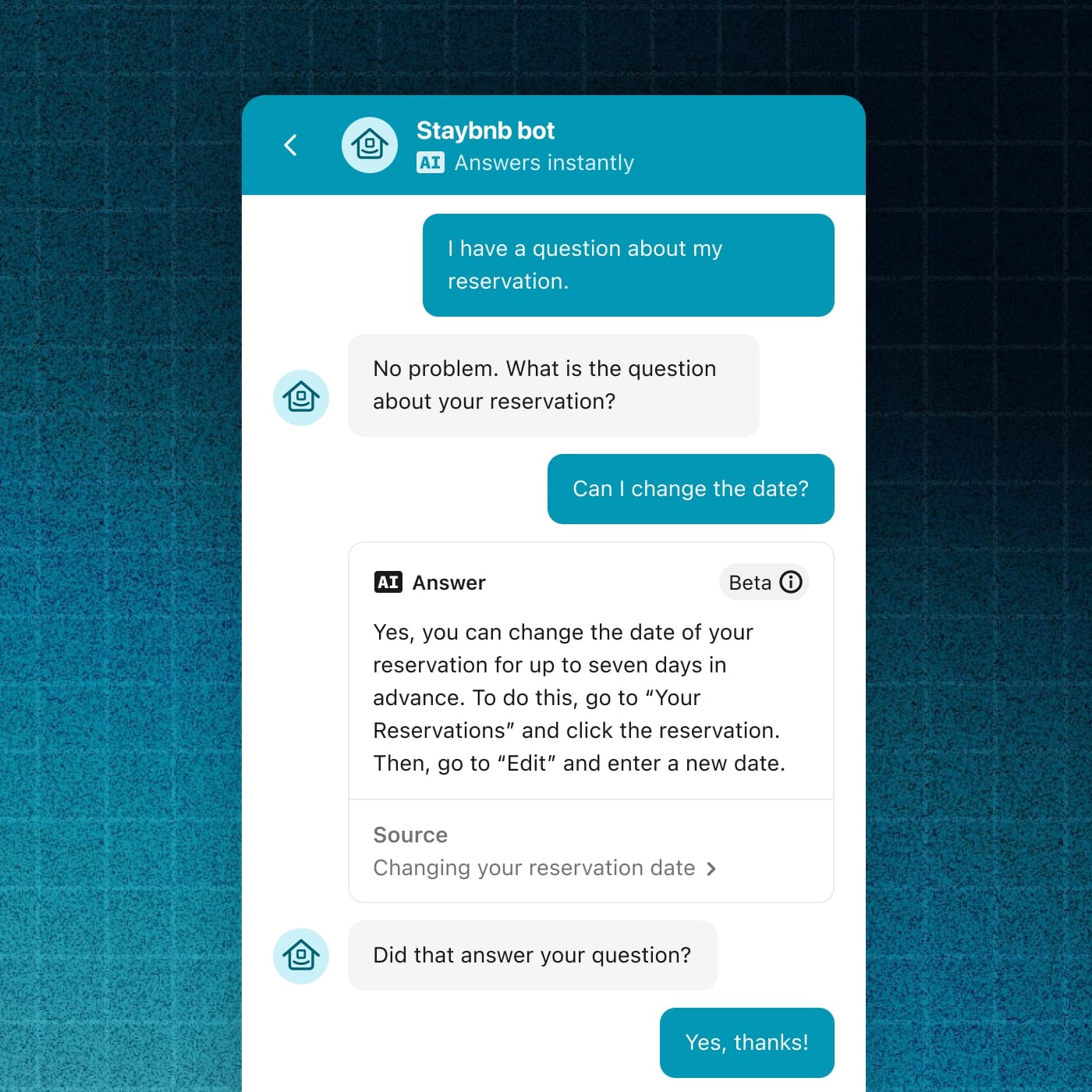
Here’s how Fin works to support customer service teams:
Knowledge Training & Personalization
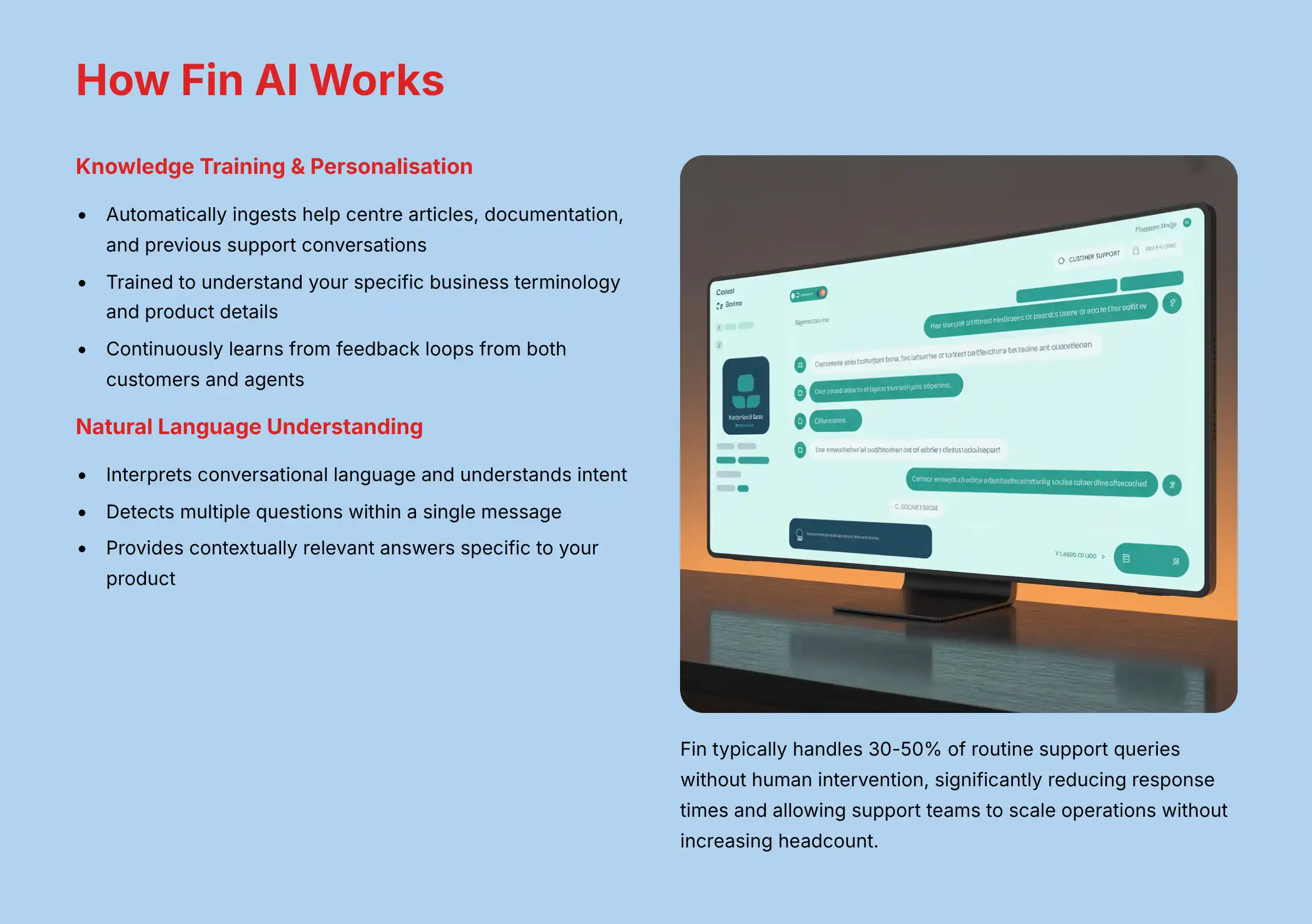
Fin automatically ingests your company’s help center articles, product documentation, and previous support conversations to build its knowledge base. This allows it to provide contextually relevant answers specific to your product or service. Unlike generic AI, Fin is trained to understand your specific business terminology and product details.
Natural Language Understanding
Fin can interpret customer queries expressed in natural, conversational language, understanding intent even when customers use imprecise or colloquial terms. It can detect multiple questions within a single message and address each one separately.
Real-Time Resolution
For straightforward questions, Fin can provide complete, accurate answers immediately—without transferring to a human agent. For complex queries, it will either:
- Offer a partial answer with a clear path to human escalation
- Acknowledge its limitations and smoothly transition to a human agent
Continuous Learning
The system improves over time based on feedback loops from both customers and agents. Support teams can review Fin’s responses, make corrections, and train the AI to handle similar scenarios better in the future.
Agent Augmentation
Beyond direct customer interactions, Fin assists human agents by suggesting relevant responses, retrieving internal knowledge articles, and automating routine workflows—enabling agents to focus on higher-value interactions.
Most importantly for customer care leaders, Fin typically handles 30-50% of routine support queries without human intervention, significantly reducing first response times and allowing support teams to scale their operations without proportionally increasing headcount. This automation of repetitive questions creates substantial cost savings while improving customer satisfaction through instant, accurate responses available 24/7.
Organizations seeking to maximize their Intercom implementation effectiveness should focus on comprehensive knowledge base development and continuous AI training optimization.
What are the current pricing plans for Intercom in 2025?
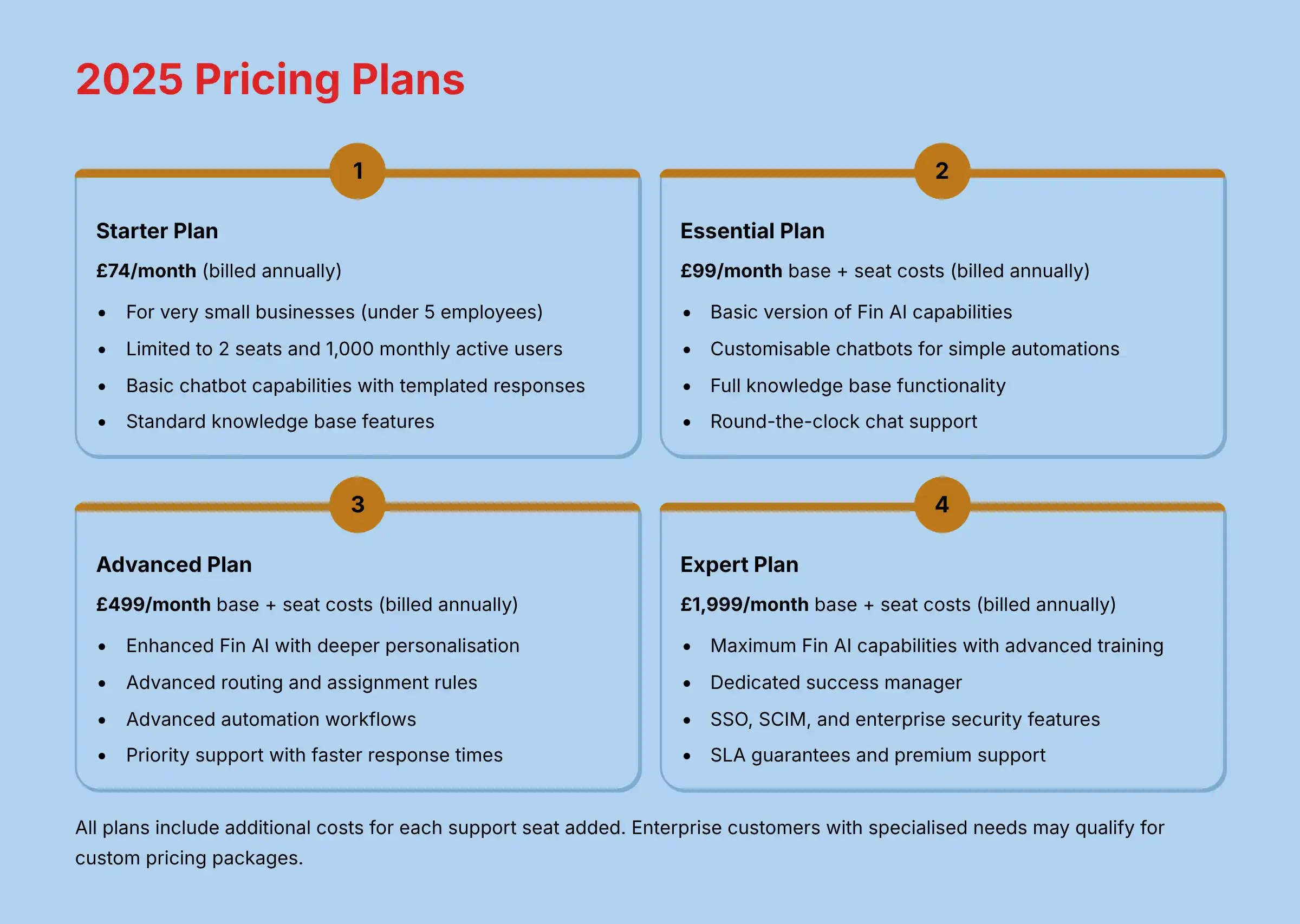
Intercom’s pricing structure in 2025 has evolved to better align with different business sizes and support needs. The platform now offers four main subscription tiers, each with escalating capabilities for AI-powered customer support:
Entry-Level Solution
- Target Audience: Very small businesses with specific eligibility requirements (under 5 employees)
- Capacity: Limited to 2 seats and 1,000 monthly active users
- AI Features: Basic chatbot capabilities with templated responses
- Support: Email and limited chat support
Growing Teams Foundation
- AI Capabilities: Basic version of Fin AI capabilities
- Automation: Customizable chatbots for simple automations
- Knowledge Base: Full knowledge base functionality
- Support: Round-the-clock chat support with basic reporting
Mid-Sized Business Optimization
- Enhanced AI: Enhanced Fin AI with deeper personalization capabilities
- Advanced Features: Advanced routing, assignment rules, and automation workflows
- Customization: Custom objects, attributes, and comprehensive analytics
- Support: Priority support with faster response times
Enterprise-Grade Solution
- Maximum AI: Full Fin AI capabilities with advanced training options
- Enterprise Security: SSO, SCIM, and enterprise security features
- Premium Support: Dedicated success manager and SLA guarantees
- API Access: Full API access with higher rate limits
All plans include additional costs for each support seat added. For the most current and detailed pricing, businesses should consult Intercom’s official pricing page as SaaS pricing models are subject to change. Enterprise customers with specialized needs may also qualify for custom pricing packages based on their specific requirements and user volume.
Intercom’s pricing reflects its positioning as a premium solution in the AI customer care space, with its value proposition centered on reducing overall support costs through automation while improving customer satisfaction metrics. Before making a final decision, consider conducting a comprehensive Intercom review analysis to evaluate ROI potential for your specific use case.
How does Intercom integrate with other tools like Salesforce or Shopify?
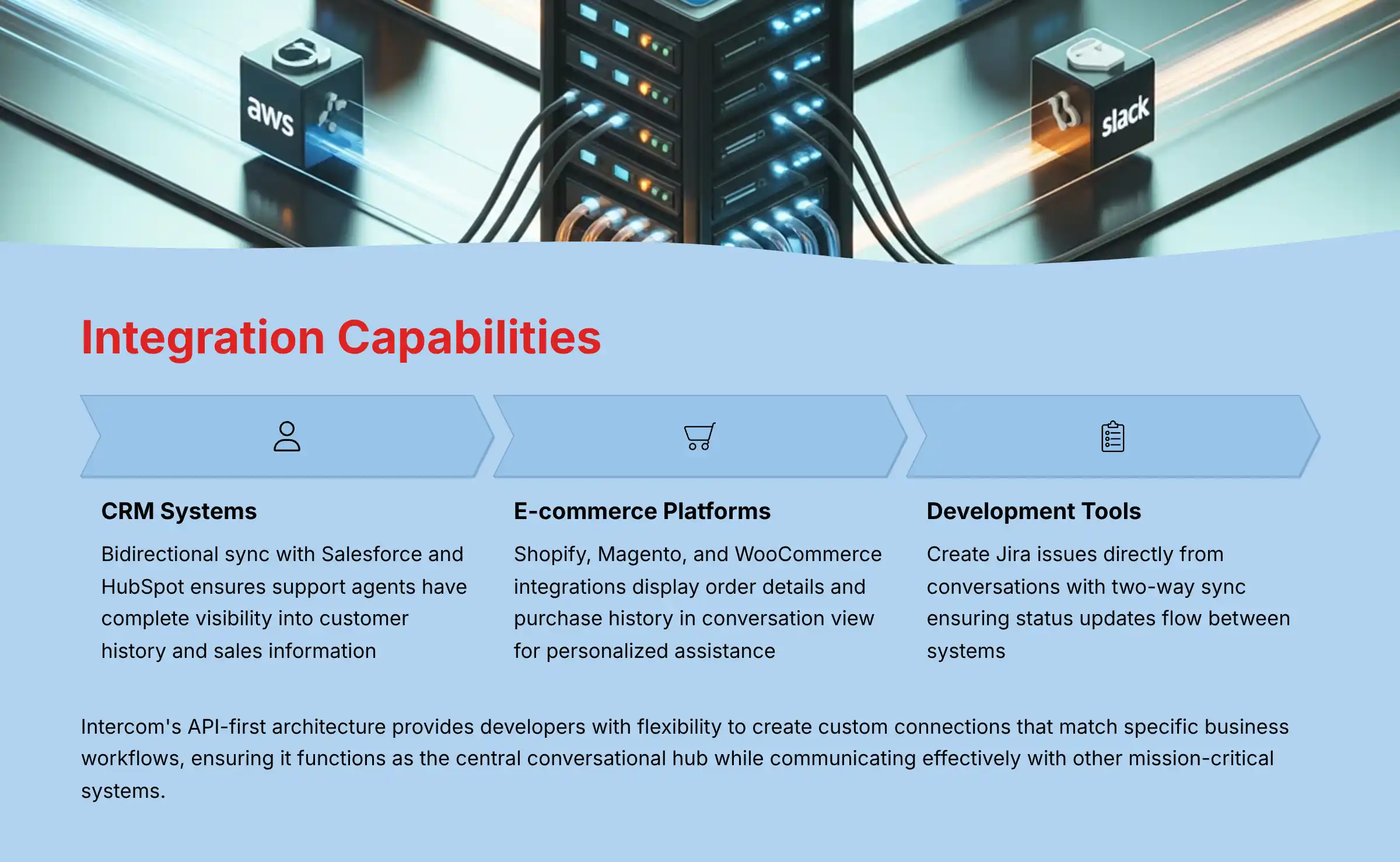
Intercom offers extensive integration capabilities with major business platforms, creating a connected customer support ecosystem that enhances the effectiveness of AI-powered customer care. These integrations eliminate data silos and provide support agents with comprehensive customer context.
CRM Integrations (Salesforce, HubSpot, etc.)
Intercom’s Salesforce integration synchronizes customer data bidirectionally, ensuring support agents have complete visibility into customer history:
- Customer conversations in Intercom automatically appear in Salesforce customer records
- Sales information from Salesforce (like deal stage or account value) displays in Intercom’s customer profiles
- Support teams can create/update Salesforce opportunities directly from conversations
- Custom field mapping ensures data consistency across both platforms
- Support metrics can be pulled into Salesforce dashboards for unified reporting
E-commerce Integrations (Shopify, Magento, WooCommerce)
These integrations enable support teams to provide personalized, context-aware assistance:
- Order details, shipping status, and purchase history appear in the conversation view
- Agents can process returns or modifications without switching systems
- Targeted messaging based on purchase behavior (e.g., abandoned carts)
- Product catalog information accessible within Intercom for quick reference
- Post-purchase support automation triggered by order status changes
Help Desk & Development Tool Integrations (Jira, Zendesk, Trello)
For technical support and bug tracking:
- Create Jira issues directly from customer conversations
- Two-way sync ensures status updates flow between systems
- Escalation workflows with automated routing based on issue type
- Ticket categorization and prioritization based on conversation data
- Development teams gain direct visibility into customer impact
Additional Strategic Integrations
- Slack: Real-time notifications and team collaboration on complex support issues
- Zapier: Custom automation workflows with 3,000+ other applications
- Custom API: Robust REST API with webhooks for building proprietary integrations
The most significant advantage of Intercom’s integration approach is its API-first architecture, which provides developers with flexibility to create custom connections that match specific business workflows. This ensures that Intercom can function as the central conversational hub while still communicating effectively with other mission-critical business systems.
For AI customer care applications specifically, these integrations enrich the training data available to Intercom’s Fin AI, allowing it to provide more contextually relevant responses based on information from connected systems. Companies evaluating integration requirements should also explore Intercom alternatives and competitors to ensure they select the platform with the most comprehensive integration ecosystem for their specific tech stack.
How effective is Intercom’s Fin AI at handling customer inquiries compared to human agents?
Intercom’s Fin AI has made significant strides in effectiveness for handling customer inquiries, though with important nuances that customer care leaders should understand. Based on current performance data and user feedback, here’s a comprehensive assessment of Fin’s capabilities compared to human agents:
Resolution Rate & Accuracy
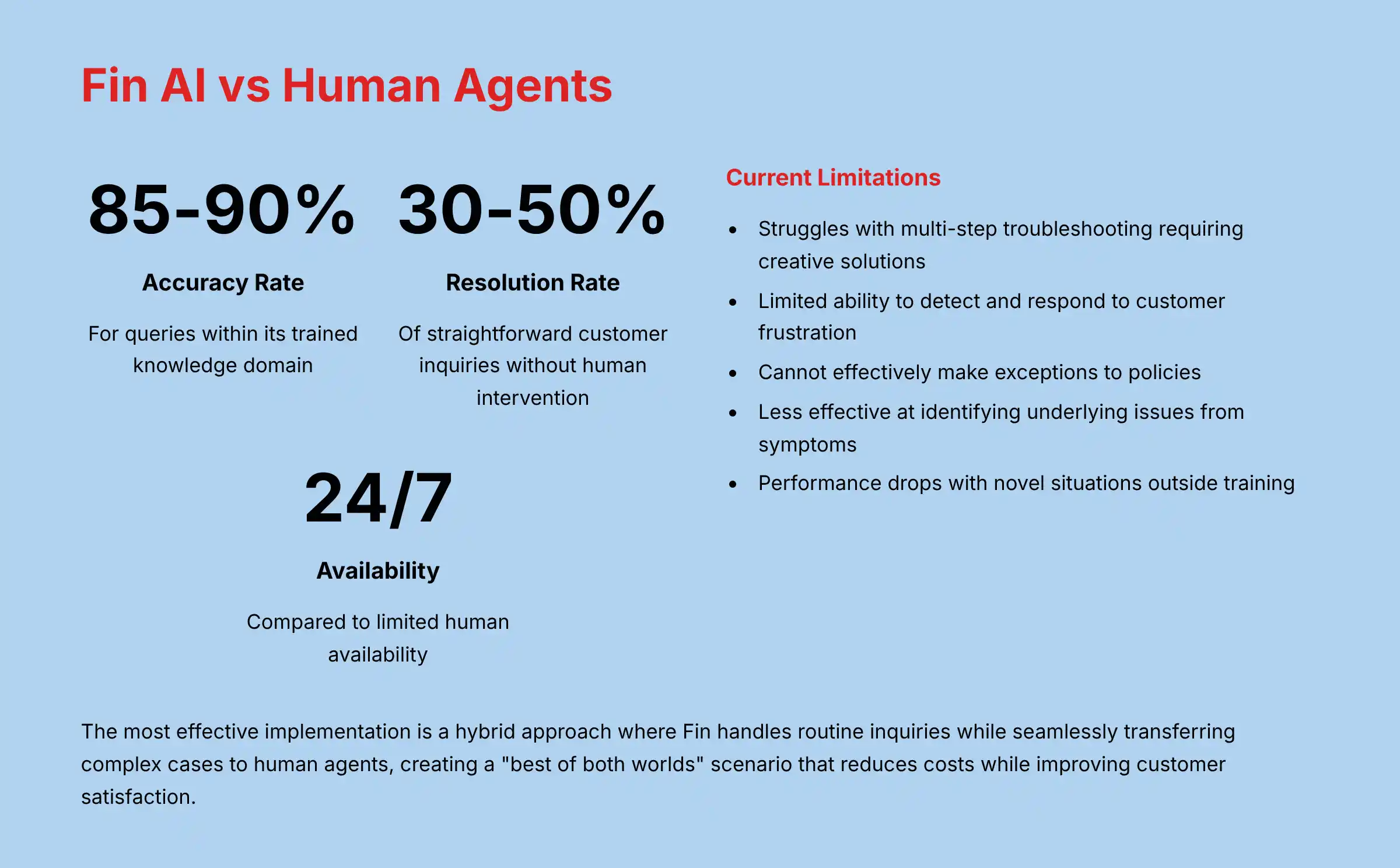
Fin AI typically resolves 30-50% of straightforward customer inquiries without human intervention. The accuracy rate for these resolutions averages around 85-90% for queries within its trained knowledge domain. This performance varies significantly based on:
- The comprehensiveness of your knowledge base
- The complexity of your product
- How well the AI has been trained with your specific content
Speed & Availability Advantages
Fin dramatically outperforms human agents in certain metrics:
- Response Time: Instantaneous vs. average human response times of 10+ minutes
- Availability: 24/7/365 support vs. limited human availability
- Consistency: Delivers identical quality regardless of time of day or query volume
- Scalability: Can handle unlimited concurrent conversations without degradation
Current Limitations Compared to Human Agents
Fin still falls short of human agents in several critical areas:
- Complex Problem Solving: Struggles with multi-step troubleshooting requiring creative solutions
- Emotional Intelligence: Limited ability to detect and respond to customer frustration or urgency
- Judgment Calls: Cannot effectively make exceptions to policies or offer goodwill gestures
- Technical Diagnosis: Less effective at identifying underlying issues from symptoms
- Unanticipated Scenarios: Performance drops significantly when facing novel situations outside its training
Optimal Application Scenarios
Fin performs best when handling:
- Tier 1 support questions (how-to, where-to-find)
- Account management tasks (password resets, subscription changes)
- Product information queries
- Status updates and simple troubleshooting
For customer care leaders, the most effective implementation is a hybrid approach where Fin handles routine inquiries while seamlessly transferring complex cases to human agents. This creates a “best of both worlds” scenario where AI handles high-volume, repetitive questions (reducing costs and improving response times) while human agents focus on complex, high-value interactions requiring empathy and creative problem-solving.
The ROI comes not just from staff reduction but from improved agent efficiency, as teams can support more customers with the same headcount while delivering better customer satisfaction through instant responses to common questions.
How to set up Intercom on a website or mobile app for optimal customer support?
Setting up Intercom on your digital properties requires strategic planning to maximize its AI customer support capabilities. Here’s a comprehensive guide to implementing Intercom for optimal results:
Website Implementation
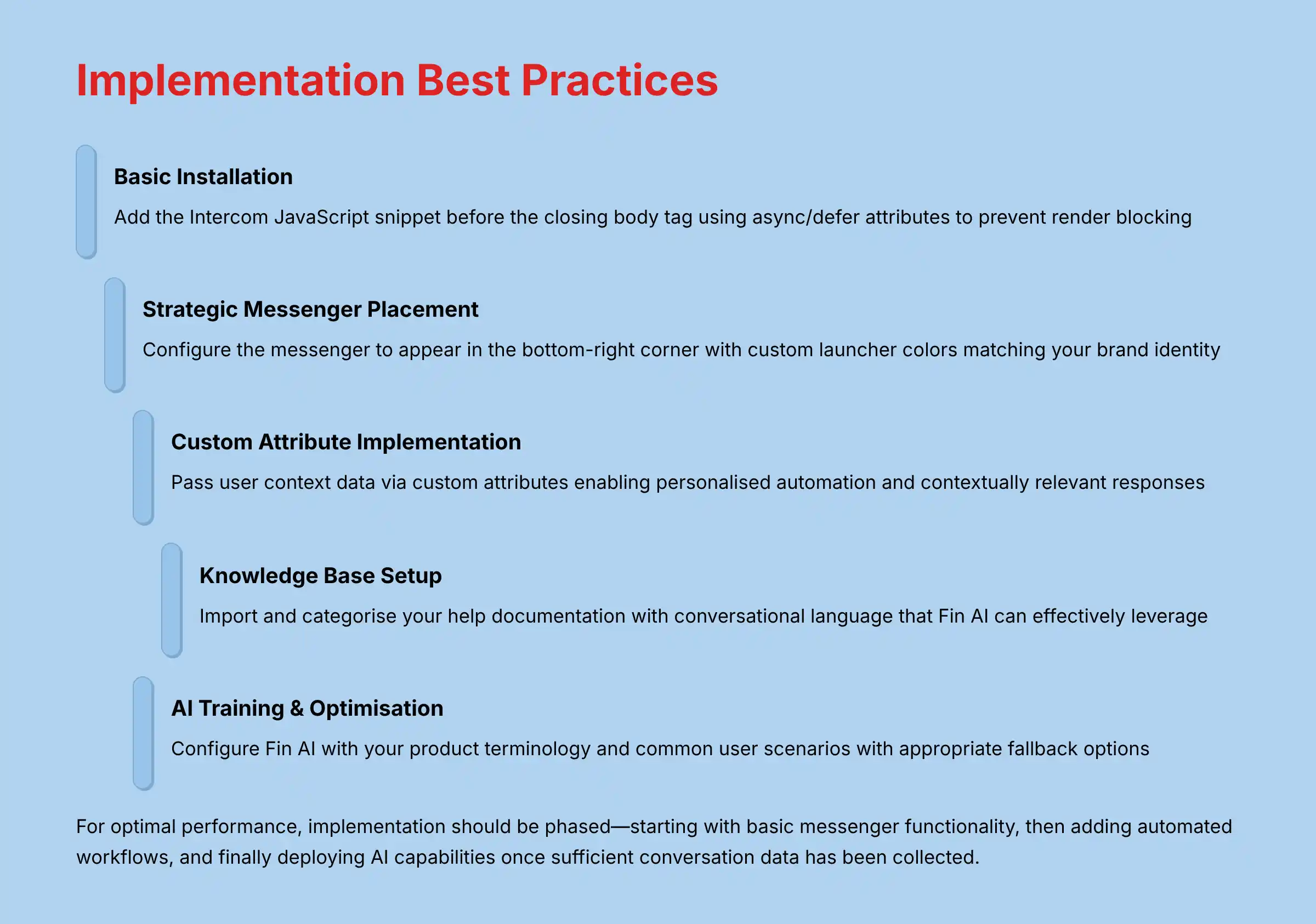
1. Basic Installation
- Add the Intercom JavaScript snippet to your website’s HTML (ideally before the closing
</body>tag) - For modern sites, use Intercom’s npm package or official plugins for platforms like WordPress, Shopify, or Webflow
- Implement the secure
intercomSettingsobject with required user identifiers
2. Strategic Messenger Placement
- Configure the messenger to appear in the bottom-right corner (standard position for minimal disruption)
- Set custom launcher colors to match your brand identity
- Consider using an expanded messenger on high-intent pages (pricing, checkout) to increase engagement
3. Custom Attribute Implementation
- Pass user context data via custom attributes (plan type, account status, usage metrics)
- These attributes enable personalized automation and help Fin AI provide contextually relevant responses
Mobile App Integration
1. SDK Installation
- Add the Intercom SDK to your iOS/Android app via CocoaPods, Gradle, or manual installation
- Initialize the SDK in your app’s startup sequence
2. Deep Linking Configuration
- Set up deep links to allow support conversations to direct users to specific app screens
- This enables Fin AI to guide users through complex in-app processes
3. In-App Messenger Customization
- Integrate the messenger with your app’s UI theme
- Configure push notifications for conversation updates
Advanced Configuration for AI-Powered Support
1. Knowledge Base Setup
- Import and categorize your help documentation
- Optimize articles with conversational language that Fin AI can effectively leverage
- Set up article suggestions based on page context
2. AI Training & Optimization
- Configure Fin AI with your product terminology and common user scenarios
- Create custom resolution paths for frequent customer journeys
- Set up appropriate fallback options for when Fin cannot resolve an issue
3. Chatbot Automation
- Design conversation flows based on common user intents
- Configure qualification questions to gather context before engaging Fin AI or human agents
- Set up business hours routing to manage expectations for human support availability
Measurement & Optimization
- Implement event tracking for key customer actions
- Configure goals to measure support effectiveness (resolution rate, CSAT)
- Set up A/B testing for different bot configurations
For optimal performance, the implementation should be phased—starting with basic messenger functionality, then adding automated workflows, and finally deploying AI capabilities once sufficient conversation data has been collected to train the system effectively.
Organizations looking for detailed implementation guidance should explore comprehensive Intercom tutorials and use cases to ensure they maximize the platform’s AI-powered capabilities from day one.
What security and compliance standards does Intercom meet for customer data protection?
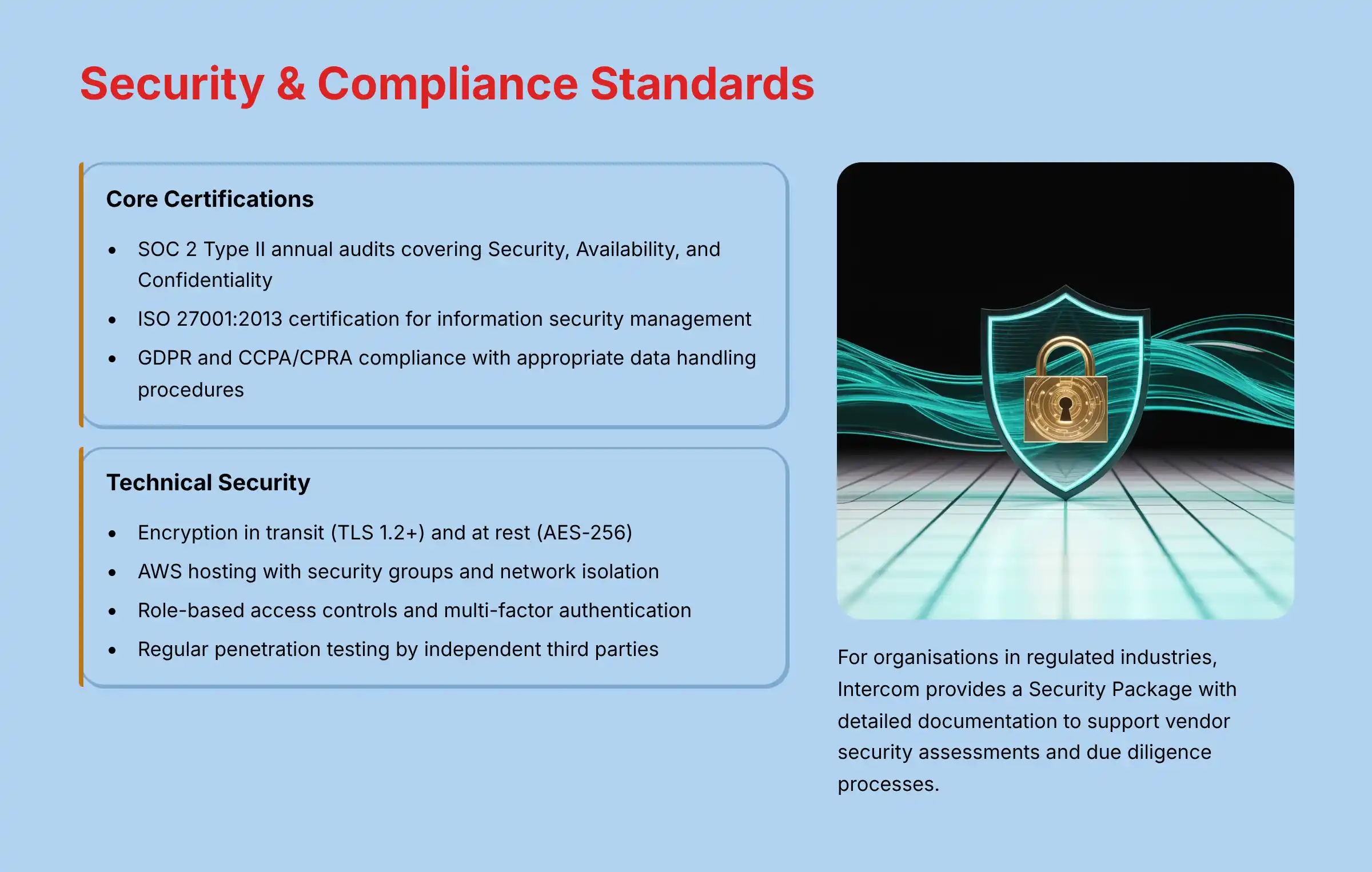
Intercom maintains a robust security and compliance framework designed to protect sensitive customer data, crucial for organizations implementing AI-powered customer care solutions. Here’s a comprehensive overview of Intercom’s security and compliance standards as of 2025:
Core Certifications and Compliance
- SOC 2 Type II: Intercom undergoes annual SOC 2 audits covering Security, Availability, and Confidentiality trust principles, with reports available to customers under NDA.
- ISO 27001:2013: Certified for information security management systems, demonstrating systematic risk management for customer data.
- GDPR Compliance: Operates as both a data processor and controller with comprehensive controls including Data Processing Agreements (DPAs) and standard contractual clauses.
- CCPA/CPRA Compliance: Meets California’s privacy requirements with appropriate data handling procedures and disclosure mechanisms.
- Privacy Shield: While no longer the primary mechanism for EU-US data transfers, Intercom maintains certification as a supplementary measure.
Technical Security Measures
- Encryption: All data is encrypted both in transit (TLS 1.2+) and at rest (AES-256) across all environments.
- Infrastructure Security: Hosted primarily on AWS with security groups, network isolation, and comprehensive monitoring.
- Access Controls: Employs role-based access controls (RBAC), principle of least privilege, and mandatory multi-factor authentication.
- Vulnerability Management: Regular penetration testing by independent third parties, with a formal vulnerability disclosure program.
- AI Data Handling: Specific protocols for AI training data, including anonymization of sensitive information before processing.
Enterprise Security Features
- Single Sign-On (SSO): SAML 2.0 integration with major identity providers (Okta, Azure AD, Google Workspace).
- SCIM Provisioning: Automated user provisioning and deprovisioning.
- Audit Logs: Comprehensive logging of all administrative actions within the platform.
- Data Residency Options: EU data hosting options available for organizations with strict data sovereignty requirements.
- Customer-Managed Encryption Keys: Available on top-tier plans for organizations requiring ultimate control over data access.
HIPAA Compliance Considerations
Intercom can support HIPAA compliance requirements through:
- Business Associate Agreements (BAAs) for qualifying customers on Expert plans
- Special data handling procedures for protected health information (PHI)
- Enhanced security controls specific to healthcare data requirements
Limitations and Exceptions
- Full HIPAA compliance requires customer configuration and is not available on all plan tiers
- Certain AI features may have specific data processing requirements outlined in supplementary terms
- Some integrations may affect overall compliance posture and require additional review
For organizations in regulated industries, Intercom provides a Security Package with detailed documentation, including penetration test summaries, compliance certifications, and security whitepapers to support vendor security assessments and due diligence processes.
What are Intercom’s reporting and analytics capabilities for measuring support team performance?
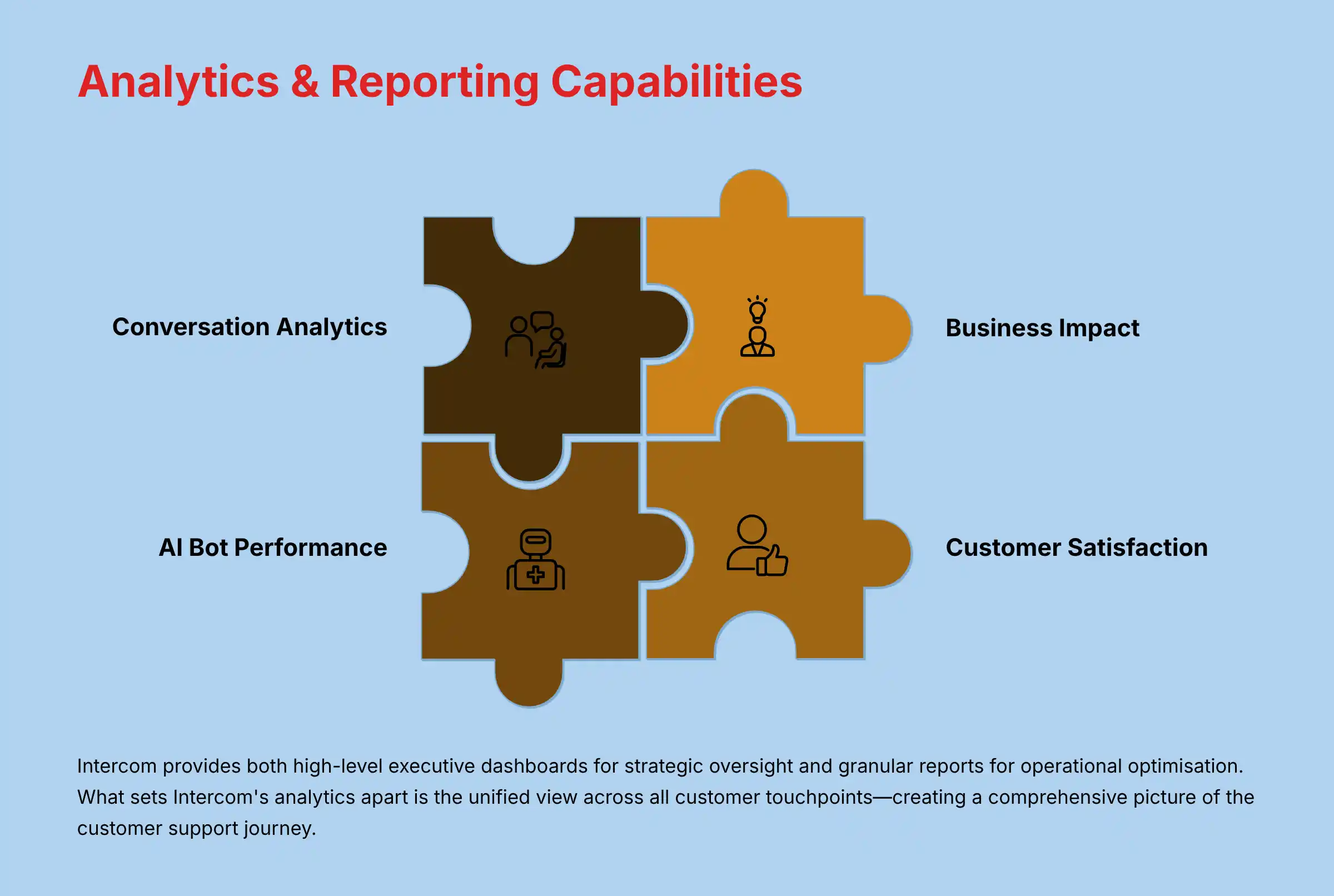
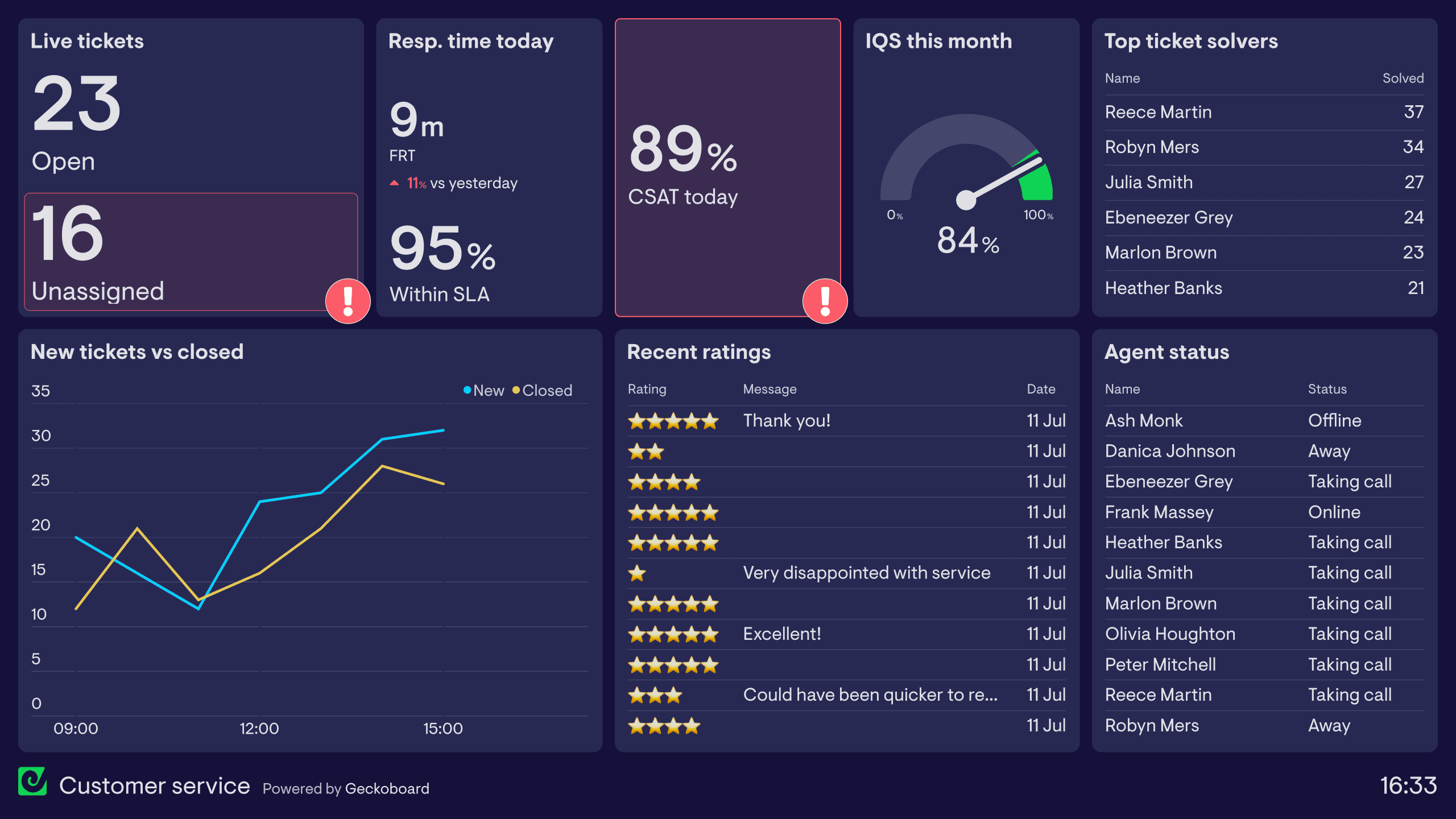
Intercom offers a comprehensive analytics suite designed to measure, analyze, and optimize support team performance across both AI-powered and human-driven customer interactions. These reporting capabilities provide customer care leaders with actionable insights into operational efficiency and customer satisfaction.
Conversation Analytics & Team Performance
- Resolution Metrics: Track first-contact resolution rates, average resolution time, and handling times across teams and individual agents
- Volume Trends: Analyze conversation patterns by time of day, day of week, and seasonal fluctuations to optimize staffing
- Queue Management: Monitor real-time and historical queue depths, wait times, and backlog statistics
- Team Productivity: Measure agent capacity, conversation load, and active vs. idle time
- Custom Performance Dashboards: Build tailored reports for specific team objectives or SLAs
AI Bot Performance Metrics
- Resolution Rate: Track the percentage of conversations fully resolved by Fin AI without human intervention
- Containment Analysis: Measure how effectively the AI keeps conversations within automated workflows
- Handoff Reports: Analyze when and why conversations transfer from AI to human agents
- Training Opportunities: Identify knowledge gaps where Fin AI consistently fails to provide accurate answers
- ROI Calculator: Quantify cost savings from automated resolutions versus human handling costs
Customer Satisfaction & Experience Metrics
- CSAT Surveys: Automated post-conversation satisfaction measurement with custom rating scales
- NPS Integration: Correlate support interactions with broader Net Promoter Score trends
- Sentiment Analysis: AI-powered detection of customer emotion and conversation tone
- Response Time Tracking: Measure first response time, average response time, and resolution time against targets
- Conversation Ratings: Allow customers to rate both AI and human interactions for quality comparison
Advanced Analytics Capabilities
- Conversation Topics: AI-driven categorization of common question types and emerging issues
- Conversation Search: Powerful search functionality to find specific interaction examples
- Custom Attributes: Segment analytics by customer properties (plan type, company size, etc.)
- Trend Analysis: Identify patterns in conversation volume, topic frequency, and resolution efficiency
- API Access: Extract raw data for custom analysis in external business intelligence tools
Business Impact Reporting
- Deflection Metrics: Calculate support costs saved through self-service and AI resolution
- Conversion Tracking: Measure how support interactions influence conversion rates and purchasing decisions
- Retention Impact: Correlate support quality with customer retention and expansion metrics
- Revenue Influence: Track upsell/cross-sell opportunities identified during support interactions
The platform provides both high-level executive dashboards for strategic oversight and granular reports for operational optimization. What sets Intercom’s analytics apart is the unified view across all customer touchpoints—from website visits and in-app interactions to email exchanges and AI bot conversations—creating a comprehensive picture of the customer support journey.
For organizations seeking to maximize analytical insights, conducting a thorough Intercom overview and features analysis can help identify the most valuable metrics and reporting configurations for specific business objectives.
Can you customize the Intercom messenger and chatbot appearance to match your brand?
Intercom offers extensive customization options for its messenger and chatbot interfaces, allowing businesses to create a seamless brand experience within their AI-powered customer support channels. These customization capabilities ensure the support experience feels like a natural extension of your product or website.
Messenger Appearance Customization
- Brand Colors: Customize the primary and secondary colors of the messenger to match your brand palette, including the launcher button, header backgrounds, and action buttons
- Logo Integration: Replace the default Intercom logo with your company logo in the messenger header
- Custom Welcome Message: Create personalized initial greetings that reflect your brand voice and support philosophy
- Conversation Background: Choose between light and dark themes or set custom background colors/patterns
- Font Adjustments: While full font customization isn’t available, you can adjust text sizes for better readability
- Launcher Options: Select from different launcher styles (circle, text-based) or create a completely custom launcher using the API
- Custom CSS (Enterprise): For Expert plan subscribers, apply advanced CSS modifications for deeper visual customization
Chatbot & AI Personality Customization
- Bot Identity: Configure your AI assistant’s name, avatar, and introduction to align with your brand personality
- Conversation Tone: Adjust Fin AI’s communication style to match your brand voice (formal, casual, technical, friendly)
- Message Templates: Customize the standard messages used for greetings, handoffs, away messages, and resolution paths
- Typing Indicators: Control whether the bot displays typing indicators to set appropriate customer expectations
- Response Formatting: Apply custom formatting to bot responses, including markdown support for rich text
- Quick Reply Buttons: Design custom button styles for interactive response options
Strategic Customization Applications
- Segment-Based Experiences: Create different messenger experiences for distinct customer segments (e.g., enterprise vs. small business)
- Contextual Adaptation: Adjust the messenger appearance based on where it appears (support pages vs. checkout flow)
- Language Localization: Customize all interface elements to support multiple languages with appropriate cultural nuances
- Mobile-Specific Design: Apply different customizations for mobile web and in-app experiences to accommodate smaller screens
Implementation Best Practices
- Maintain accessibility standards when selecting colors and contrast levels
- Test your customized messenger across devices and screen sizes for consistent appearance
- Create a balance between brand consistency and usability—avoid designs that might confuse users familiar with standard chat interfaces
- Consider developing A/B tests for different messenger designs to optimize engagement rates
The most effective Intercom customizations maintain brand identity while preserving the intuitive, conversational nature of the interface. This balance ensures customers immediately recognize they’re interacting with your brand while still benefiting from the familiar messaging experience that makes Intercom’s AI support accessible and easy to use.
How does Intercom handle multilingual support for global customer bases?
Intercom has substantially expanded its multilingual capabilities to support global customer service operations effectively. The platform now offers a comprehensive approach to managing conversations across language barriers, critical for international businesses implementing AI-powered customer care.
Core Multilingual Features
1. Native Language Support
- Interface localization in 33 languages for both agent and customer-facing elements
- Full right-to-left (RTL) language support for Arabic, Hebrew, and other RTL scripts
- Region-specific date, time, and number formatting based on locale settings
- Language detection that automatically identifies the customer’s preferred language
2. AI-Powered Translation
- Real-time translation capabilities for both inbound and outbound messages
- Support for 45+ languages with neural machine translation technology
- Original message preservation alongside translations for quality verification
- Language confidence scoring to identify potential translation issues
3. Multilingual Knowledge Base
- Create help center content in multiple languages with language-specific URLs
- Automatic language switching based on browser settings or user preferences
- Language selector for visitors to manually choose their preferred language
- Localization workflow management for content translation processes
4. Fin AI Multilingual Capabilities
Intercom’s AI chatbot, Fin, provides varying levels of multilingual support:
- Tier 1: Full natural language understanding in English, Spanish, French, German, Portuguese, and Japanese
- Tier 2: Strong comprehension but somewhat limited response capabilities in Italian, Dutch, Swedish, Danish, and Norwegian
- Tier 3: Basic support with translation-assisted functionality in 30+ additional languages
Strategic Implementation Approaches
For Enterprise Global Support:
- Configure language-based routing rules to direct conversations to agents with appropriate language skills
- Deploy language-specific Fin AI instances trained on localized knowledge bases
- Implement custom bot workflows optimized for specific regional requirements
- Create country/region-specific welcome messages and qualification questions
For Small-to-Medium Businesses:
- Utilize the translation features to allow a primarily English-speaking team to support global customers
- Prioritize knowledge base translation for most common customer languages to maximize self-service
- Configure Fin AI to handle simple queries in multiple languages while escalating complex issues to human agents
Limitations and Considerations
- Translation quality varies by language pair and technical complexity
- Certain nuances, cultural references, and idioms may not translate accurately
- Some advanced AI features have varying performance levels across different languages
- Legal or compliance-related communications may require professional human translation
For customer care leaders managing global support operations, Intercom’s multilingual capabilities provide a balanced approach—offering strong automation and self-service options across multiple languages while facilitating human intervention when precision or cultural nuance is paramount.
What is the difference between Intercom’s Essential, Advanced, and Expert plans?
Intercom’s tiered subscription structure (Essential, Advanced, and Expert) is designed to accommodate different business sizes and support requirements, with each level offering progressively more sophisticated AI customer care capabilities. Here’s a comprehensive breakdown of the key differences:
Conversational Support Features
- Basic version of Fin AI with limited training capabilities
- Standard chatbot builder with templated workflows
- Email, chat, and in-app messaging channels
- Shared team inbox with basic assignment rules
- Simple help center with standard templates
Team Management
- Basic team performance reporting
- Standard SLAs and assignment rules
- Limited automation capabilities
- Basic collision detection
Customer Data & Personalization
- Standard customer profiles
- Limited custom attributes (up to 10)
- Basic segmentation capabilities
- Standard customer data platform integrations
⚠️ Limitations
- No advanced routing or workflow automation
- Limited API access and integration capabilities
- Basic reporting without custom dashboards
- Standard support with longer response times
Enhanced AI Capabilities
- Full-featured Fin AI with expanded training options
- Advanced chatbot builder with conditional logic
- Custom resolution paths and workflows
- Proactive support capabilities
- Enhanced help center with custom themes
Operational Efficiency
- Advanced team performance analytics
- Custom SLAs and complex routing rules
- Workflow automation builder
- Team collaboration tools
- Advanced collision prevention
Customer Intelligence
- Enhanced customer profiles with behavioral data
- Expanded custom attributes (up to 30)
- Advanced segmentation and targeting
- Custom objects for business-specific data
- Broader integration ecosystem
Additional Features
- Priority support with faster response times
- Basic data export capabilities
- Custom report builder
- Expanded API access
Maximum AI Capabilities
- Premium Fin AI with full customization
- Advanced training tools and model optimization
- Custom AI response templates
- Industry-specific AI knowledge bases
- Full conversation intelligence
Enterprise Operations
- Advanced workforce management
- Global team capabilities with language-specific routing
- Custom approval workflows
- Advanced SLA management
- Enterprise-grade analytics and benchmarking
Security & Compliance
- SSO integration (SAML, OIDC)
- SCIM provisioning
- Role-based access controls (RBAC)
- Audit logs and compliance reporting
- Data residency options
- HIPAA compliance capabilities (with BAA)
Enterprise Extras
- Dedicated customer success manager
- Technical account management
- Custom implementation support
- 99.9% uptime SLA
- 24/7 premium support
- Custom contract terms
Decision Factors for Customer Care Leaders
The primary considerations when selecting between plans should include:
- Current support volume and team size
- Growth projections for the next 12-24 months
- Complexity of support workflows and routing needs
- Security and compliance requirements
- Importance of AI automation in your support strategy
- Required integration depth with existing tech stack
Most mid-sized businesses find the Advanced plan offers the optimal balance of AI capabilities and operational tools, while enterprise organizations with complex security requirements and global support operations typically require the Expert plan’s advanced features.
Is Intercom suitable for both small businesses and enterprise companies?
Intercom has evolved its platform to serve businesses across the size spectrum, though with important distinctions in how different-sized organizations can effectively leverage its AI-powered customer support capabilities.
Small Business Suitability (1-50 employees)
Strengths for Small Businesses:
- Quick Implementation: Typically deployable within days with minimal technical resources
- All-in-One Solution: Combines multiple support functions (chat, email, knowledge base) in a single platform
- Cost-Effective AI: Access to basic AI capabilities without enterprise-level investment
- Scalable Foundation: Start with essential features and expand as business grows
- Self-Service Focus: Strong knowledge base and chatbot capabilities reduce the need for large support teams
Challenges for Small Businesses:
- Price Point: Higher entry cost compared to basic chat-only tools
- Feature Overwhelm: Potential complexity for very small teams with limited support needs
- Resource Requirements: Effective AI implementation requires content creation and training
- ROI Timeline: Full value realization may take longer for businesses with low support volume
Enterprise Suitability (1000+ employees)
Strengths for Enterprise Organizations:
- Enterprise-Grade Security: SOC 2, ISO 27001, GDPR compliance, and SSO integration
- Advanced AI Capabilities: Sophisticated training and customization options for Fin AI
- Global Support Architecture: Multi-language support, region-specific routing, and localization
- Complex Workflow Support: Advanced automation, approval flows, and custom objects
- Deep Integration Ecosystem: Robust API and pre-built connectors to enterprise systems
- Scalability: Supports high-volume environments with millions of monthly conversations
Challenges for Enterprise Organizations:
- Integration Complexity: May require significant resources for full integration with legacy systems
- Implementation Timeline: Enterprise-wide deployment typically takes months rather than weeks
- Change Management: Requires training and adoption planning for large support organizations
- Customization Needs: Some highly specialized workflows may require custom development
Mid-Market Sweet Spot (50-1000 employees)
Most industry analysts consider Intercom particularly well-suited for mid-market companies where:
- Support volume justifies AI automation investment
- Teams are scaling but can’t add agents proportionally to ticket growth
- Customer experience is a competitive differentiator
- Multi-channel support needs are increasing in complexity
Industry-Specific Considerations
Intercom demonstrates particular strength in:
- SaaS/Technology: Strong integration with product interfaces for in-app support
- E-commerce: Seamless integration with order management and shopping cart systems
- Financial Services: Enterprise-grade security with compliant conversation handling
- Education: Scalable support for student and faculty inquiries with self-service emphasis
For customer care leaders evaluating Intercom, the key is assessing not just current needs but anticipated growth. Small businesses experiencing rapid scaling often benefit from starting with Intercom early, while enterprise organizations should focus on Intercom’s ability to standardize support experiences across multiple products, divisions, or regions through its unified platform approach.
How does Intercom help reduce customer support costs while improving satisfaction?
Intercom delivers a dual benefit of cost reduction and satisfaction improvement through a strategic combination of AI automation, self-service optimization, and agent efficiency tools. Here’s a comprehensive analysis of how these mechanisms work together:
AI-Driven Cost Reduction Mechanisms
1. Conversation Deflection & Automation
- Fin AI typically resolves 30-50% of routine inquiries without human intervention
- Each automated resolution represents a direct cost saving of $7-15 per conversation (based on average handling costs)
- Resolution Bot proactively suggests help articles before conversations begin, preventing tickets from ever entering the queue
- Custom bots handle repetitive workflows like information collection and qualification
2. Volume Distribution Optimization
- Intelligent routing directs only complex queries to higher-cost support channels
- Self-service knowledge base reduces volume across all channels (typical deflection rates of 20-30%)
- Proactive messaging addresses potential issues before customers need to initiate support
- Automated follow-ups reduce repeat contacts for the same issue
3. Operational Efficiency Tools
- Team performance analytics identify coaching opportunities and productivity patterns
- Saved responses and snippets reduce average handling time
- Workflow automation eliminates manual steps in multi-stage processes
- Knowledge suggestions for agents accelerate response composition
Satisfaction Enhancement Mechanisms
1. Speed & Availability Improvements
- 24/7 AI support availability versus limited human hours
- Instant responses to common questions versus queue waiting time
- Reduced first response time (typically 80-90% improvement)
- Elimination of “off-hours” support gaps
2. Personalization Capabilities
- Customer context displayed alongside conversations
- Previous interaction history accessible to both AI and human agents
- Behavioral data integration for personalized support approaches
- Custom attribute-based conversation routing to specialized agents
3. Consistency & Quality Control
- Standardized responses to common questions ensure accuracy
- AI-suggested responses help maintain brand voice and technical correctness
- Quality monitoring tools identify potential improvement areas
- Conversation ratings provide immediate feedback for continuous improvement
Measurable Business Outcomes
Customer care leaders implementing Intercom typically report:
- Cost Reduction: 25-40% decrease in per-conversation support costs
- CSAT Improvement: 10-15% increase in customer satisfaction scores
- Response Time: 70-90% reduction in first response time
- Resolution Time: 30-50% decrease in average time to resolution
- Agent Capacity: 40-60% increase in conversations handled per agent
- Volume Management: Ability to handle 2-3x support growth without proportional team expansion
The most significant ROI typically comes from the combined effect of these factors rather than any single mechanism. The virtuous cycle works as follows: AI handles routine questions instantly (improving satisfaction) while reducing agent workload (lowering costs), which allows human agents to spend more time on complex issues (further improving satisfaction for high-value interactions).
For optimal results, customer care leaders should focus on the balanced implementation of both automation and agent empowerment features rather than viewing Intercom solely as a cost-cutting tool.
How to train Intercom’s AI bot (Fin) effectively for better customer support?
Training Intercom’s Fin AI effectively requires a strategic approach that balances technical configuration with content optimization. Here’s a comprehensive guide to maximizing Fin’s performance for customer support:
Foundation: Knowledge Base Optimization
1. Content Structure & Quality
- Write clear, conversational help articles (Fin performs better with natural language)
- Break complex topics into discrete, focused articles rather than lengthy guides
- Include specific question-answer pairs within articles for direct matching
- Maintain consistent terminology throughout documentation
- Update content regularly to reflect product changes and emerging issues
2. Knowledge Organization
- Create logical category hierarchies that match customer mental models
- Use descriptive, searchable titles that mirror common customer phrasing
- Tag content with relevant keywords and synonyms to improve matching
- Implement clear article relationships (prerequisites, related articles, follow-ups)
- Develop separate content for different user segments where appropriate
Technical Training & Configuration
1. Conversation Data Training
- Review past customer conversations to identify common questions
- Mark high-quality agent responses as “learning examples” for Fin
- Create custom training data for company-specific terminology
- Develop “golden path” example dialogues for complex support scenarios
- Configure domain-specific vocabulary and product terminology
2. Intent & Entity Mapping
- Define custom intents for business-specific customer goals
- Create entity lists for products, features, error codes, and processes
- Map common customer expressions to their underlying intents
- Develop fallback intents for graceful handling of unknown queries
- Configure intent hierarchies for multi-step support processes
Advanced Training Techniques
1. Continuous Improvement Process
- Review Fin’s failed responses weekly to identify pattern failures
- Create targeted training content for identified knowledge gaps
- Monitor containment rate (percentage of conversations Fin handles without human intervention)
- Analyze customer feedback on AI-provided answers
- Track queries that consistently lead to human escalation
2. Response Optimization
- Configure confidence thresholds appropriate to your use case
- Develop custom response templates for common scenarios
- Create decision trees for complex troubleshooting flows
- Implement clarification prompts for ambiguous queries
- Design effective handoff messages when escalating to humans
Strategic Implementation Approach
1. Phased Rollout
- Begin with limited scope (specific product areas or question types)
- Test with internal users before customer-facing deployment
- Gradually expand coverage as confidence in responses improves
- Consider time-of-day routing (Fin handles off-hours, with review queue for humans)
- Implement side-by-side operation initially (Fin suggests, humans approve)
2. Measurement Framework
- Define success metrics beyond simple containment rate
- Track customer satisfaction with AI vs. human responses
- Monitor resolution time differences between AI and human agents
- Measure knowledge gap identification and closure rates
- Calculate ROI based on support costs saved versus training investment
For customer care leaders, the most effective approach combines technical optimization with content strategy. The best-performing Fin implementations typically involve collaboration between support leaders (who understand customer questions), knowledge base managers (who create the content), and technical teams (who configure the AI systems). This cross-functional approach ensures the AI has both the right information and the right technical configuration to deliver exceptional automated support.
What are the main competitors to Intercom in the AI customer support space?
The AI customer support landscape has evolved rapidly, with several platforms emerging as strong Intercom competitors. Each offers distinct approaches to conversational support and AI implementation, with varying strengths across different use cases.
Major Direct Competitors
- Core Differentiation: Stronger ticketing system with more robust workflow management
- AI Approach: Answer Bot uses machine learning for contextual article suggestions
✅ Relative Strengths
- More extensive agent workspace features
- Deeper enterprise reporting capabilities
- Stronger compliance capabilities
⚠️ Relative Weaknesses
- Less intuitive messenger experience
- More complex implementation process
- Historically ticket-centric rather than conversation-centric
- Core Differentiation: Stronger focus on revenue generation and sales conversations
- AI Approach: Conversational AI primarily optimized for lead qualification and sales processes
✅ Relative Strengths
- Superior sales pipeline integration
- ABM capabilities and conversational marketing features
⚠️ Relative Weaknesses
- Less robust for post-sale customer support
- Smaller knowledge base functionality
- Core Differentiation: Seamless integration with marketing and sales within the HubSpot ecosystem
- AI Approach: ChatSpot AI assistant works across the entire HubSpot platform
✅ Relative Strengths
- Unified customer data across marketing/sales/service
- Strong CRM foundation
⚠️ Relative Weaknesses
- Less sophisticated AI capabilities specifically for customer support
- More limited customization options
- Core Differentiation: Combines email-centric workflow with collaborative features
- AI Approach: AI writing assistant and classification tools rather than customer-facing AI
✅ Relative Strengths
- Superior email management
- Internal collaboration features
- More intuitive for email-heavy teams
⚠️ Relative Weaknesses
- Less developed chatbot capabilities
- More limited self-service options
Specialized Competitors
- Core Differentiation: Purpose-built AI chatbot platform with advanced automation
- AI Approach: Specialized in high-containment automated conversations
- Best For: Organizations seeking maximum automation with minimal human involvement
- Core Differentiation: More affordable entry point with progressive scaling
- AI Approach: Freddy AI offers basic automation with lower implementation complexity
- Best For: Price-sensitive organizations with straightforward support needs
- Core Differentiation: People-centered approach focusing on the customer, not tickets
- AI Approach: AI for agent assistance rather than customer-facing automation
- Best For: Businesses prioritizing personalized human interactions with AI augmentation
Decision Factors for Customer Care Leaders
When evaluating Intercom against competitors, consider these key dimensions:
- Conversation vs. Ticket Philosophy: Intercom’s conversational approach versus traditional ticketing systems
- AI Strategy: Customer-facing automation (Intercom, Ada) versus agent assistance (Gladly, Front)
- Implementation Complexity: Deployment time and resource requirements
- Ecosystem Integration: Connection points with existing tech stack
- Scalability Considerations: Performance at enterprise volume levels
- Total Cost of Ownership: Beyond subscription fees to implementation and maintenance
The most significant trend affecting competition in this space is the rapid advancement of Large Language Models (LLMs). As these technologies mature, the differentiator is shifting from having AI capabilities to how effectively platforms implement, train, and govern these capabilities within specific business contexts.
For organizations evaluating options, a structured proof-of-concept comparing actual resolution rates, accuracy, and agent productivity metrics across platforms will provide more actionable insights than feature comparisons alone. Consider exploring comprehensive Intercom alternatives and competitors analysis to make an informed decision based on your specific requirements.
How to measure ROI from using Intercom for customer support?
Measuring the return on investment (ROI) from Intercom requires a comprehensive framework that captures both cost savings and value creation across multiple dimensions. Here’s a structured approach for customer care leaders to quantify Intercom’s business impact:
Direct Cost Reduction Metrics
1. Support Staffing Efficiency
- Formula: (Conversations per agent before vs. after) × (Fully loaded agent cost)
- Measurement: Track average conversations handled per agent per day
- Typical Impact: 30-50% increase in agent capacity
- Example Calculation: 20 agents × $65,000 annual cost × 30% efficiency gain = $390,000 annual savings
2. AI Automation Savings
- Formula: (Conversations resolved by AI) × (Average cost per human-handled conversation)
- Measurement: Track Fin AI containment rate (% of conversations fully resolved without human intervention)
- Typical Impact: 30-50% of total conversation volume
- Example Calculation: 50,000 annual conversations × 35% automation × $12 per human conversation = $210,000 annual savings
3. Support Volume Deflection
- Formula: (Help center views) × (Deflection rate) × (Cost per conversation)
- Measurement: Use help center analytics to track article views and feedback
- Typical Impact: 20-30% reduction in conversation volume
- Example Calculation: 200,000 help center views × 15% deflection rate × $12 per conversation = $360,000 annual savings
Value Creation Metrics
1. Customer Retention Improvement
- Formula: (Reduction in churn percentage) × (Number of customers) × (Average customer lifetime value)
- Measurement: Compare churn rates before and after improved support experience
- Typical Impact: 5-15% reduction in churn rate
- Example Calculation: 5% churn reduction × 10,000 customers × $1,500 average LTV = $750,000 retained revenue
2. Conversion Rate Uplift
- Formula: (Increase in conversion percentage) × (Number of prospects engaging with support) × (Average deal size)
- Measurement: Compare conversion rates for prospects who engage with Intercom vs. those who don’t
- Typical Impact: 10-30% higher conversion when prospects receive timely support
- Example Calculation: 15% conversion lift × 20,000 prospects × 5% baseline conversion × $2,000 average deal = $300,000 additional revenue
3. Customer Experience Improvement
- Formula: (Improvement in CSAT/NPS) × (Revenue impact factor)
- Measurement: Compare satisfaction scores before and after implementation
- Typical Impact: 10-20% improvement in satisfaction metrics
- Valuation Method: Industry benchmarks suggest 1% revenue impact per 3-point NPS improvement
Operational Efficiency Metrics
1. Response Time Reduction
- Formula: (% reduction in first response time) × (Impact on satisfaction) × (Value of satisfaction point)
- Measurement: Track average first response time before and after implementation
- Typical Impact: 70-90% reduction in first response time
2. Resolution Time Improvement
- Formula: (% reduction in time to resolution) × (Support cost per hour)
- Measurement: Track average time to resolve issues completely
- Typical Impact: 20-40% reduction in time to resolution
Implementation of Measurement Framework
- Establish Baselines: Document key metrics for 2-3 months before full implementation
- Phased Measurement: Track metrics at 30, 90, and 180 days post-implementation
- Control Comparisons: If possible, implement in phases to compare metrics between groups
- Attribution Modeling: Use customer journey analytics to connect support interactions to outcomes
- Executive Dashboard: Create visualization of core ROI metrics for leadership visibility
For most organizations, the complete ROI calculation combines these elements:
Total ROI = (Cost Savings + Revenue Impact) ÷ Total Cost of Ownership
Where Total Cost of Ownership includes:
- Subscription fees
- Implementation costs (internal and external)
- Ongoing management and optimization
- Training and enablement
The most sophisticated approach recognizes that different metrics matter at different organizational maturity levels—early-stage companies might prioritize conversion impact, while established enterprises focus more on efficiency and scale.
How to use Intercom for both customer support and sales engagement?
Leveraging Intercom for both customer support and sales creates a unified conversational platform that enhances customer experience while driving revenue growth. Here’s a comprehensive strategy for implementing this dual approach effectively:
Unified Infrastructure Setup
1. Team Structure & Permissions
- Configure team-based permissions separating support and sales functions
- Create shared visibility into conversation history across teams
- Implement assignment rules that route conversations based on intent detection
- Establish clear handoff protocols between support and sales teams
- Deploy team-specific performance metrics and goals
2. Integrated Customer Data Foundation
- Combine support and sales data in unified customer profiles
- Implement two-way sync with your CRM (Salesforce, HubSpot, etc.)
- Configure custom attributes that track both support history and sales readiness
- Tag conversations for relationship stage and opportunity status
- Create segments based on combined support and sales criteria
Support Function Optimization
1. Support-to-Sales Opportunity Identification
- Train Fin AI to recognize upgrade opportunities in support conversations
- Configure “expansion opportunity” alerts for support agents
- Implement qualification bots that identify upsell readiness
- Create automated workflows that notify sales of product usage questions
- Develop saved responses for common “ready to upgrade” scenarios
2. Customer Health Monitoring
- Track support interaction frequency and sentiment for account health scoring
- Implement proactive outreach for accounts showing satisfaction decline
- Create dashboards highlighting accounts with unresolved critical issues
- Configure automatic notifications to account managers for at-risk customers
- Develop playbooks for turning around dissatisfied customers
Sales Function Implementation
1. Proactive Sales Engagement
- Deploy targeted outreach campaigns based on product usage patterns
- Configure behavior-triggered messages for expansion opportunities
- Implement nurture sequences for prospects at different funnel stages
- Create sales-specific chatbots focused on qualification and demonstration booking
- Design interactive product tours within the messenger experience
2. Sales Conversation Optimization
- Develop sales-specific response templates and playbooks
- Configure sales qualification bots that gather key information before human engagement
- Implement meeting scheduler integration within conversations
- Create guided demo workflows with interactive elements
- Design quote generation and proposal delivery mechanisms
Collaborative Workflows
1. Lead Qualification & Routing
- Implement a unified qualification framework used by both teams
- Configure routing logic based on conversation intent and customer value
- Create seamless handoffs with full context transfer between teams
- Develop round-robin assignment for sales-ready conversations
- Implement territory and account-based routing rules
2. Feedback Loops Between Teams
- Configure regular reporting on support-generated sales opportunities
- Implement notification system for sales outcomes from support-identified leads
- Create shared Slack/Teams channels for cross-team collaboration
- Develop joint review process for missed opportunities and successful conversions
- Establish regular cross-functional meetings to optimize the customer journey
Measurement Framework
1. Support-Influenced Revenue Tracking
- Track revenue generated from support-identified opportunities
- Measure conversion rates from support conversations to sales discussions
- Monitor time-to-revenue for support-influenced sales
- Analyze support interactions preceding major account expansions
- Calculate the revenue impact of support quality metrics
2. Sales-Support Collaboration Metrics
- Measure handoff effectiveness between teams
- Track customer satisfaction across the combined journey
- Monitor repeat sales conversations vs. support redirections
- Analyze support volume following sales interactions
- Measure response time consistency across both functions
The most successful implementations maintain distinct team specialization while creating a seamless customer experience. This balanced approach recognizes that while support and sales require different skills and objectives, customers expect a consistent conversation regardless of which function they’re engaging with.
For AI-powered customer care specifically, the integration allows Intercom’s Fin AI to be trained on both support resolution paths and sales qualification workflows, creating more intelligent automation across the entire customer journey.
What integrations does Intercom offer with e-commerce platforms like Shopify?
Intercom provides robust integration capabilities with leading e-commerce platforms, creating a connected support ecosystem that enhances AI-powered customer care for online retailers. These integrations enable contextualized support conversations that drive both customer satisfaction and revenue opportunities.
Shopify Integration Capabilities
1. Core Data Synchronization
- Customer Profile Enrichment: Automatically imports customer purchase history, LTV, and account details
- Order Data Access: Gives support agents visibility into order status, tracking, and history directly in conversations
- Product Catalog Integration: Enables agents to reference and share product details during support interactions
- Abandoned Cart Recovery: Identifies customers with abandoned carts for targeted assistance
- Customer Segmentation: Creates segments based on purchase behavior for targeted messaging
2. Support Workflow Enhancement
- Order-Based Routing: Automatically assigns conversations based on order value or product category
- Post-Purchase Follow-ups: Triggers automated check-ins after delivery
- Return/Exchange Automation: Streamlines the returns process with guided workflows
- Product Recommendation Engine: Suggests relevant products based on purchase history
- Purchase Intent Detection: Identifies sales opportunities in support conversations
3. AI Support Optimization
- Order Status Automation: Trains Fin AI to answer “where is my order” queries automatically
- Product FAQ Training: Enhances AI with product-specific knowledge
- Return Policy Resolution: Enables self-service returns initiation
- Personalized Support: Tailors AI responses based on customer purchase history
- Cross-Sell Suggestion: Recommends complementary products during support interactions
Other E-commerce Platform Integrations
1. Magento/Adobe Commerce
- Similar core data synchronization as Shopify
- Enterprise-grade customer attribute mapping
- Multi-store support for complex retail operations
- B2B-specific workflows for wholesale customers
- Advanced segment synchronization capabilities
2. WooCommerce
- WordPress-native integration with simpler setup
- Order and customer data synchronization
- Product catalog access within conversations
- Custom fields mapping for specialized stores
- Subscription management for recurring orders
3. BigCommerce
- Bi-directional data sync for customer profiles
- Order history and status visibility
- Abandoned cart recovery automation
- Customer group synchronization
- Channel-specific support routing
Strategic Implementation Approaches
1. For High-Volume Consumer Retailers
- Focus on automating order status inquiries (typically 30-40% of support volume)
- Implement post-purchase satisfaction checks
- Create AI workflows for returns and exchanges
- Develop order-specific saved responses
- Configure CSAT surveys tied to order experience
2. For High-Value/Complex Products
- Emphasize product expertise in agent responses
- Create detailed product knowledge base content for AI training
- Implement pre-purchase consultative chat workflows
- Develop post-purchase setup and onboarding sequences
- Configure specialized product expert routing
3. For Subscription-Based Models
- Focus on renewal and retention conversations
- Implement subscription management workflows
- Create cancellation prevention sequences
- Develop subscription modification capabilities
- Track churn risk indicators in customer profiles
Measurement & Optimization
For e-commerce customer care leaders, the most valuable metrics for measuring integration effectiveness include:
- Support-Influenced Revenue: Track purchases made during or shortly after support interactions
- First Contact Resolution Rate: Measure improvement in single-touch resolution for order issues
- Average Resolution Time: Compare e-commerce vs. non-e-commerce support efficiency
- Post-Support Purchase Rate: Track conversion rate following successful support experiences
- Return Rate Reduction: Measure impact of proactive support on product returns
The optimal integration approach creates a seamless connection between the customer’s shopping experience and their support interactions, making product and order context automatically available to both AI systems and human agents without requiring customers to repeatedly provide basic information.
How effective is Intercom for handling high-volume customer support requests?
Intercom’s performance for high-volume customer support scenarios has evolved significantly, with specific capabilities that address the scalability challenges faced by growing support organizations. Here’s a comprehensive assessment of its effectiveness for managing large conversation volumes:
Core Scalability Capabilities
1. AI-Powered Volume Management
- Fin AI Containment: Typically handles 30-50% of routine inquiries without human intervention
- Automated Triage: Intelligently categorizes and routes conversations based on intent and complexity
- Proactive Deflection: Resolution Bot suggests relevant help content before conversations begin
- Peak Management: Maintains consistent response times during volume spikes
- Queue Prioritization: Advanced algorithms ensure critical issues receive priority attention
2. Team Efficiency Tools
- Workload Distribution: Intelligent routing based on agent capacity and expertise
- Collision Detection: Prevents multiple agents from working on the same conversation
- Saved Responses: Standardized answers to common questions accelerate response time
- Bulk Actions: Efficiently manage multiple similar conversations simultaneously
- Agent Specialization: Route specific issue types to appropriate specialists
3. Self-Service Optimization
- Knowledge Base Performance: Reduces inbound volume through comprehensive self-help content
- Contextual Suggestions: Displays relevant articles based on user behavior and page context
- Guided Resolution Paths: Interactive troubleshooting flows for common issues
- Product Announcements: Proactively communicates changes to reduce support inquiries
- Community Forums: Enables peer-to-peer support for additional deflection
Performance Metrics in High-Volume Environments
Based on benchmark data from high-volume implementations (1,000+ daily conversations):
- First Response Time: 80-90% improvement compared to traditional systems
- Resolution Time: 30-50% reduction in average time to resolution
- Agent Capacity: 40-60% increase in conversations handled per agent
- Queue Management: 70-90% reduction in backlog during volume spikes
- CSAT Impact: Maintains or improves satisfaction scores despite higher volume
Scalability Limitations and Considerations
1. Technical Constraints
- API rate limits may impact very high-volume custom integrations
- Real-time analytics performance can degrade at extreme volumes
- Some advanced features have usage caps on lower-tier plans
2. Team Structure Requirements
- Optimal performance requires specialized team roles (knowledge base managers, AI trainers)
- Workflow optimization becomes crucial at scale
- Proper agent training on platform capabilities significantly impacts efficiency
3. Content Dependencies
- AI effectiveness directly correlates with knowledge base quality and coverage
- Regular content updates required as products and policies evolve
- Significant initial investment in content creation for optimal automation
Implementation Strategies for High-Volume Success
1. Phased Rollout Approach
- Begin with specific customer segments or issue categories
- Gradually expand AI automation as confidence in responses increases
- Implement 24/7 AI coverage with business-hours human support
- Create specialized teams for complex vs. routine inquiries
2. Volume Forecasting & Capacity Planning
- Utilize historical patterns to predict volume fluctuations
- Configure variable routing rules based on current queue depth
- Implement surge protocols for unexpected volume spikes
- Develop tiered escalation paths based on issue complexity and customer value
3. Continuous Optimization Framework
- Regular analysis of containment rate and escalation patterns
- Ongoing knowledge base expansion based on common questions
- Workflow refinement to eliminate bottlenecks
- Cross-functional collaboration between support, product, and engineering teams
For customer care leaders managing high-volume operations, Intercom’s effectiveness ultimately depends on implementation quality rather than inherent platform limitations. Organizations achieving the best results combine strong AI training, thoughtful workflow design, and comprehensive knowledge management—creating a system where routine inquiries are increasingly automated while human agents focus on complex, high-value interactions.
What are the best practices for setting up Intercom’s knowledge base?
Creating an effective knowledge base in Intercom requires strategic planning and ongoing optimization, particularly when supporting AI-powered customer care. Here’s a comprehensive guide to knowledge base best practices that maximize both self-service effectiveness and AI performance:
Strategic Planning & Structure
1. Information Architecture
- Implement a clear, logical hierarchy with 3-5 main categories and relevant subcategories
- Organize content based on customer mental models rather than internal team structures
- Create distinct collections for different user segments (beginners vs. advanced users)
- Develop separate sections for product lines or service categories
- Include a visible “Getting Started” section for new users
2. Content Planning Framework
- Conduct search analysis to identify high-demand topics
- Analyze support conversations for recurring questions
- Map the customer journey to identify information needs at each stage
- Prioritize content development based on ticket volume and business impact
- Create a content calendar for regular updates and reviews
Content Development Excellence
1. Article Structure Optimization
- Use descriptive, searchable titles that match how customers phrase questions
- Begin with a clear, direct answer before providing additional context
- Break content into scannable sections with informative headings
- Include step-by-step instructions with numbered lists for processes
- Conclude with related articles and next steps
2. Content Quality Standards
- Write in plain, conversational language (especially important for AI training)
- Maintain consistent terminology throughout the knowledge base
- Use visuals strategically (screenshots, GIFs, videos) for complex procedures
- Implement a standardized template for similar article types
- Include troubleshooting sections for common errors or challenges
AI-Optimized Knowledge Base Practices
1. Fin AI Training Enhancement
- Create dedicated Q&A sections within articles for direct AI matching
- Include variations of common questions to improve query recognition
- Develop specific content for frequently asked but straightforward questions
- Maintain consistent phrasing for product features and processes
- Add context and explanations rather than just procedural steps
2. Structured Data Implementation
- Use clear heading hierarchy (H1, H2, H3) for better content parsing
- Implement consistent metadata tagging for improved article matching
- Create structured troubleshooting decision trees for complex issues
- Define relationships between articles (prerequisites, related content)
- Tag content with customer segments and use cases for targeted delivery
Technical & Design Optimization
1. User Experience Enhancement
- Implement responsive design for mobile accessibility
- Optimize search functionality with synonyms and common misspellings
- Create intuitive navigation with breadcrumbs and clear paths
- Use consistent formatting and visual hierarchy
- Implement user feedback mechanisms on all articles
2. Performance Optimization
- Configure proper caching for fast page loading
- Optimize images for quick loading without sacrificing clarity
- Implement search analytics to track common queries and results
- Create custom article suggestions based on user behavior
- Enable multilingual support for global audiences
Governance & Maintenance Framework
1. Content Lifecycle Management
- Implement a regular review schedule (quarterly for core content)
- Create a clear ownership model for content maintenance
- Develop update protocols for product changes and new features
- Archive outdated content rather than deleting it
- Track content performance metrics to identify improvement opportunities
2. Continuous Improvement Process
- Analyze unsuccessful searches to identify content gaps
- Review article feedback and ratings to prioritize improvements
- Track self-service resolution rates by topic
- Monitor AI escalation patterns to identify knowledge gaps
- Implement A/B testing for critical or high-volume content
Implementation Timeline & Approach
For customer care leaders implementing a new knowledge base:
- Begin with high-volume, straightforward topics that can deliver immediate impact
- Focus initially on “day one” customer needs before expanding to edge cases
- Create templates and style guides before scaling content production
- Train contributors on both technical processes and content standards
- Implement regular content audits to maintain quality and relevance
The most effective Intercom knowledge bases achieve a balance between comprehensive coverage and usability, with content that serves both human readers and AI systems effectively. This dual-purpose approach ensures maximum deflection through both self-service and automated responses.
What is the difference between Intercom and traditional ticketing systems like Zendesk?
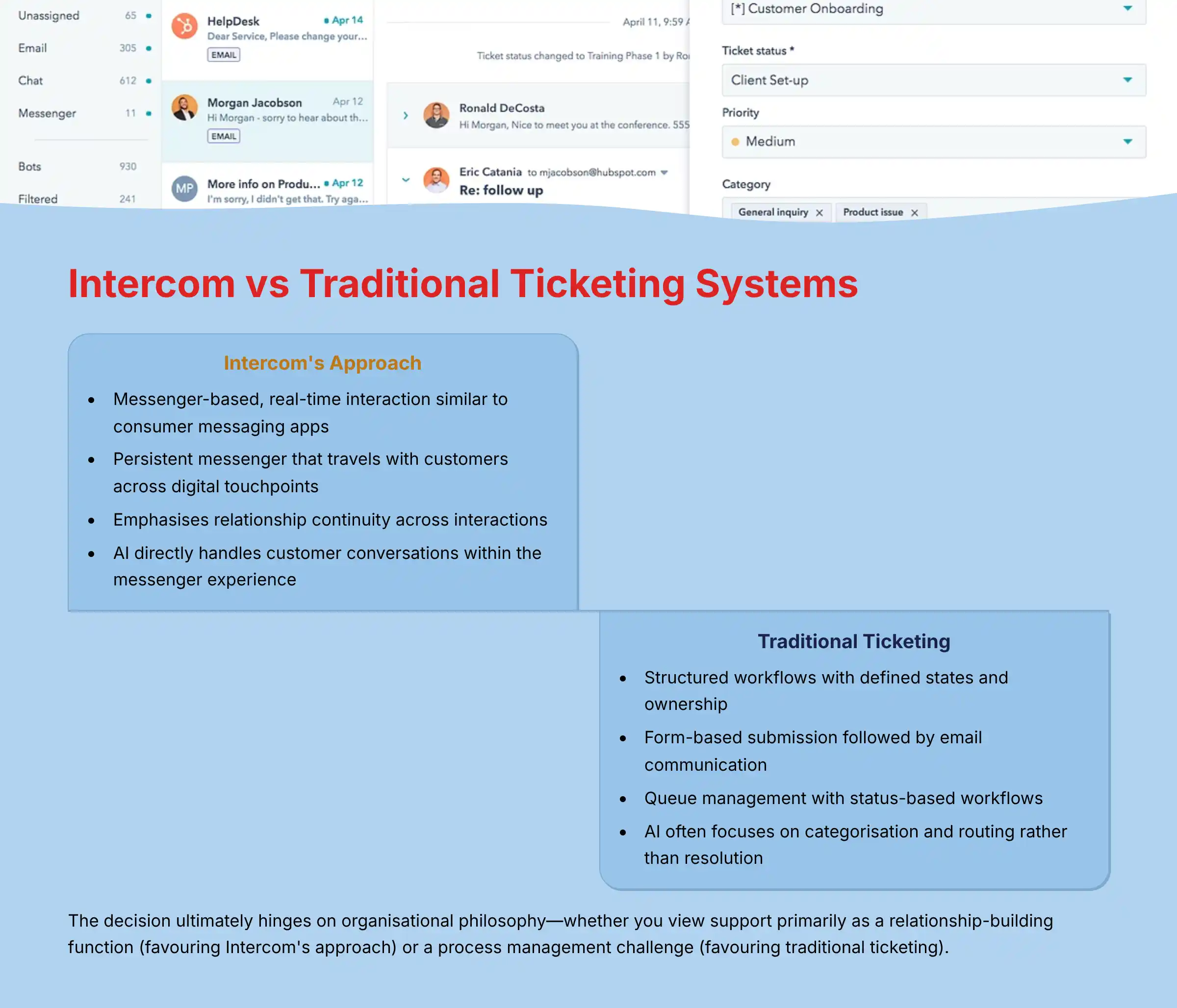
Intercom and traditional ticketing systems like Zendesk represent fundamentally different approaches to customer support, with distinct philosophies, architectures, and use cases. Understanding these differences is crucial for customer care leaders making strategic platform decisions.
Core Philosophical Differences
Intercom’s Conversational Approach
- Fundamental Unit: The ongoing customer relationship and conversation
- Design Principle: Messenger-based, real-time interaction similar to consumer messaging apps
- Customer Experience: Feels like chatting with a friend rather than submitting a formal request
- Agent Experience: Continuous conversations with contextual customer information
- AI Implementation: Conversational AI designed to participate directly in customer discussions
Traditional Ticketing Systems (Zendesk)
- Fundamental Unit: The support ticket or case
- Design Principle: Structured workflows with defined states and ownership
- Customer Experience: Formalized process with ticket numbers and status updates
- Agent Experience: Queue-based work management with defined processes
- AI Implementation: Primarily focused on classification, routing, and suggestion tools
Architectural & Functional Differences
1. Interface & Interaction Model
Intercom:
- Persistent messenger that travels with customers across digital touchpoints
- Emphasizes in-context, in-product support experiences
- Blends proactive and reactive engagement in a single interface
- Continuous conversation history visible to both parties
- Focuses on making support feel accessible and immediate
Traditional Ticketing:
- Typically form-based submission followed by email communication
- Often separated from the product experience
- Clear delineation between different support requests
- Structured fields for categorization and prioritization
- Focuses on process management and accountability
2. Agent Workflow & Management
Intercom:
- Team inbox approach with conversation-based assignment
- Emphasis on relationship continuity across interactions
- Real-time collaboration with simultaneous viewing
- Resolution focused on customer satisfaction rather than ticket closure
- Integrated view of customer behavior, attributes, and conversation history
Traditional Ticketing:
- Queue management with status-based workflows
- Emphasis on SLA adherence and process compliance
- Sequential handling with defined handoff procedures
- Resolution measured by ticket closure and adherence to process
- Structured approach to escalation and specialization
3. AI & Automation Implementation
Intercom:
- AI (Fin) directly handles customer conversations
- Automation focuses on resolving issues within the conversation
- Knowledge suggestions appear within the messenger experience
- Bots designed to feel like natural conversation participants
- Resolution happens in-channel without interface switching
Traditional Ticketing:
- AI often focuses on categorization and routing
- Automation emphasizes workflow efficiency and ticket management
- Knowledge suggestions typically require channel switching
- Bots designed to collect information for human processing
- Resolution often involves multiple systems and interfaces
Strategic Fit Considerations
Intercom Excels For:
- Digital-first products requiring in-context support
- Relationship-focused businesses valuing conversation continuity
- Organizations seeking to blend support, engagement, and marketing
- Teams prioritizing customer experience over process standardization
- Companies with straightforward support needs suited to AI automation
Traditional Ticketing Excels For:
- Complex support operations with multiple tiers and specializations
- Process-driven organizations with strict compliance requirements
- Teams requiring advanced workflow customization
- Support operations with complex escalation paths
- Cases requiring extensive tracking of multiple interactions
Hybrid Approaches
Many organizations implement both systems for different use cases:
- Intercom for digital self-service, AI automation, and front-line support
- Ticketing systems for complex back-office processes and specialized support tiers
- Integration between systems to maintain a complete customer view
For customer care leaders, the decision ultimately hinges on organizational philosophy—whether you view support primarily as a relationship-building function (favoring Intercom’s approach) or a process management challenge (favoring traditional ticketing). The growing trend is toward conversational interfaces like Intercom for customer-facing interactions, with possible backend integration to ticketing systems for complex operational workflows.
How to implement Intercom’s chat widget without negatively impacting website performance?
Implementing Intercom’s chat widget requires careful optimization to maintain website performance while delivering an effective support experience. Here’s a comprehensive guide to minimizing performance impact while maximizing customer support effectiveness:
Technical Implementation Best Practices
1. Optimal Code Placement & Loading
- Asynchronous Loading: Implement the Intercom code with async/defer attributes to prevent render blocking
- Placement Position: Place the Intercom snippet just before the closing
</body>tag rather than in the<head> - Lazy Loading: Consider custom implementation that loads Intercom only after critical page elements are rendered
- Conditional Loading: Load the widget only for logged-in users or on specific high-value pages
- Delayed Initialization: Use a timeout function to delay Intercom initialization by 2-3 seconds after page load
2. Code Optimization Techniques
- Minimal Configuration: Use only essential settings in the initial configuration object
- Streamlined Attributes: Limit custom attributes to those needed for routing and personalization
- Selective API Usage: Call Intercom’s JavaScript API methods only when necessary
- Event Batching: Group multiple tracking events rather than triggering them individually
- Module Bundling: If using npm, implement code splitting to reduce initial JavaScript payload
3. Resource Loading Optimization
- Browser Caching: Ensure proper cache headers for Intercom assets
- CDN Performance: Verify Intercom’s CDN performs well in your target regions
- Preconnect Hints: Add
<link rel="preconnect">for Intercom domains - Compression: Ensure gzip/Brotli compression is enabled for all transferred assets
- HTTP/2 Support: Confirm your server supports HTTP/2 for parallel asset loading
Messenger Configuration for Performance
1. Visual Customization Balance
- Simplified Launcher: Use standard launcher styles instead of custom animations
- Image Optimization: Ensure any custom messenger images are properly optimized
- Limited Custom CSS: Minimize custom CSS that might impact rendering performance
- Responsive Design: Configure mobile-specific settings for better performance on devices
- Animation Reduction: Disable non-essential animations for performance-critical implementations
2. Functional Configuration
- Targeted Deployment: Show the messenger only to relevant user segments
- Conversation Carryover: Enable browser storage for conversation persistence
- Caching Strategy: Implement appropriate caching for messenger configuration
- Message Throttling: Configure rate limits for automated messages and events
- Stateful Persistence: Maintain user state to prevent redundant data loading
Advanced Implementation Approaches
1. Progressive Enhancement Strategy
- Basic First Approach: Initially load a simplified version, then enhance with additional features
- Feature Phasing: Add advanced features like article suggestions only after core functionality is stable
- Interaction-Based Loading: Trigger full feature loading only after user interaction with the launcher
- Conditional Feature Sets: Load different feature sets based on user device capabilities
- Graceful Degradation: Ensure basic functionality works even if advanced features fail to load
2. Performance Monitoring Framework
- Core Web Vitals: Monitor LCP, FID, and CLS impact from Intercom implementation
- Loading Timeline: Track messenger initialization time and resource loading duration
- User Experience Metrics: Measure conversion impact vs. performance trade-offs
- Real User Monitoring: Implement RUM tools to track actual user experience
- A/B Performance Testing: Compare performance metrics with and without Intercom
3. Mobile Optimization Strategies
- Device-Specific Loading: Implement different loading strategies for mobile vs. desktop
- Connection-Aware Loading: Adapt loading behavior based on connection speed
- Touch Optimization: Ensure messenger interactions are optimized for touch interfaces
- Battery Consideration: Minimize JavaScript execution for better battery performance
- Viewport Adaptation: Configure messenger size and position for various screen sizes
For optimal performance, the implementation should prioritize core functionality first, then progressively enhance the experience. This approach ensures that customer support remains accessible even on slower connections or older devices, while providing full functionality for users with better technical capabilities.
Organizations should establish performance budgets and continuously monitor the impact of Intercom on their website’s core metrics, making adjustments as needed to maintain optimal user experience while delivering effective customer support.
Summary: Transforming Customer Support with Intercom’s AI-Powered Platform
Intercom represents a paradigm shift in customer support, moving beyond traditional ticketing systems to deliver conversational, AI-powered experiences that scale with business growth. Through this comprehensive FAQ analysis, several key themes emerge that define Intercom’s value proposition for modern customer care organizations.
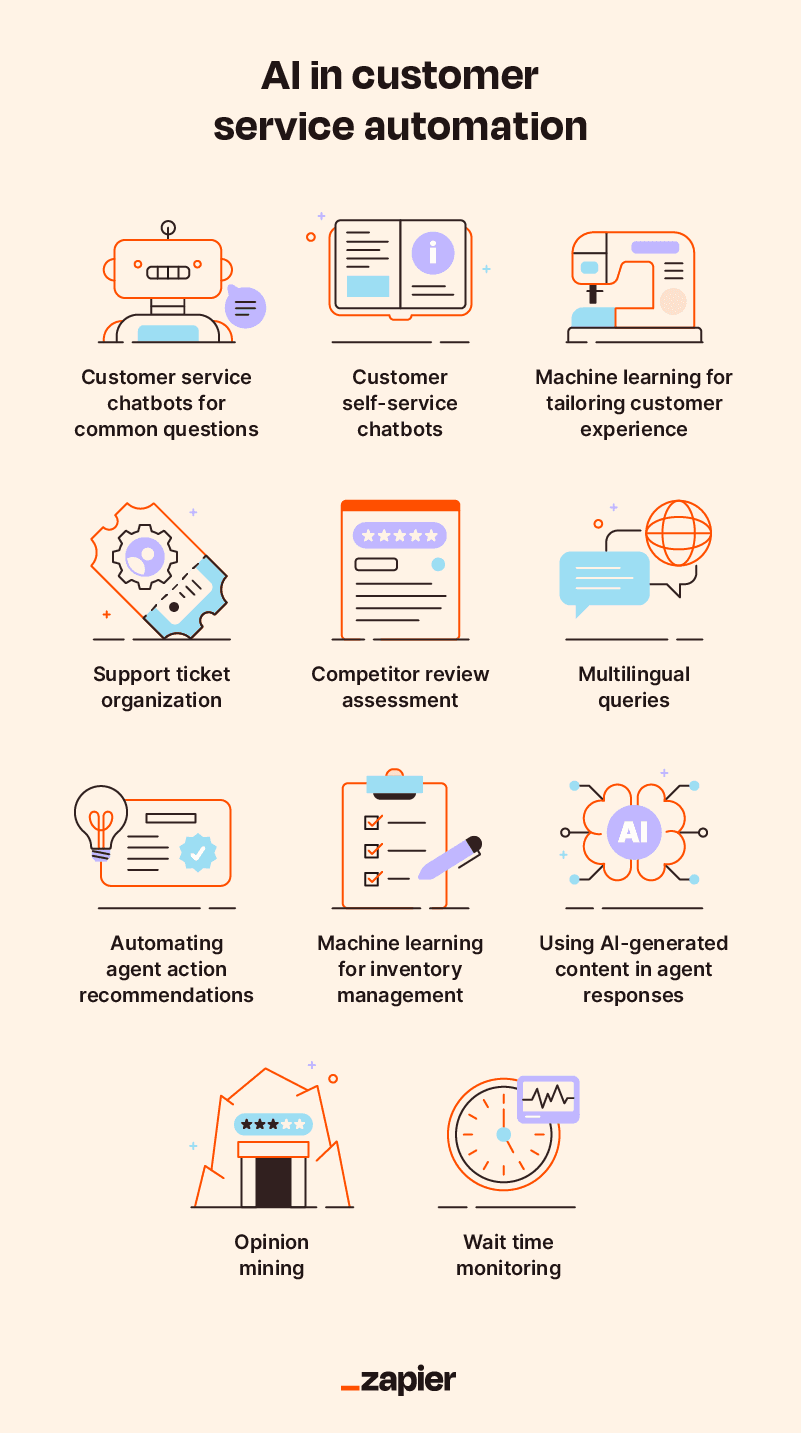
The AI Advantage in Customer Support
Fin AI’s ability to handle 30-50% of routine inquiries represents more than cost savings—it fundamentally changes the support team’s role from reactive problem-solving to proactive relationship building. This automation creates a virtuous cycle where human agents focus on complex, high-value interactions while AI ensures instant responses to common questions.
Strategic Implementation Considerations
Success with Intercom requires thoughtful implementation that balances automation with human touch. The most effective deployments:
- Start with comprehensive knowledge base development
- Implement phased rollouts to build confidence in AI capabilities
- Focus on integration quality with existing business systems
- Maintain continuous optimization based on performance analytics
- Prioritize agent training and workflow adaptation
Business Impact Framework
Organizations implementing Intercom typically see transformational results across multiple dimensions:
- Operational Efficiency: 25-40% reduction in support costs through automation and improved agent productivity
- Customer Experience: 70-90% improvement in response times with maintained or improved satisfaction scores
- Business Growth: Enhanced ability to scale support operations without proportional headcount increases
- Revenue Impact: Direct correlation between improved support experience and customer retention/expansion
Future-Ready Customer Support
As customer expectations continue evolving toward immediate, personalized support experiences, Intercom’s conversational approach positions organizations ahead of the curve. The platform’s continuous AI improvements, expanding integration ecosystem, and focus on relationship-building rather than ticket processing create a sustainable competitive advantage.
Decision Framework for Implementation
Customer care leaders evaluating Intercom should consider:
- Current State Assessment: Analyze existing support volume, team capacity, and customer satisfaction metrics
- Strategic Alignment: Evaluate fit with organizational philosophy on customer relationship management
- Technical Readiness: Assess integration requirements and implementation resources
- ROI Projections: Model expected cost savings and revenue impact based on current metrics
- Change Management: Plan for team training and workflow adaptation
Final Implementation Checklist
- Knowledge Foundation: Develop comprehensive, AI-optimized knowledge base before full deployment
- Integration Strategy: Prioritize seamless connection with CRM, e-commerce, and essential business systems
- Team Preparation: Invest in comprehensive agent training and workflow optimization for maximum efficiency
- Performance Measurement: Establish baseline metrics and continuous optimization framework for ongoing improvement
- Scalability Planning: Design implementation with future growth and evolving customer expectations in mind
The transformation of customer support through AI-powered platforms like Intercom represents both an opportunity and a necessity in today’s competitive landscape. Organizations that embrace this conversational approach to customer care position themselves not just for operational efficiency, but for sustained growth through enhanced customer relationships and experiences.
For those ready to take the next step, exploring detailed Intercom features and capabilities provides the foundation for making informed implementation decisions that drive both immediate results and long-term success.


Leave a Reply